

As a tour operator or travel agency, your booking software is the backbone of your business. It’s not only about processing bookings—it’s about easy management and instant transactions. It’s also about not incurring extra costs while enhancing customer experiences.
We’ve searched the web to find you the top 3 tools to help you set up your booking platform to help do all that and more. They are Xola, FareHarbor, and Tripcart.
These 3 already include everything other tour booking platforms offer, and add new features and improvements. Each excels in specific areas such as customization, payment solutions, email management, etc.
In this deep dive, we will put an end to the Xola vs FareHarbor vs Tripcart debate. We will highlight each platform’s features, budgets, values, and unique aspects to help you make a clearer choice.
While all 3 platforms are capable, one stands out as a modern, flexible, and cost-effective solution for today’s market. Let’s explore.
Understanding the Landscape
Tour operators face numerous challenges, including managing bookings, optimizing revenue, and enhancing customer experiences. A good booking software addresses all your needs while being easy to use and scale with your business.
Let’s take a quick look at the contenders and what they offer.
- Xola: Known for simplicity and its marketing-focused tools. It is popular among small to mid-sized operators who want ease of use and direct bookings.
- FareHarbor: A powerhouse owned by Booking Holdings. It excels at handling high-volume bookings and operations and online travel agency integration.
- Tripcart: Tripcart combines intuitive booking management, easy website creation and customer engagement tools. If you’re seeking flexibility without high costs, this is the ideal choice.
Let’s get straight to how the Xola vs FareHarbor vs Tripcart match-up turns out across key areas like features, pricing, and ease of use.
The 3 contenders
Top Prick

Tripcart
Pricing: $29 per month
Website Builder + Booking Engine
Use Own Domain
Upsell Tools
2nd Pick

FareHarbor
Pricing: 6% booking fees
Native POS system
Embeddable widgets
Dedicated mobile app
3rd Pick

Xola
Pricing: ~2% transaction fee
Abandoned booking recovery
Intuitive dashboard
OTA Integration
Who Wins: Xola VS FareHarbor VS Tripcart
Xola
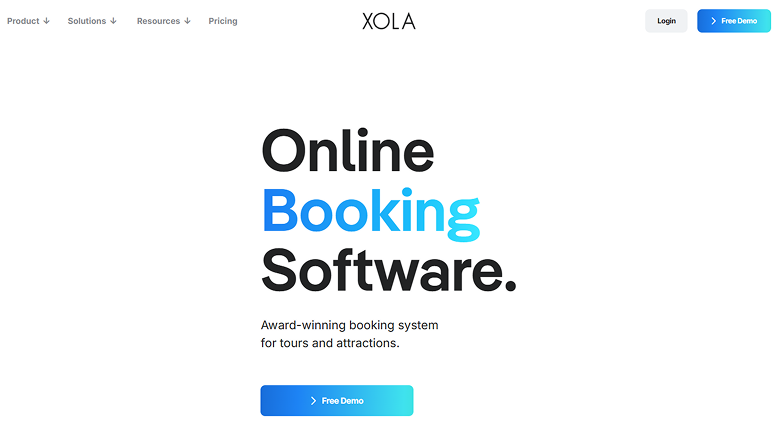
Xola is a favorite among operators who seek a straightforward booking solution. It doesn’t have a steep learning curve and is easy to use.
Launched in 2011, it focuses on helping small to mid-sized businesses manage bookings and process payments. It even offers marketing tools that can help drive direct sales. Plus, its clean interface and customer-centric features add to its popularity among tour operators.
Key Features
- Online Booking Engine: A customizable widget that integrates with your website, allowing customers to book tours in real time.
- Point of Sale (POS) System: Supports in-person bookings and payments, ideal for operators with physical locations.
- Customer Relationship Management (CRM) Tools: Tracks customer data and preferences, enabling personalized marketing campaigns and customer communications.
- Abandoned Cart Recovery: Capture unfinished bookings while pushing offers to customers.
- Marketing Integrations: Connects with Facebook Ads, Google Analytics, and tools like Xola Bot for marketing your tours.
- Dynamic Pricing: Adjust prices based on demand, group size, or seasonality.
- 24/7 Support: Offers round-the-clock customer support and training resources.
Strengths
Xola shines for operators who have existing WordPress websites; it’s a plug-and-play solution. You can integrate it into your site without needing to be a technical wizard.
The platform’s marketing tools are a standout, particularly the abandoned cart recovery and CRM tools. These can help you recapture lost sales and build customer loyalty. The Xola Bot can retarget customers with catered offers, a feature that is rare in this price range.
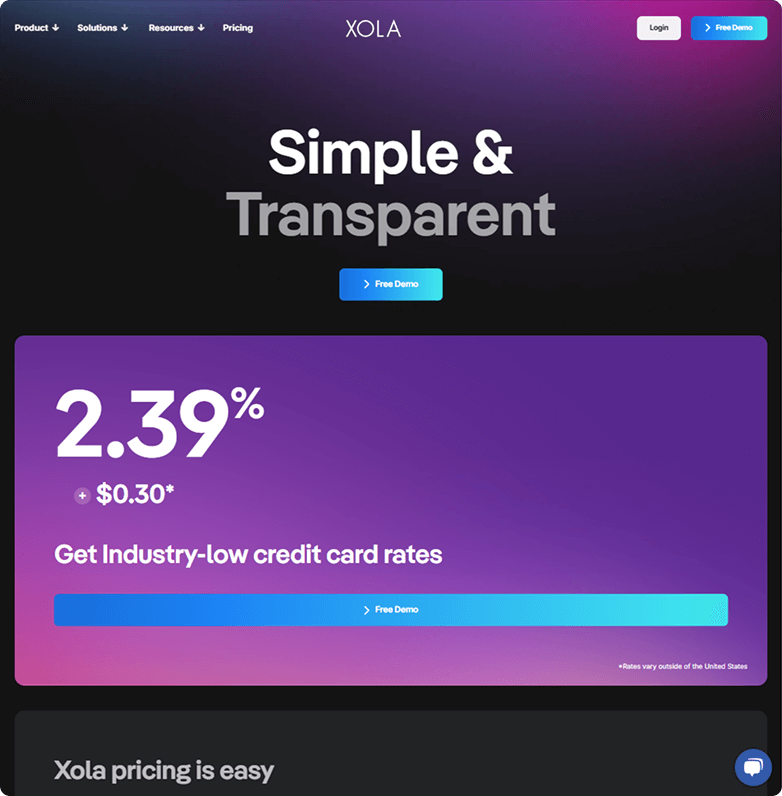
The absence of a subscription fee is another draw. Xola charges a transaction fee of 1.9% + $0.30 per booking, which can be passed down to your customers. This makes it more appealing for low-volume operators.
Limitations
While Xola is user-friendly, it falls short in customization and scalability. The platform’s website integration is limited to booking widgets. This may not be enough if you need a fully branded, SEO-optimized website.
Xola lacks a built-in itinerary builder. So, creating detailed, multi-day tours may need workarounds or the use of third-party tools.
Customization is another weak point. Xola allows for basic tweaks to booking buttons and emails, but if you need unique branding or other workflow needs, you may find it restrictive.
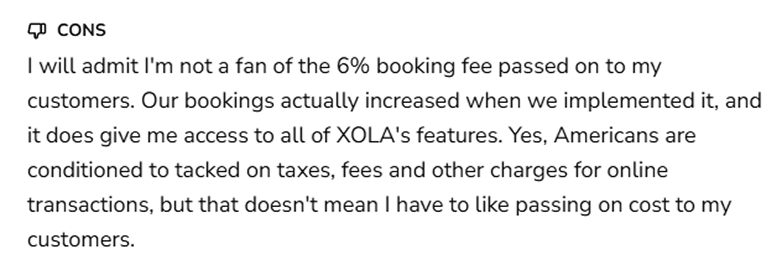
Moreover, pricing can also become a concern for growing businesses. Some sources suggest transaction fees can reach as high as 6% in some instances. This could add up for high-volume operators. Its pricing isn’t fully transparent either—you’ll need to book a demo to get the whole picture.
Best For
Xola is a good choice for small to mid-sized tour businesses that want a simple system for direct bookings and marketing. Works well for offerings that don’t need advanced website or itinerary tools.
FareHarbor
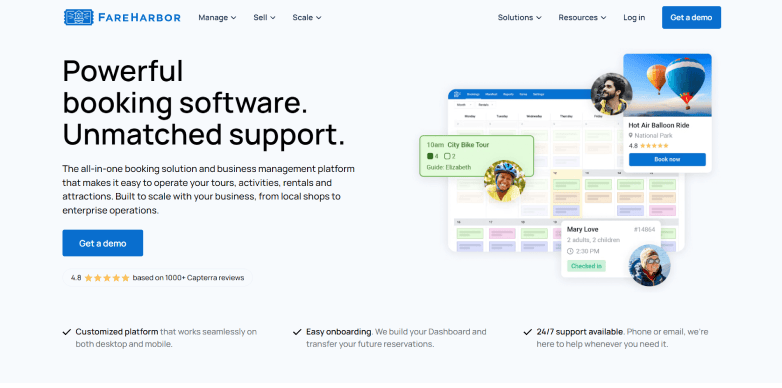
Acquired by Booking Holdings in 2018, FareHarbor is a dominant player in the travel industry. It is designed for operators handling large booking volumes, making it best suited for businesses that have already scaled up.
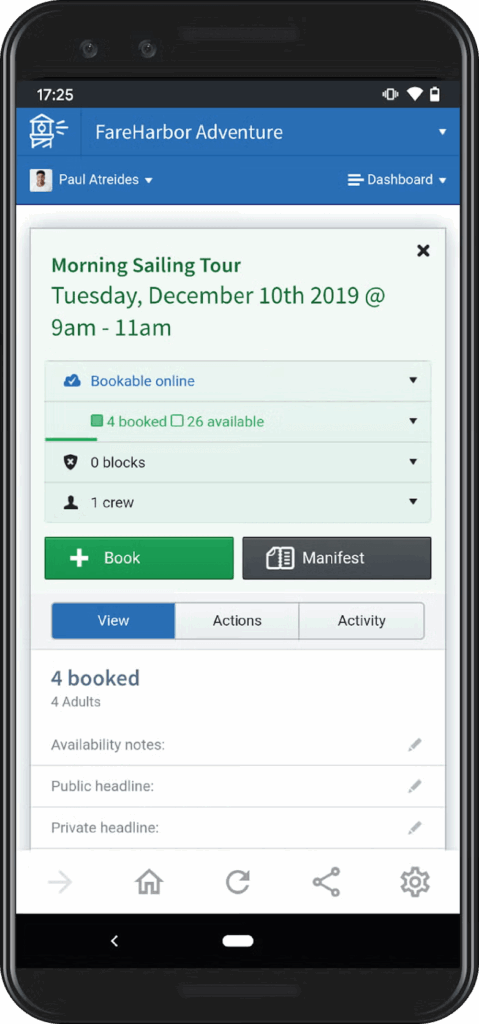
It offers a robust backend, extensive OTA integrations, and powerful reporting tools. Additionally, it offers a mobile app to help you manage your bookings and stay informed.
FareHarbor is chosen by many large businesses, from local travel giants to global tour agencies.
Key Features
- Advanced Booking Management: Handles complex schedules, group bookings, and multi-tour operations.
- Payment Processing: Supports multiple gateways, including Stripe, and securely processes payments.
- Staff Scheduling: Assigns guides and resources efficiently, streamlining operations.
- Reporting Tools: Delivers detailed analytics on bookings, revenue, and customer behavior.
- OTA Integrations: Connects seamlessly with platforms like Viator, Expedia, and TripAdvisor.
- API Access: Allows custom integrations for operators with technical resources.
- Mobile App: Enables on-the-go management for operators and staff.
- Dedicated Onboarding: Provides hands-on setup, including website-building services.
Strengths
FareHarbor stands out due to its ability to handle high-volume, complex operations. Its backend is built to manage multiple bookings across different channels. This is more appealing to operators with OTA partnerships.
It also offers advanced reporting tools. Its customizable dashboards help track business metrics and optimize pricing.
For the more tech-savvy operators, the API is a boon. You can enable integrations with CRMs, accounting software, or custom apps. The mobile app adds an extra layer of flexibility, allowing you to manage bookings and schedules from anywhere.
Like Xola, FareHarbor doesn’t charge a subscription fee. They charge a 3-6% booking fee that can be passed on to customers, making it manageable for businesses with high margins.
Limitations
FareHarbor’s power comes with trade-offs. Its interface, while functional, feels clunky and dated to some users, lacking the modern polish.
It also only offers embeddable widgets and templates. Creating a fully customized and branded site requires technical expertise or the use of third-party tools. This makes it unnecessarily complex for smaller travel operators.
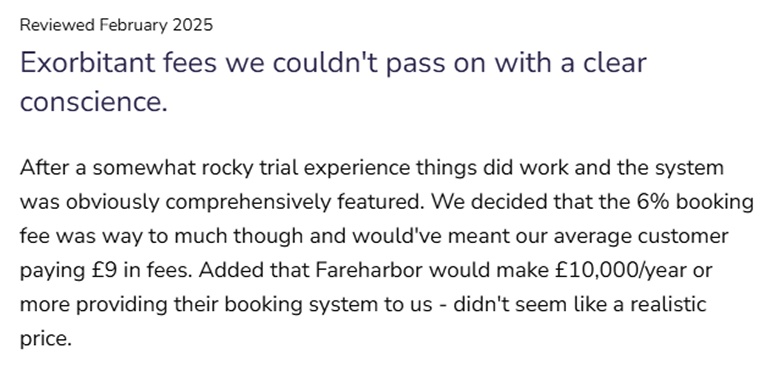
Booking fees are a significant drawback. The 3-6% fee applies to all online bookings, not just OTA sales, and can take a chunk of your profits. Some online reviews mention extra fees for Viator or offline bookings.
Customization is another weak point; FareHarbor’s branding options are limited. To achieve a distinctive look, businesses may need to invest in custom development.
Finally, FareHarbor’s complexity can overwhelm smaller operators. Its features are best suited for big agencies with dedicated backend staff.
Best For
FareHarbor is made for large operators or agencies with OTA partnerships and complex operational needs. It’s a good choice for enterprises like cruise operators or multi-destination tour companies.
Tripcart
Tripcart is a new face in the travel scene, rapidly gaining popularity among tour operators. It combines intuitive booking management with a powerful website builder and revenue-boosting features.
Tripcart was launched to address the pain points of traditional platforms. Its commission-free model and affordable pricing make it ideal for businesses of all sizes.
You can build a professional, SEO-optimized tour site with maps, dynamic pricing, custom departure dates, and much more. That too without any extra plugins, technical skills, or added fees.
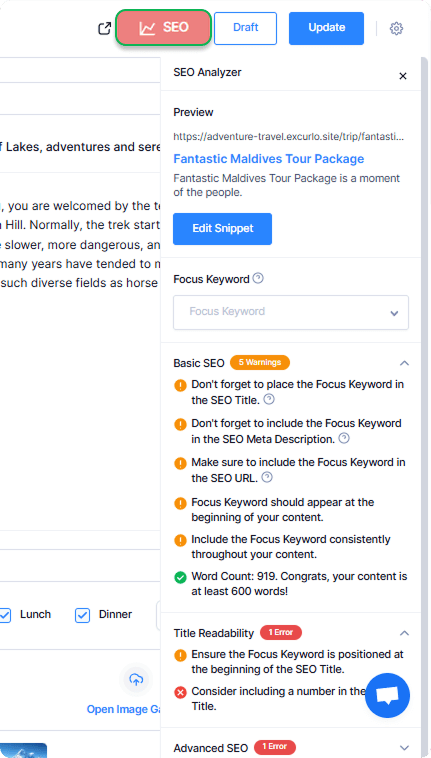
You can also add a variety of accommodation choices to your multi-day tours with Tripcart. It’s a simple way to turn each tour into a fully packaged, all-in-one travel experience.
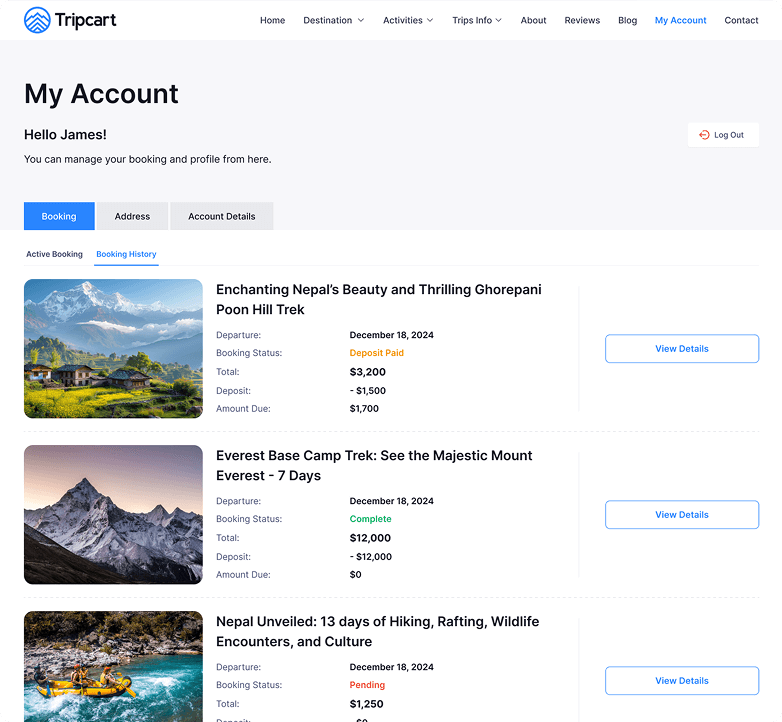
Furthermore, it also provides a customer dashboard to view and manage their bookings. You can even set custom booking fees for each tour using different pricing strategies.
The support team is also very patient, polite, and helpful. The support chat is available 24/7 to assist you with any questions you may have. It also has resources like documentation and video tutorials.
Tripcart also offers 13+ payment gateways, including PayPal, Stripe, Cybersource, Nabil Bank, etc. If you have a different payment gateway, you can request one directly from the website.
You can even display reviews from Google, Trustpilot, and TripAdvisor on your website. It also supports booking restrictions and abandoned cart recovery. This makes Tripcart a fresh but powerful tour booking software that can fit into any kind of tour business.
Key Features
- Intuitive Website Builder: Creates SEO-optimized, mobile-friendly websites with no hosting required.
- Unlimited Tour Creation: Supports single-day, multi-day, and activity-specific tours without restrictions.
- Advanced Itinerary Builder: Includes day-to-day or hour-to-hour itineraries, accommodations, elevation guides, and maps to showcase tours.
- Grow Revenue: Offers upsells, group discounts, custom add-ons, deposit payments, and abandoned cart recovery.
- Global Payment Gateways: Integrates with popular payment processors but also niche ones like Revolut, Xendit, Midtrans, Global IME, etc.
- Analytics Dashboard: Provides clear, easy-to-read insights into bookings and revenue over time.
- Review Management: Showcase 5-star reviews from Google, Trustpilot, and TripAdvisor on your website.
- Team Management: Supports role-based access, permissions, and multiple workspaces for agencies.
- No Commission Fees: Charges a flat subscription starting at $29/month, with no per-booking or hidden fees.
- White-Labeling: Higher-tier plans (Accelerate, Scale) offer fully-branded booking experiences and increased storage.
Strengths
Tripcart stands out for its modern, all-in-one approach.
The website builder is a game-changer, allowing you to create professional, branded websites in minutes without paying any hosting fees. This gives Tripcart an upper hand over FareHarbor (the monthly hosting fee is $500) and Xola’s WordPress-dependent hosting.
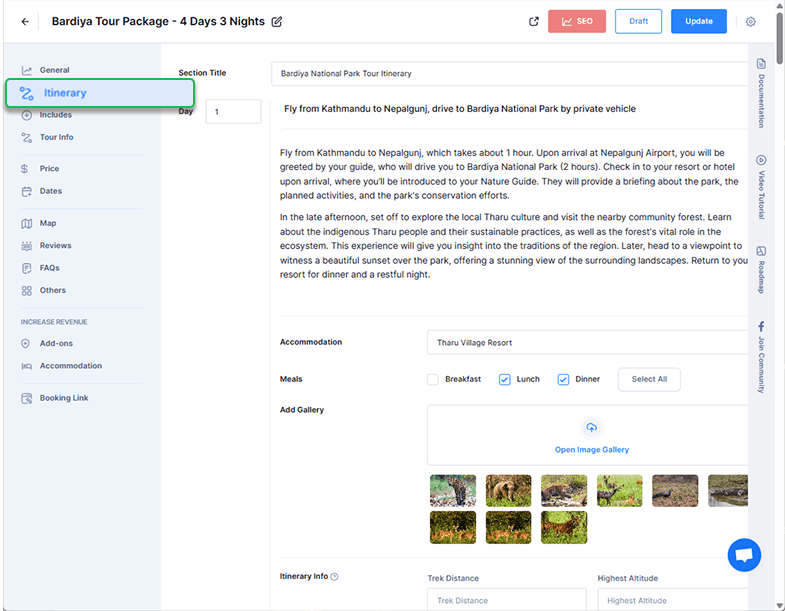
The itinerary builder is another highlight. You can create detailed tour plans to include maps, altitude charts, meal details, etc., helping visualize your tour. This feature is completely unique, as neither Xola nor FareHarbor offers a comparable tool.
Moreover, Tripcart’s revenue-growing tools help maximize every booking. Upsell your tours with extra services, accommodation, group discounts, and multiple price packages. This helps add to the Average Order Value (AOV) per booking.
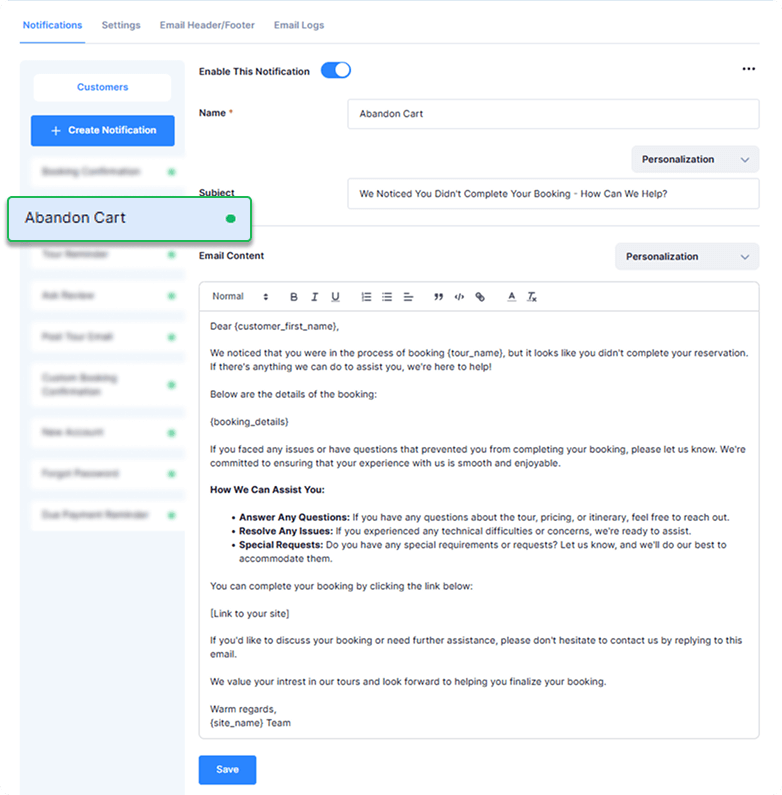
For all the lost and unfinished bookings, Tripcart offers abandoned cart recovery. You can send automated reminders to potential customers nudging them to complete their bookings.
Pricing is also a major strength. Tripcart starts at $29 per month with a 30-day free trial. There are no per-booking or commission fees. In comparison, FareHarbor charges variable fees, and Xola charges transaction costs.
It is the most affordable option on the market, making it accessible to smaller tour operators or solo entrepreneurs.
Limitations
As a newer platform, it doesn’t have the long-term market presence and enterprise reputation of Xola and FareHarbor.
Large operators who need complex OTA management and reporting tools may find Tripcart lacking. Although most small to mid-sized businesses won’t need extensive customization.
Best For
Tripcart is perfect for individuals who want a modern and cost-effective tour booking platform. Its strong website building, upsell, and customer engagement tools are unmatched.
Head-to-Head Comparison
To help you choose, here’s a detailed Xola vs FareHarbor vs Tripcart comparison of key features:
| Feature | Xola | FareHarbor | Tripcart |
| Website Builder | Booking widgets only | Templates, third-party tools needed | Intuitive point-and-click, SEO-optimized |
| Itinerary Builder | None | Basic notes | Visual, with maps and details |
| Payment Gateways | Stripe, native processor | 10, including PayPal and Stripe | 13+ including PayPal, Stripe, Razorpay, etc. |
| Commissions/Fees | 1.9% + $0.30 transaction fee | 3–6% booking fee | None, flat subscription ($29/month) |
| Upselling & Cross-Selling | Basic add-ons | Limited | Advanced, with custom add-ons |
| Abandoned Cart Recovery | Yes | Yes | Yes |
| Reporting & Analytics | Solid, marketing-focused | Robust, customizable | User-friendly, clear charts |
| Custom Branding | Limited | Requires technical work | Highly customizable, easy-to-use |
| Pricing Transparency | Demo required | Complex, variable fees | Clear, affordable plans |
| Support | 24/7 | 24/7, dedicated onboarding | 24/7 email/chat, free trial support |
Quick Analysis
- Website Building: Tripcart’s website builder is unmatched. It offers a hassle-free way to create branded, SEO-friendly tour booking sites (without any hosting fees). Xola and FareHarbor are less flexible and often lack a polished online presence.
- Itinerary Creation: Tripcart’s detailed itineraries are a clear winner, enabling operators to showcase tours in a way that drives conversions. Xola lacks this feature, and FareHarbor’s basic notes don’t compare.
- Cost Structure: Tripcart’s flat subscription is the clear winner, with no commissions or booking fees. Xola’s transaction fees (1.9% + $0.30, potentially higher) and FareHarbor’s booking fees (3–6%) can add up, especially for high-volume operators.
- Revenue Tools: Tripcart leads with advanced upselling and cross-selling, designed to enhance the value of each tour. Xola’s tools are solid but less comprehensive, while FareHarbor’s are minimal.
- Scalability: FareHarbor excels for large operators with OTA integrations and complex needs. Xola is better for mid-sized businesses. Tripcart for growing operators who want flexibility without enterprise-level complexity.
So, in the Xola vs Fareharbor vs Tripcart debate, Tripcart takes the 1st place, with FareHarbor coming at 2nd, and Xola at a close 3rd.
Why Tripcart Stands Out
While the first two are strong options, Tripcart offers a mixture of modern features, affordability, and ease of use. Here’s why it’s worth considering:
- All-in-One Solution: Tripcart brings booking management, website creation, and itinerary planning together in one platform. Operators don’t have to juggle multiple tools. It’s a big plus for those looking to simplify their workflow and keep everything in one place.
- Cost-Effective Model: Tripcart charges a simple $29/month with no extra booking or transaction fees, so you always know what you’re paying. In comparison, FareHarbor takes a cut from each booking, and Xola’s fees can change depending on the scenario.
- Customer-Centric Design: Features like detailed itineraries, extra services and discounts enhance the customer journey. This helps drive higher conversions and ensure repeat business.
- Flexibility for Growth: Tripcart’s customizable sites, global payment options, and team management tools make it ideal for both local tour operators and international agencies.
- Modern User Experience: Its intuitive interface and polished design make it easy for non-technical users. This saves countless hours and reduces training costs (since you can do it on your own).
Operators are facing rising customer expectations for online experiences and personalized offerings. That is why Tripcart is particularly appealing in 2025. Tripcart’s no-booking fees, no-hosting fees, and revenue-boosting tools position it as a forward-thinking choice.
Making the Right Choice
- Choose Xola if you’re a small to mid-sized operator who values simplicity and marketing tools. It’s a great fit for businesses with basic website needs and a focus on direct bookings. But be prepared for potential transaction fee increases as you scale.
- Choose FareHarbor if you’re a high-volume agency with partnerships and complex scheduling needs. Its reporting is unmatched, but you’ll need to get less customization and more booking fees.
- Choose Tripcart for a modern, cost-effective platform that optimizes your tour booking business. It’s ideal for solo, small, or mid-sized operators who want an affordable, customizable, and revenue-enhancing platform.
Conclusion
We hope that you can now decide between the best tour booking software of 2025. Tripcart is the clear winner, as it provides the most value for your money. It is easy to use while offering robust and important features.
Xola and FareHarbor are both excellent options for tour operators and travel agencies, but each has its own set of challenges.
Ready to explore? Take advantage of Tripcart’s 30-day free trial to see how it can elevate your operations. For Xola or FareHarbor, book a demo to dig into their offerings. Whichever you choose, the right platform is the one that matches your vision and supports your growth.
