
No fees. No cuts. More revenue.
Boat Tour Booking Software
Build an SEO-friendly website that helps you manage every seat on board, set sail times, and track departures. Accept payments for bookings and grow your revenue.
No credit card required
30-days free trial
Cancel anytime
No Commission Fees
Keep 100% of every booking. No fees. No cuts.
Use Your Own Domain
Professional branding with your own domain name.
Hosting Included
Fast, secure, and free website hosting with 99.9% uptime guaranteed.
Selling Boat Tours Online Should Be Easy. But, Why is It So Frustrating?
You’re great at giving guests trips they’ll never forget. But behind the scenes, it's messy. Plus, your website just adds to the storm. You're making it work, but it shouldn't be this hard.
Tripcart fixes the chaos with a clean website, clear itineraries, and organized schedules.
"We lose 3–6% of our revenue in booking fees."
Extra costs like platform or commission fees eat into your hard-earned revenue. With Tripcart, there are no commissions, no booking fees, no hidden cuts. Whether online or offline, you get to keep 100% of every booking.
“We had to turn guests away from the dock due to overbooking.”
Overbooking means lost revenue today and bad reviews that hurt tomorrow. With Tripcart, you set the number of seats for each trip. When the boat is full, booking stops automatically. Guests who still want to join can add themselves to a trip waitlist, so you never lose future sales.
"Last-minute cancellations hurt our business."
Tourists cancel at the last minute or fail to show up, leaving your boats half-empty. With Tripcart, you can take upfront payments so guests are committed. This helps you avoid no-shows and run every tour at full capacity.
“Many guests show up unsure about the plan, timing, or what to bring.”
Answering the same questions repeatedly is draining. With Tripcart, you can create detailed itineraries that include clear schedules and durations. You can also add maps, FAQs, and a packing list so guests know exactly what to bring.
“OTA marketplace takes a 20 to 30% fee every time I get a booking.”
Many operators depend on OTA marketplaces for online visibility. With Tripcart, you don't have to rely on them. Your own SEO-friendly website brings direct bookings, and you keep all the revenue instead of losing it to OTA commissions.
What If the Tech Side Felt Just as Fun as Your Boat Tours?
Tripcart brings bookings, payments, and sailing schedules together in one easy platform. Create, sell, and receive payments for all your one-day and multi-day boat tours.
Booking & Scheduling
Smart scheduling keeps your seats organized and double-bookings out of the picture. Your boats sail on time with zero confusion.
Payments & Deposits
Customize how guests pay for their bookings and how you receive payments. You keep 100% of every booking, with no platform cuts or surprise fees.
Grow Revenue
Earn more from the bookings you already get. Smart upsells work behind the scenes to increase the value of each booking.

Tripcart Isn’t Just a Tour Booking Software – It's a Full Business Platform
Build SEO-friendly websites, generate leads, sell tours, and grow revenue, all from a single place.

Everything You Need to
Sell More, While Doing Less
Create Tours That Work The Way You Do
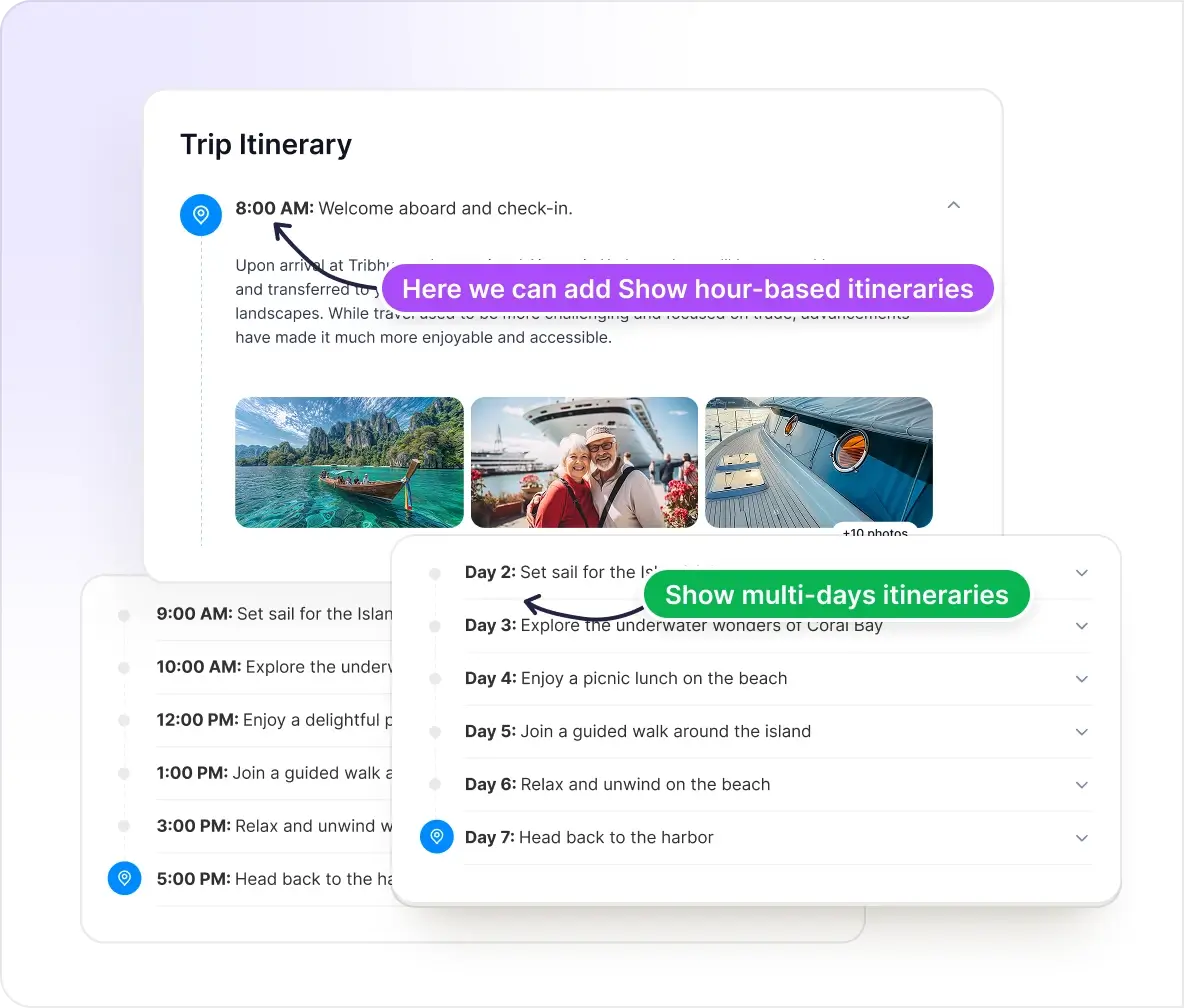
Every boat tour is different. Some need detailed multi-day itineraries, while others just need simple hourly plans. Create your boat tours the way you want.
Support for Day Trips and Multi-Days Voyages
Whether one-day sailing trips or multi-day island tours, create every kind of boat tour you can imagine.
Detailed Hourly or Daily Itineraries
Show step-by-step details of every moment of the boat tour. You can include images or descriptions about activities, meals, routes, and more.
Set Prices That Fit All Guests and All Seasons
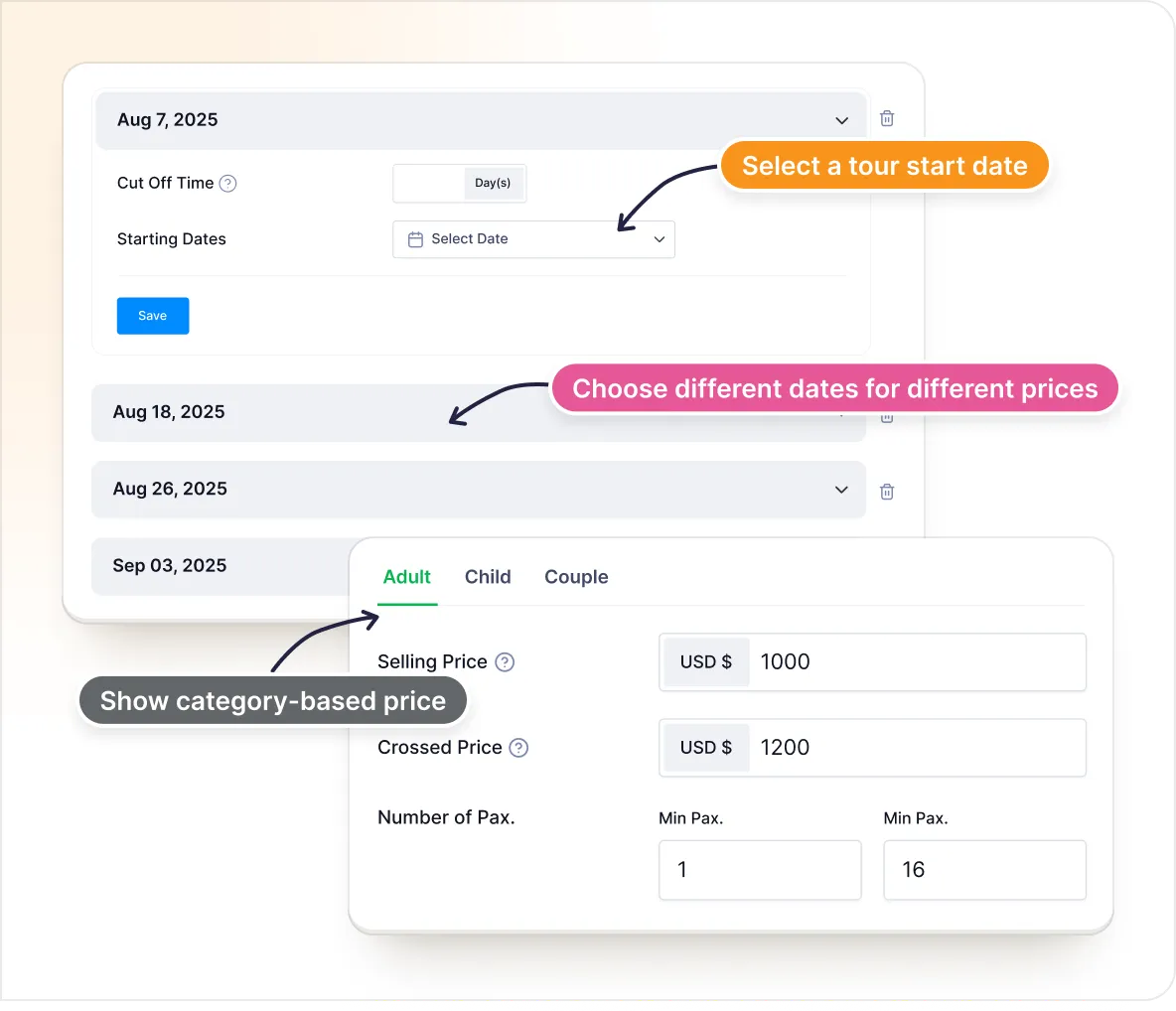
Set tour prices that adjust automatically for every traveler type and season. From solo sailors to families, charge according to demand and season.
Category-Based Price
Set different rates for adults, kids, groups, per seat, per boat, etc. Whatever fits your tour.
Seasonal Price
Adjust different prices for peak fishing months, holiday weekends, or slower weekdays.
Take Full Control of Your Schedule
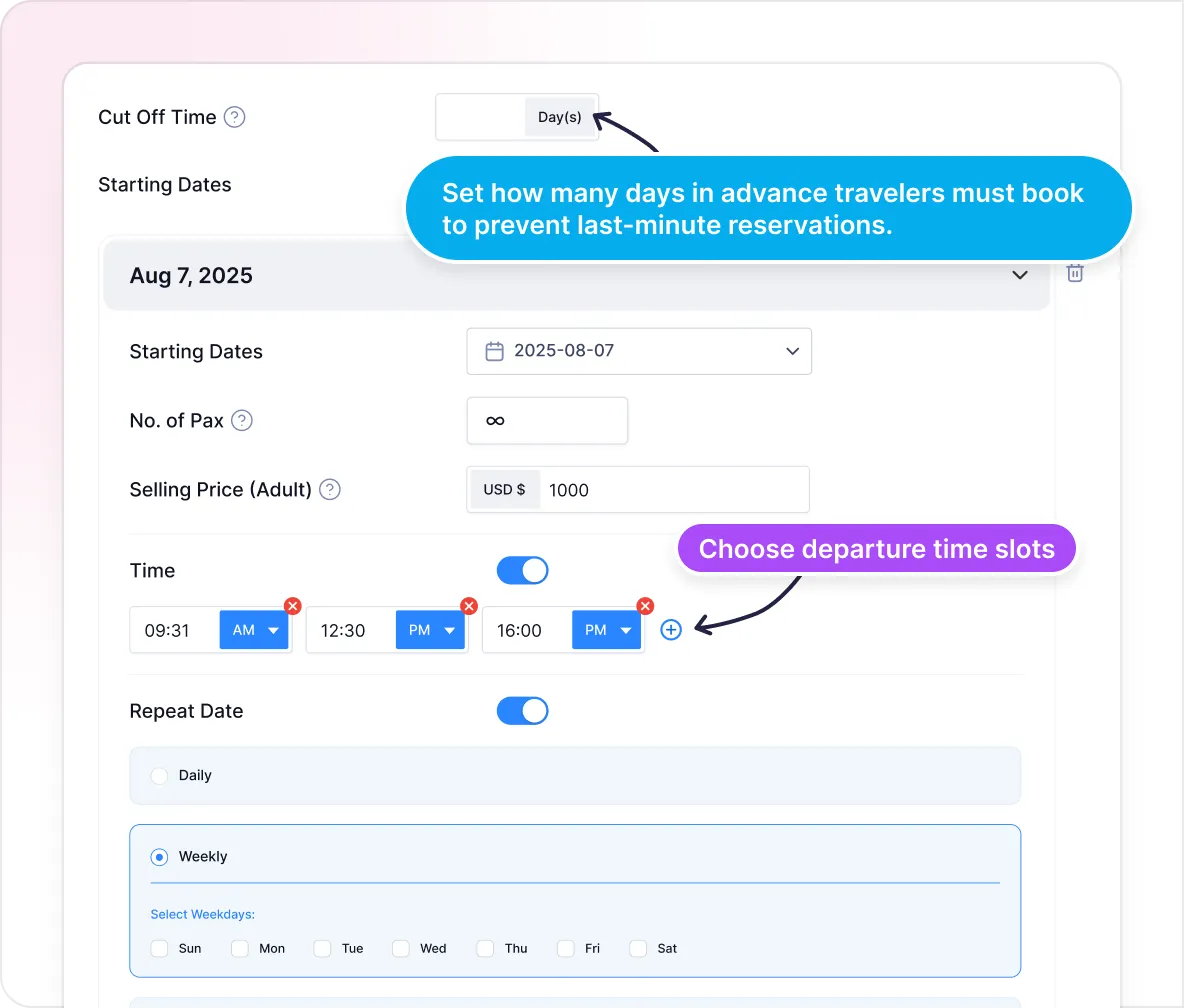
Set your own sailing schedule, close bookings early, and avoid any last-minute surprises automatically.
Departure Scheduling
Choose when each boat leaves, such as once a day, multiple times, or only on certain days.
Booking Cut-Off Times
Stop bookings a few hours or days before departure so you have time to prepare your boats.
Keep Every Tour Organized and Efficient
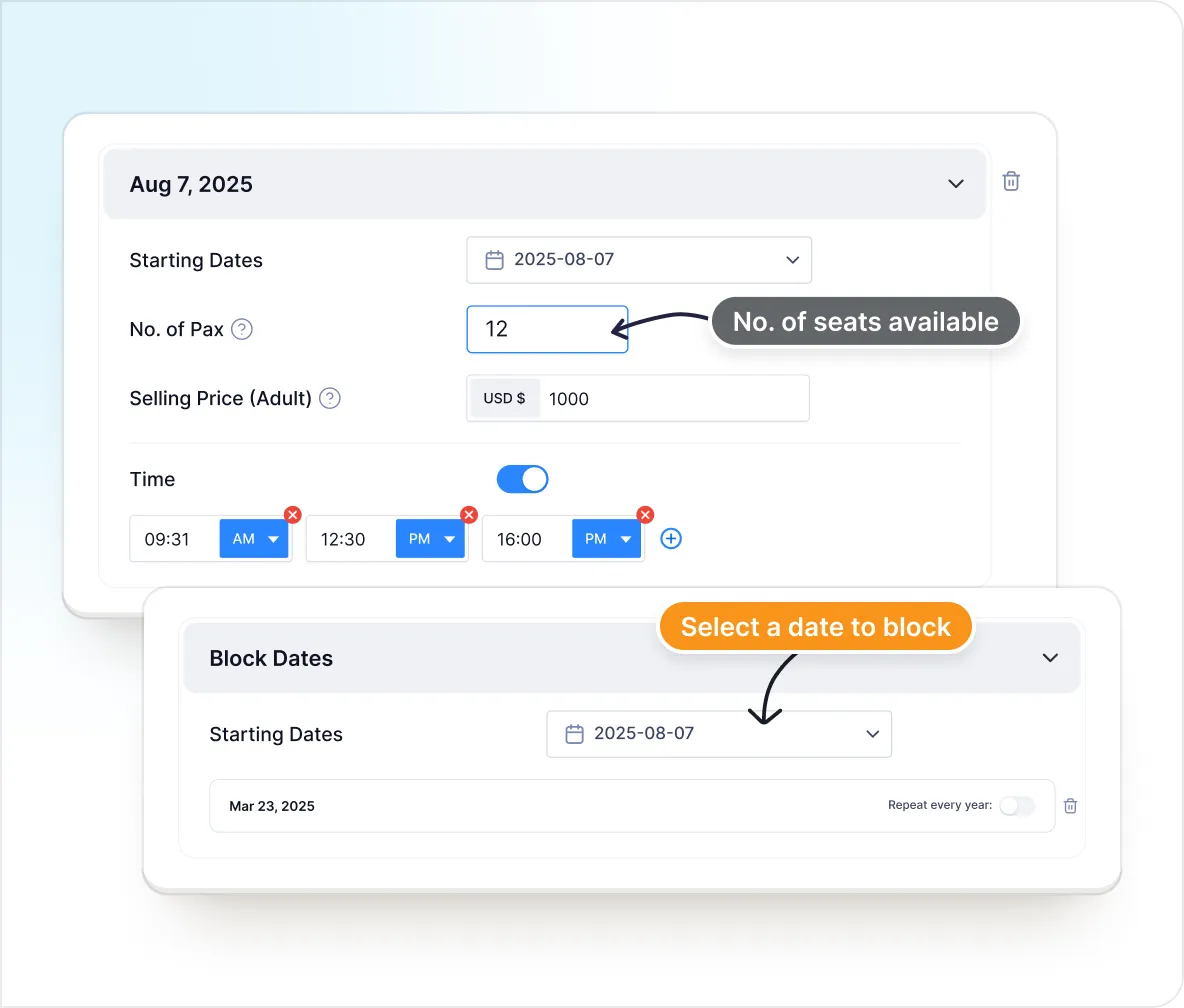
Avoid overbookings and run smooth operations by easily managing your booking limits and availability.
Capacity Limits
Limit bookings based on your boat’s seating. Avoid overloading to keep every trip safe and comfortable.
Block-Out Dates
Mark days off when your boats are not running due to weather issues, repairs, or holidays.
Show Guests the Course Ahead
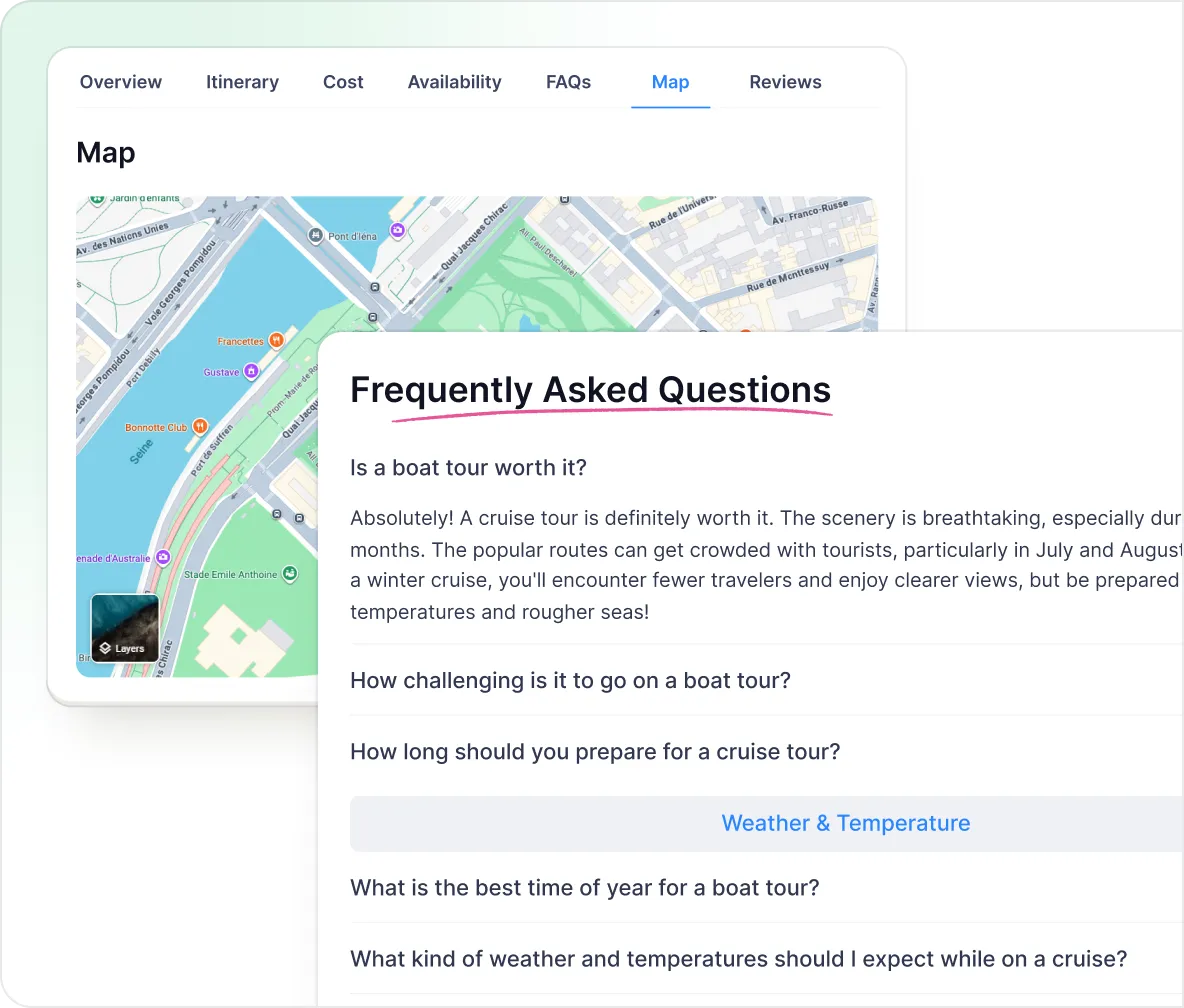
Let guests see exactly where they’re sailing to and put answers right where questions get asked.
Tour Maps
Embed maps or images to show departure points, boat routes, and destinations on each tour.
FAQs per Tour Page
Add common questions like “What to bring?” or “What’s the size of the boat?” right where people need them.
Bring Every Booking On Board
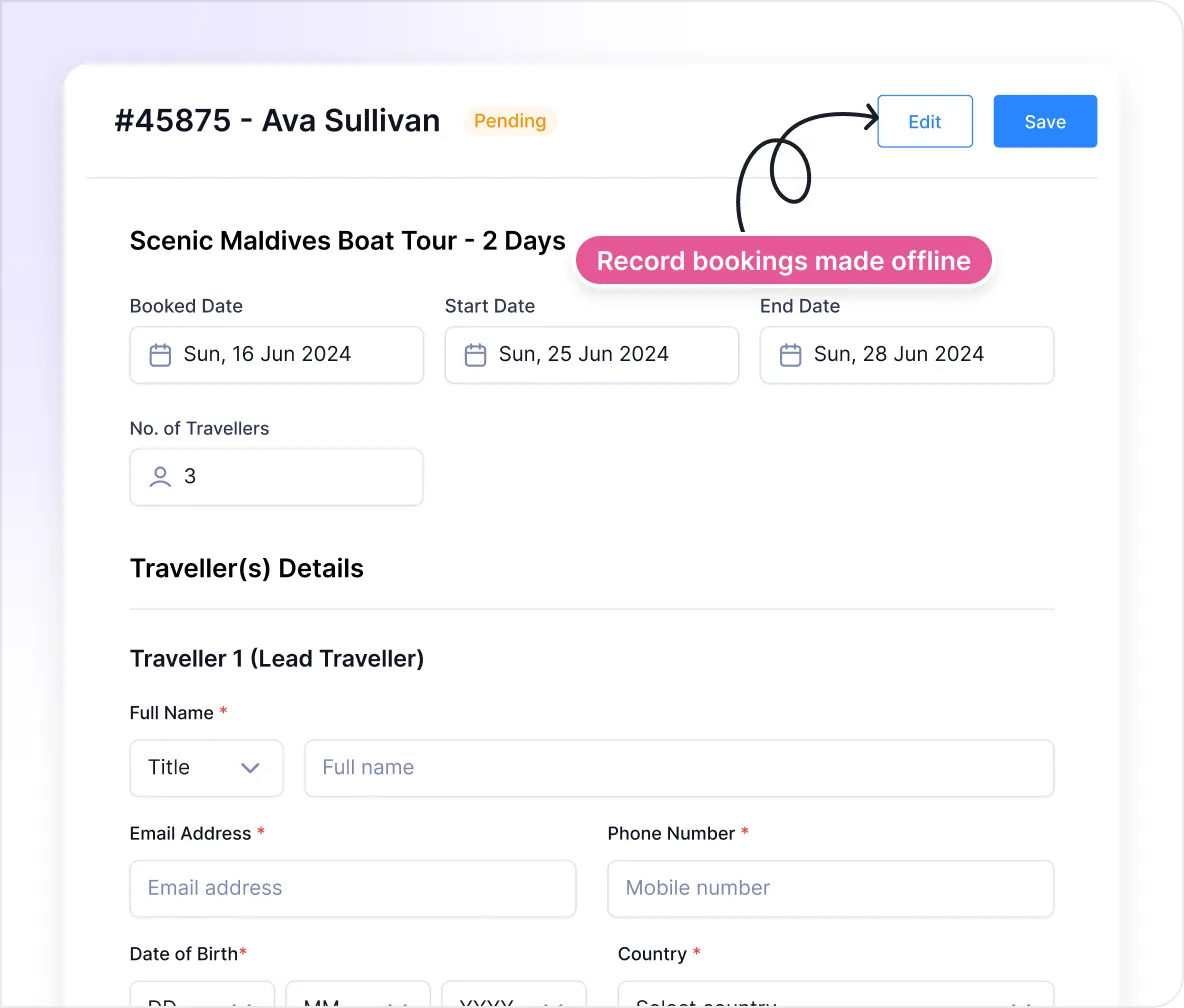
Whether it’s booked online or at the dock, you’ll see bookings for all your boat tours in one place.
Offline Booking
Easily record bookings from walk-ins, phone calls, or WhatsApp, alongside tours booked online.
No Fees for Offline Bookings
Use your own payment methods and keep 100% of what you earn.
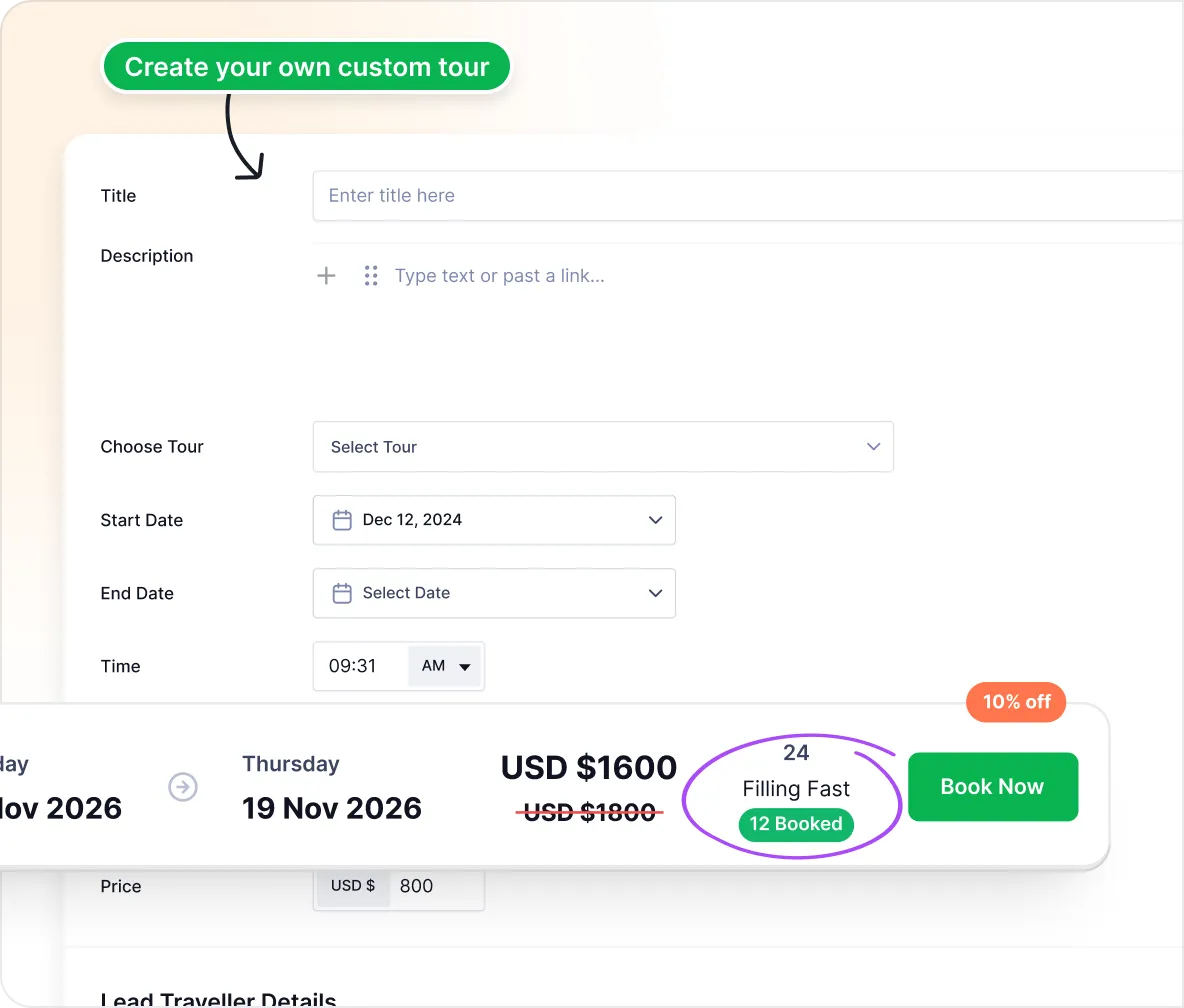
Offer Shared or Private Tours with Real-time Updates
Run public, private, or shared tours with per-seat or per-yacht pricing. Availability stays updated as bookings come in.
Customized Private Tours
Easily set up private charters or shared trips and send custom booking links directly to your customers.
Live Availability Updates
Show only the spots that are actually open. As guests book, your availability updates instantly.
Maximize What You Earn Per Booking
Make Every Voyage Worth More
Research suggests that giving guests upsells when booking can help increase your Average Order Value (AOV) by upto 30%.
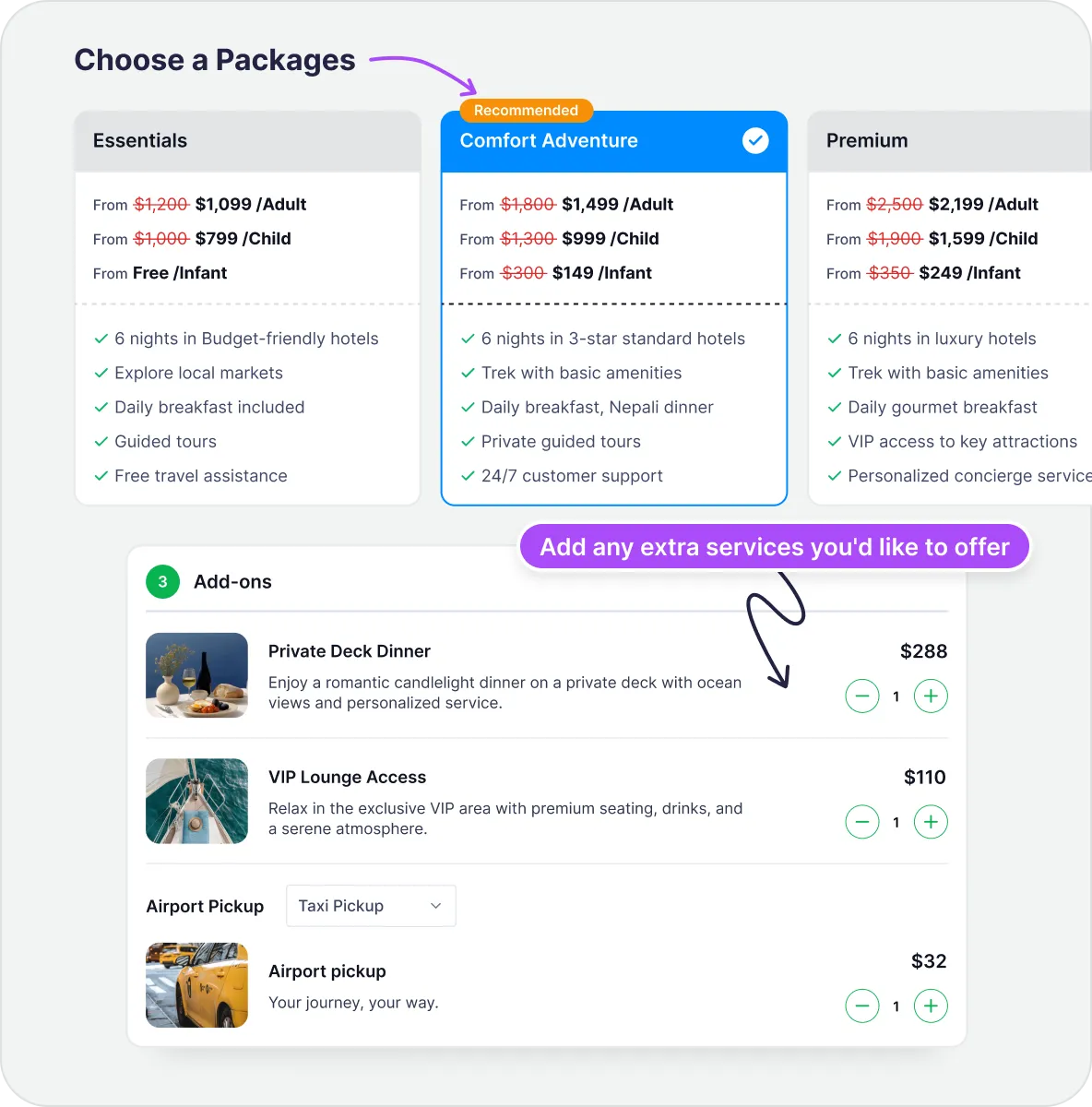
Add-ons & Extra Services
Add optional add-ons, such as fishing gear, snorkeling sessions, or private tour upgrades. This increases the value of your tours.
Multiple Packages
Sell different options for the same tour with different prices and services, such as Basic, Premium, Private Charter, etc.
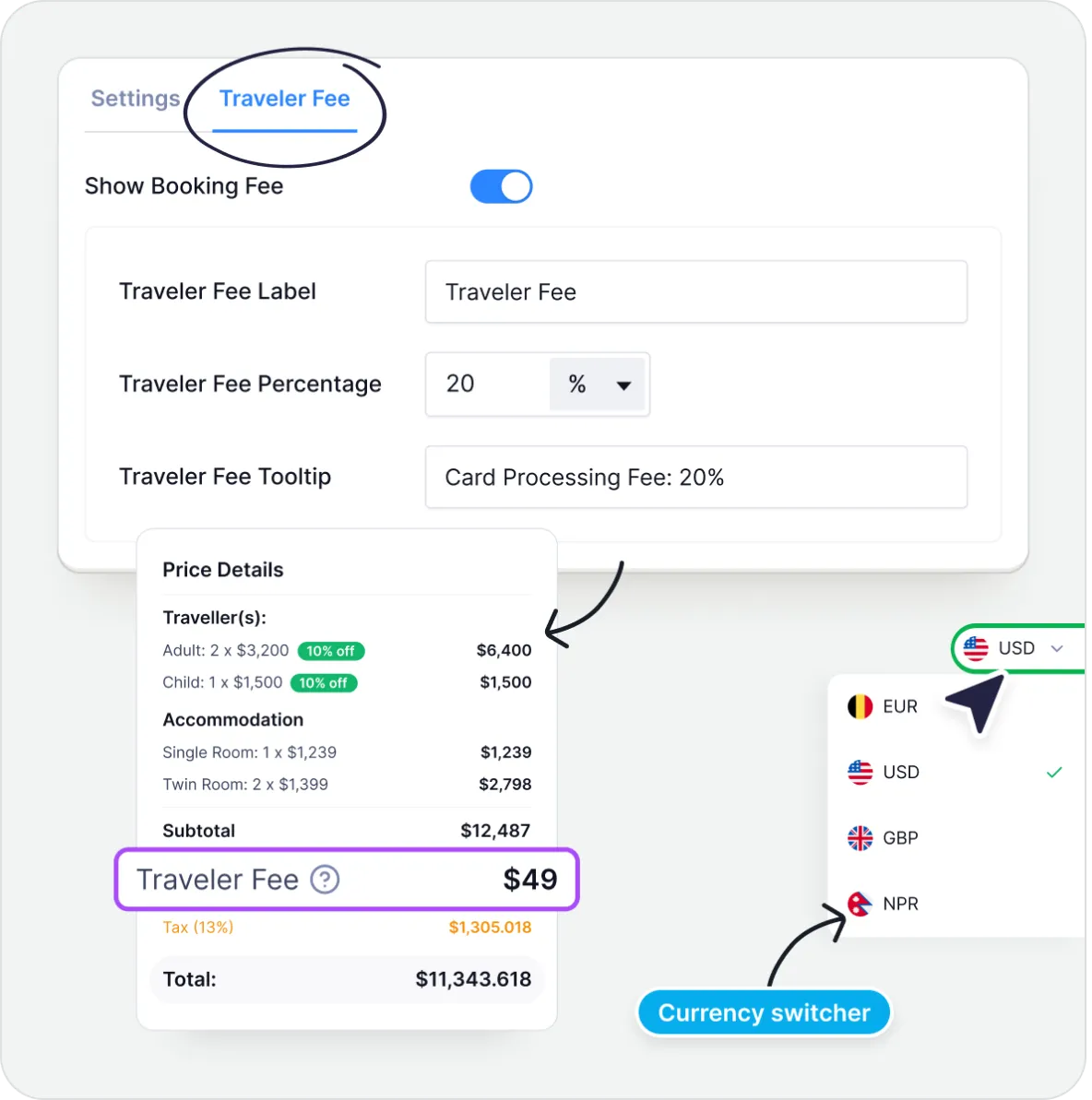
Keep More of What You Earn
Collect extra fees and let guests book in their local currency. No commissions, no restrictions.
Traveler Fees
Add payment gateway fees, service fees, tips, or extra charges. Tripcart takes no cuts. Everything goes directly to you.
Currency Switcher
Let guests see the price of your boat tours in their own currency so they can easily understand costs and book with confidence.
Fill the Boat Faster with Group Deals
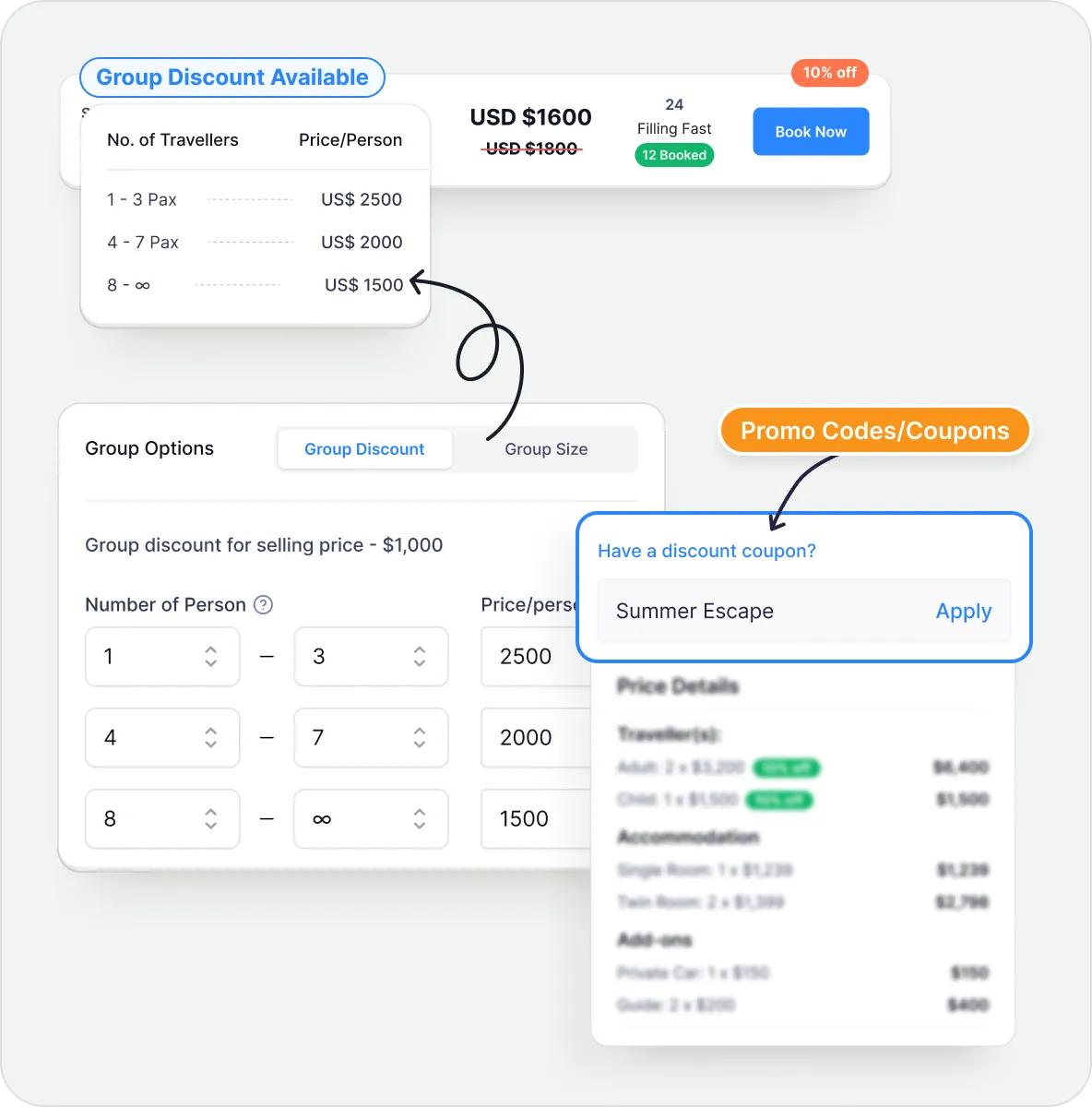
Encourage guests to book together and help fill up your boat faster with discounts and coupons.
Group Discounts
Offer bigger discounts for bigger groups. This helps fill your tours faster and increases your overall revenue.
Promo Codes
Offer early-bird offers, coupons for private charters, or returning guest rewards that help fill your boats faster.
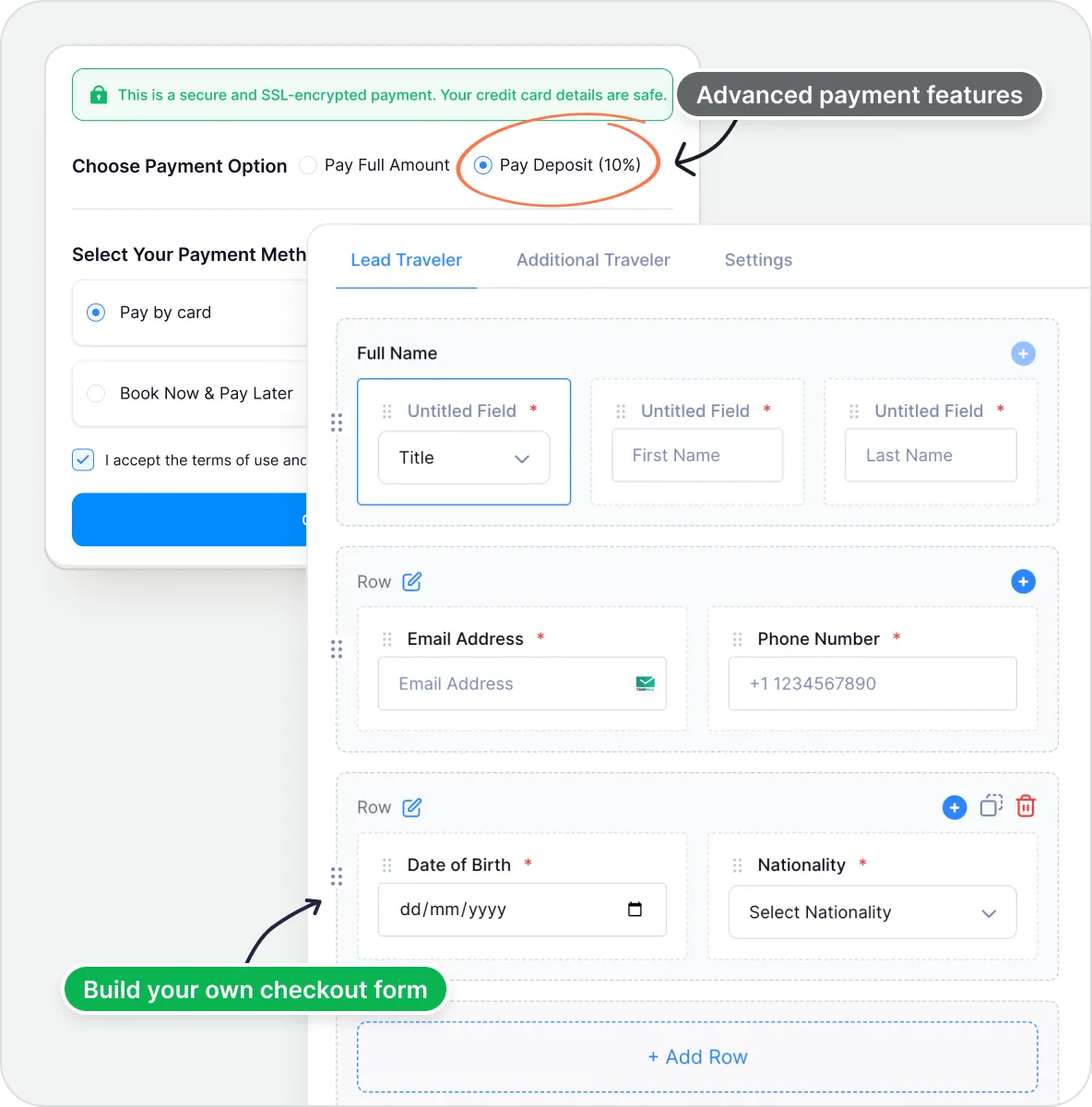
Encourage Early Payments and Faster Checkouts
Give guests a reason to commit early and make it easy for them to finish their booking.
Upfront Payments & Discounts on Full Payments
Let guests book your tours with a deposit and give discounts to guests who pay in full to lock in early revenue.
Checkout Form Editor
Collect only the information that you need by customizing the checkout form.
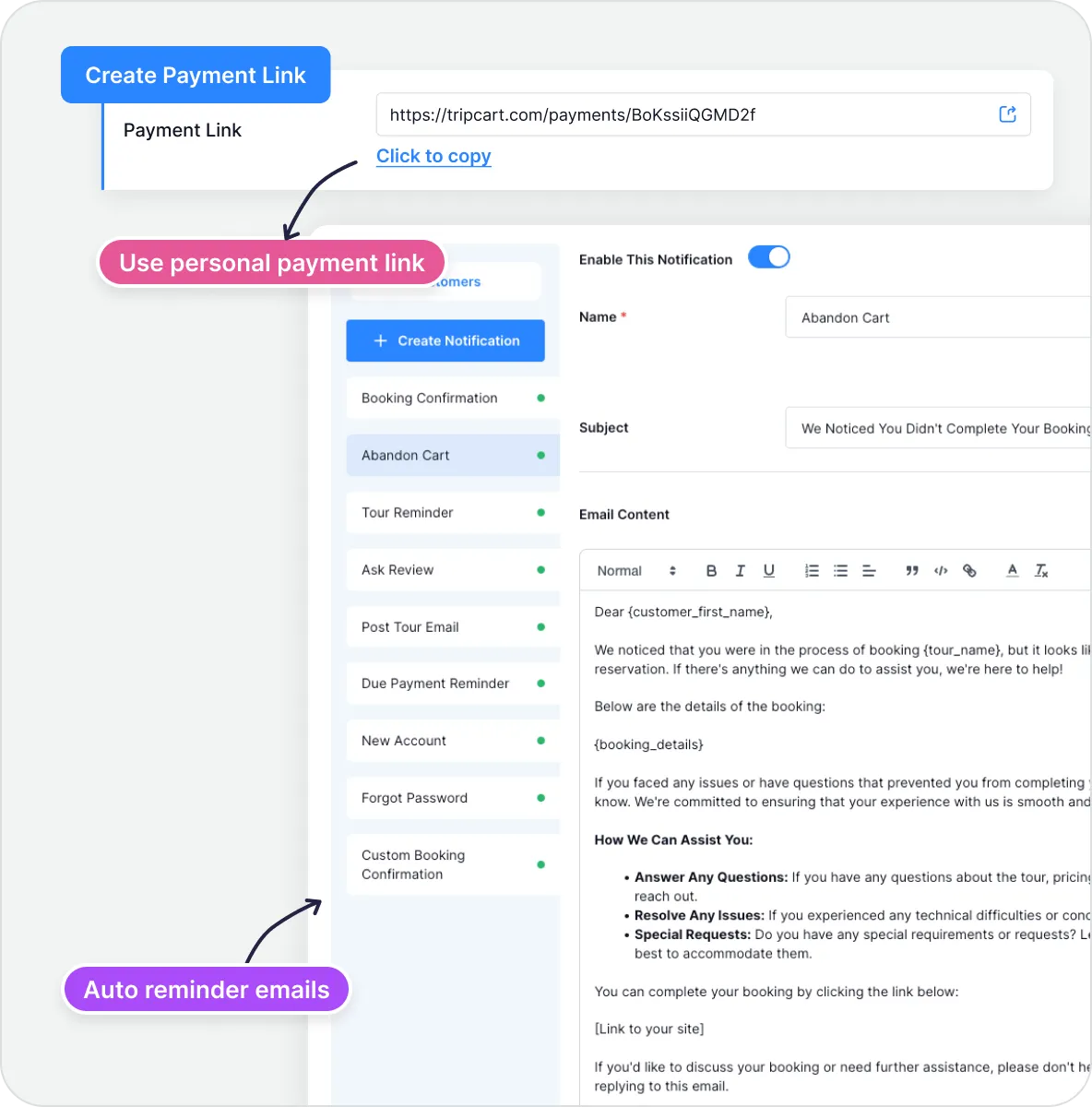
Bring Abandoned Bookings Back On Board
Bring back guests who started booking but didn’t finish. Send friendly reminders and offer flexible payment options.
Abandoned Cart Recovery
Set up automatic email reminders for guests who leave bookings unfinished. You can even follow up on them yourself by email or phone.
Private Payment Links
Create a secure payment link for private charters or group bookings. Share it directly and get paid fast.
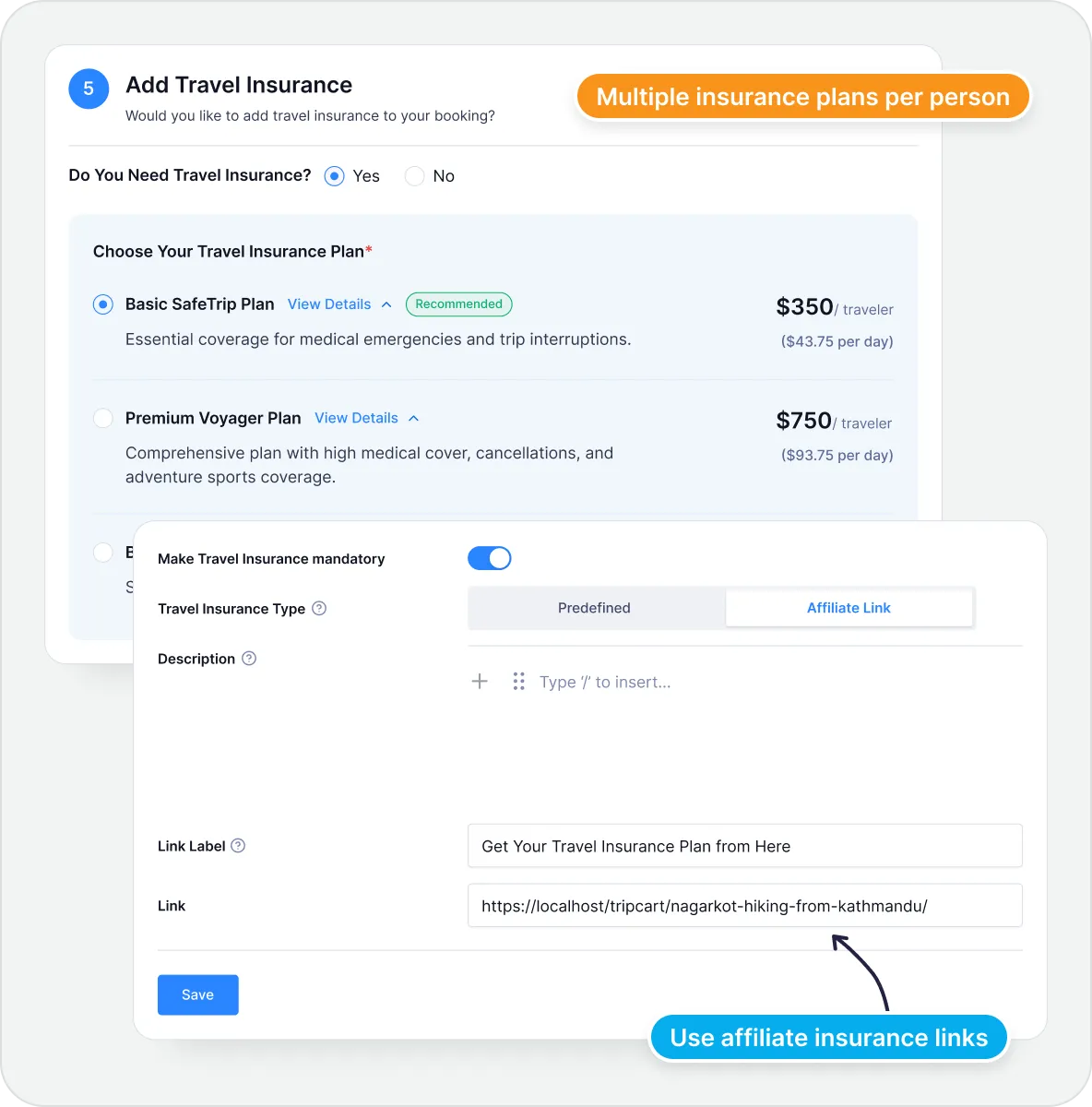
Add Insurance Options That Keep Guests Covered
Give your guests extra confidence when they book. Offer travel insurance options that keep them protected from the unexpected.
Customizable Insurance Plans
Create your own insurance packages with fixed rates and coverage details. Offer multiple tiers so guests can choose what fits their needs.
Affiliate Insurance Links
Partner with trusted insurance providers through affiliate links. Guests get coverage, you earn commission on every sale.
Tripcart Supports Gateways From All Around The World


Set up your own payment gateways and take control of how and when you get paid. Tripcart doesn't take any booking fees or platform cuts. What you earn is entirely yours!
Don't see the payment option you prefer? Request a new payment gateway and we’ll work on adding it.

Build Your Boat Tour Booking Website In Minutes
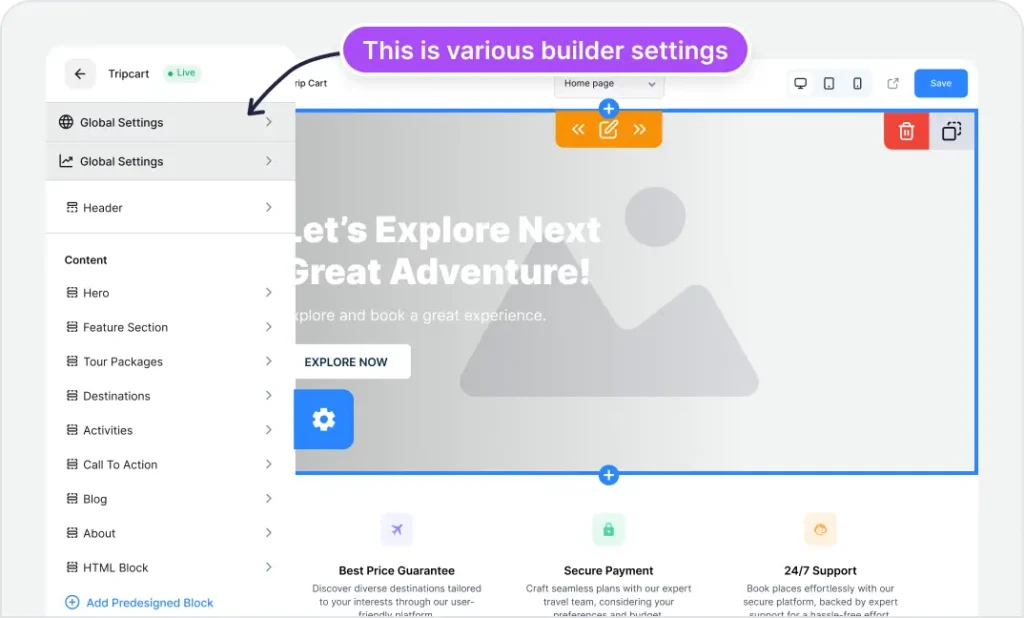
Showcase your boat tours online with a clean, customizable website. Edit specific sections, swap images, and customize your layout in minutes.
Easy-to-use Website Builder
No tech background? No problem. Build your boat tour site with a simple visual website builder.
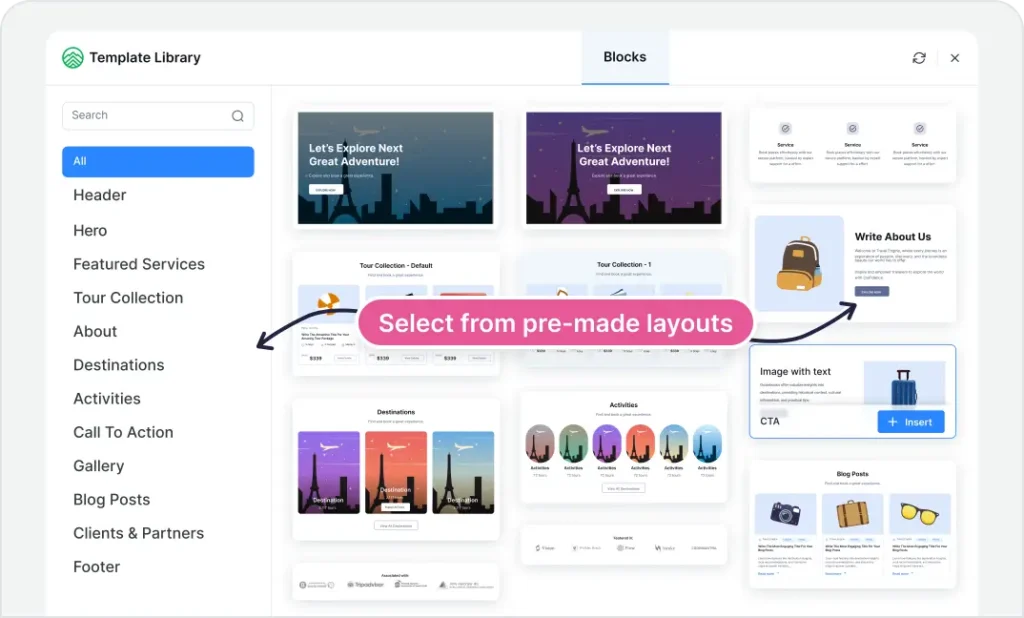
Premade Design Templates
Start with ready-to-use layouts for everything from FAQs to call-to-actions. Update the look with one click and publish when you're ready.
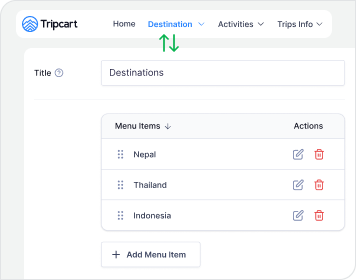
Navigation Menus
Help visitors navigate your site with clean, easy-to-use menus. Add, rename, or reorder menu items anytime.
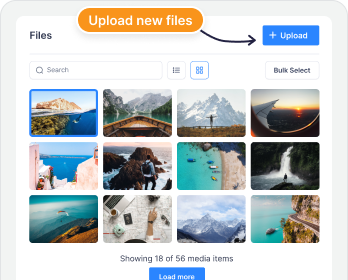
Media File Storage
Your media, all in one place. Upload, manage, and reuse files with ease.
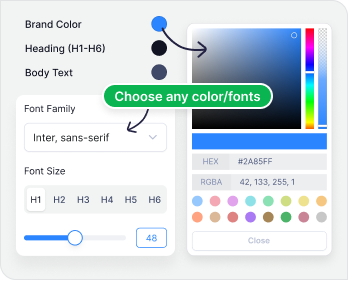
Color & Typography Settings
Make your boat tour website match your brand perfectly with unlimited colors and over 1,600 Google Fonts.
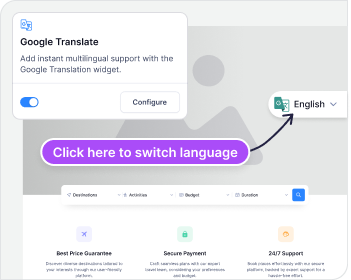
Multilingual Ready
Your site includes Google Translate, making it easy for visitors to explore in their preferred language.
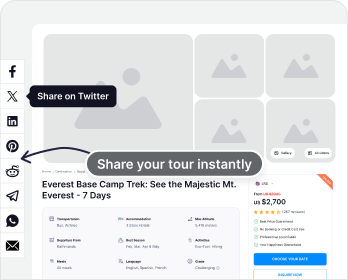
Social Media Integration
Connect all your favorite social media sites like Facebook, Twitter(X), Instagram, TripAdvisor, Trustpilot, etc., to your website.
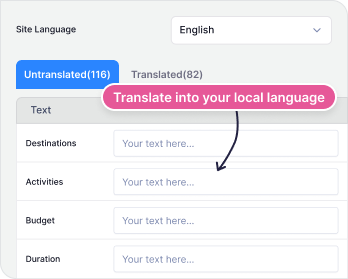
Built-In Translation
Easily translate your website into your own language. Choose a language, enter your translations, and you're all set.
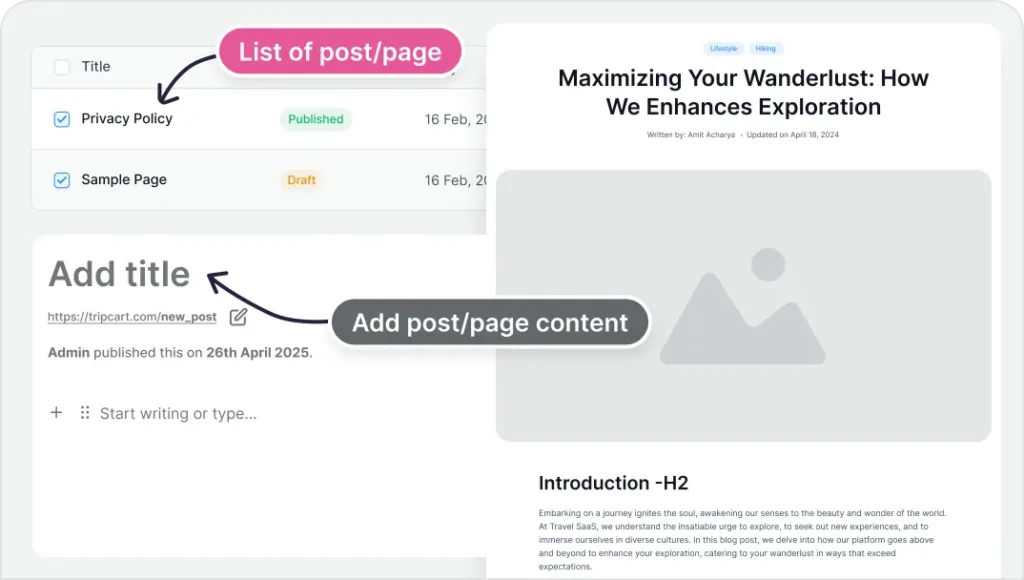
Blog Posts & Pages
Publish content that brings in visitors, such as updates, offers, and tour insights. Add pages like FAQs and About Us to keep guests informed.
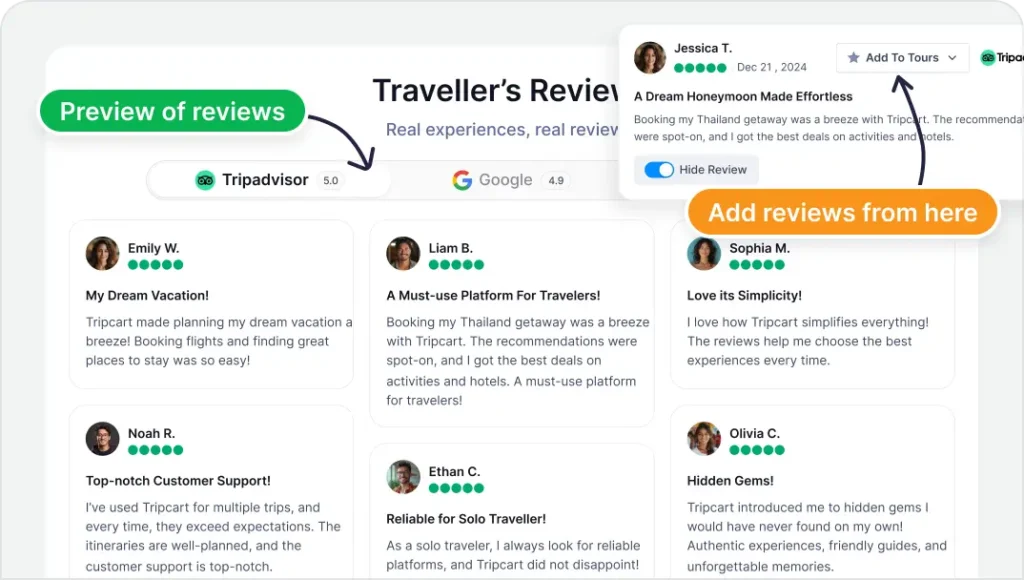
Show Reviews (TripAdvisor, Google, Trustpilot)
Add social proof with reviews from TripAdvisor, Google, and Trustpilot. Feature 5-star feedback and hide anything that could affect conversions.
Every Conversation is a Chance to Book
Keep guests engaged before, during, and after their boat tour. A smooth experience keeps them coming back. That’s how you turn one booking into many.
Customer Dashboard
Make it easy for guests to check their bookings and upgrade their experience anytime.
Booking Information
Payment Invoices
Buy Extra Services
(Coming soon)
Email Notifications
Keep guests informed with automated emails for every step of their booking.
Booking Confirmations
Tour Reminder
Abandoned Cart Recovery Emails
Lead Capture Forms
Never miss a lead. Capture interest the moment it happens, even while you're offline.
Tour Inquiry Form
Soldout Form
Contact Form
WhatsApp Integration
Start real-time conversations with travelers using 1-click messaging.
Works on Mobile/Desktop
Instant Tour Inquiries
Communicate 24/7

and manage everything in one place.
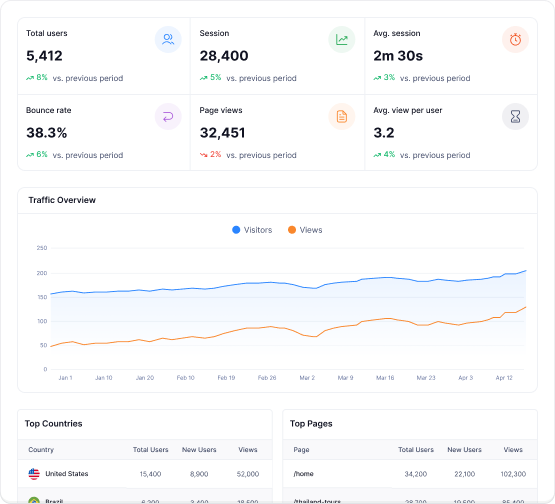
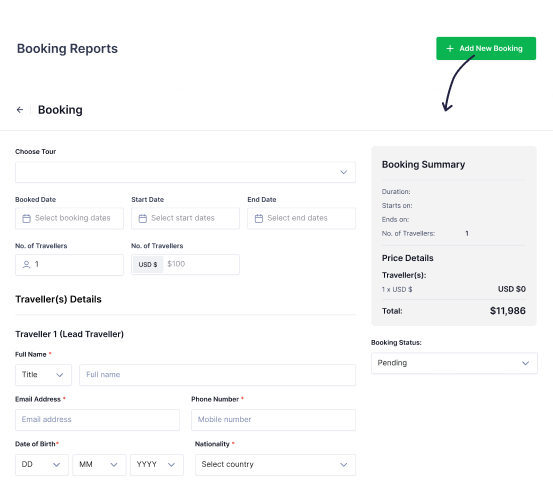
Booking Reports
Track your growth month by month with clear charts and stats. You can see how much revenue you've made and how many bookings you've received.
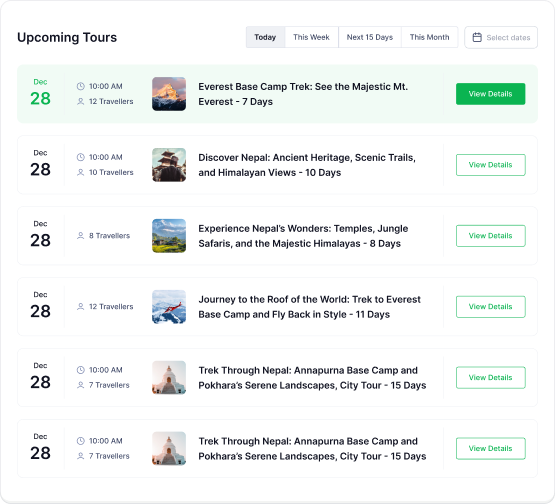
Upcoming Tours Overview
Keep track of all boat tours scheduled to sail next. Filter by date or status to see upcoming departures clearly and stay fully prepared.
Offline Bookings
You can log walk-in bookings and those made over phone or WhatsApp, right alongside your online bookings. Tripcart takes no cut from your offline bookings.
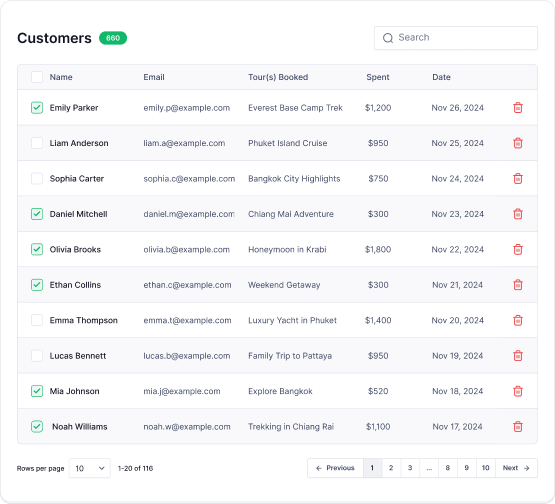
Customer Management
Track bookings easily with traveler names, payment updates, and key details shown in one view. Quickly filter boat tours by pending, completed, or partially paid.
Improve Your Search Rankings Without Hiring an SEO Expert
Get found faster. Bring more traffic to your site with SEO tools built to help your boat tours stand out in search.
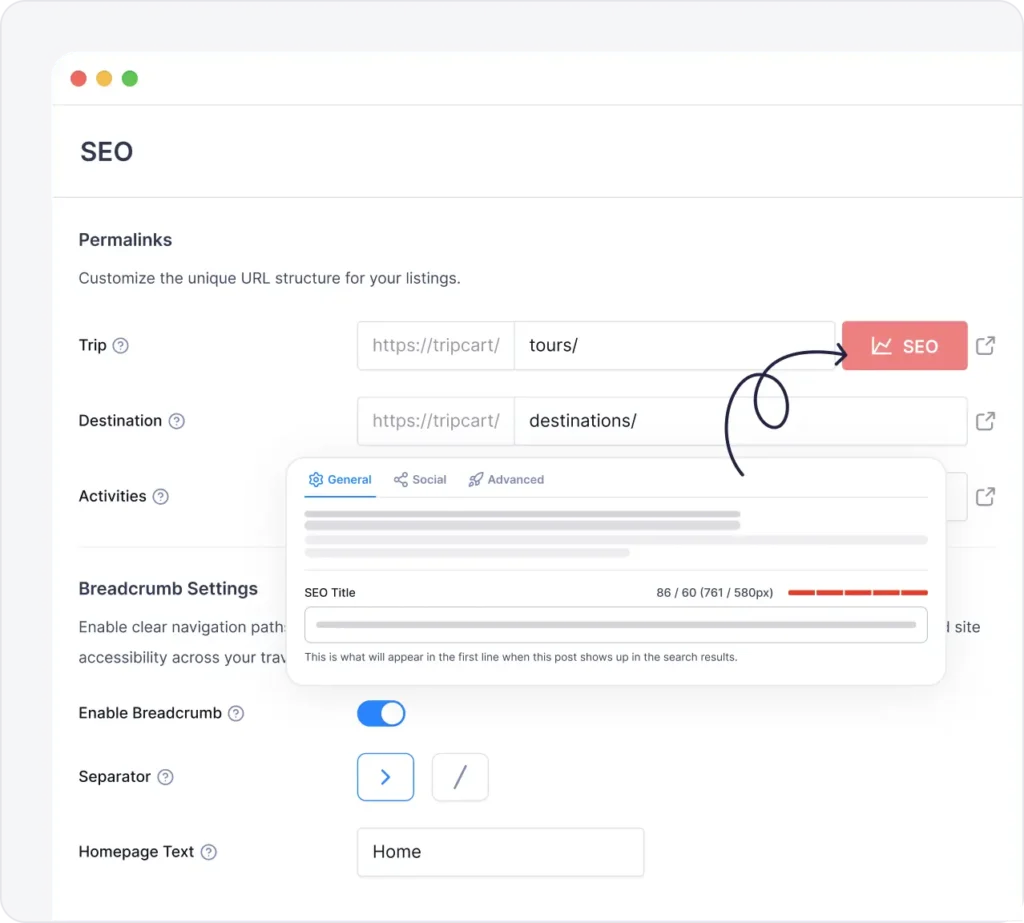
Advanced SEO Content Analysis
Optimize your tour pages with real-time suggestions on keywords, readability, and structure. See exactly what to improve and make changes that boost your rankings.
Crawling & Indexing Tools
Decide which pages appear in search and which stay private. You're in control of what shows up on Google.
Social Sharing Optimization
Customize how your tours appear on social media platforms. Set the image, title, and description to make the perfect first impression.
Schema-Validated Tours
Google reads your pages clearly with built-in schema. No coding required, just stronger search engine visibility.
Rich Snippets
Appear in search results with additional details, such as prices, reviews, and availability. Give searchers more reasons to click your listing over your competitors.
Core Web Vitals Optimized
Your site loads fast and works smoothly on all devices. That means better rankings and a better experience for visitors.
Smart URL Redirects
Change tour URLs without losing traffic or rankings. Smart redirects ensure visitors and search engines always land on the right page, even when you restructure your site.
Everything you need to know about Tripcart
How can Tripcart help me sell more boat tours?
Tripcart is a tour booking software built to help you create, manage, and sell your boat tours.
Whether it’s sunset cruises, multi-stop island tours, or full-day voyages, Tripcart is designed for you. Create an SEO-friendly website, show itineraries with stops and schedules, sell tours, and receive payments. All without any commission or booking fees.
You can offer different packages, upsell add-ons like gear or transportation, and provide travel insurance. These help increase your average order value (AOV) and keep your boats running at full capacity. Everything is made to help you sell more tours and stay organized, without relying on marketplaces or agents.
Do I get the money instantly, or does Tripcart hold it?
When a guest books a boat tour and pays online, the money goes straight to your connected payment gateway account. You can access your earnings based on the rules of your payment provider (usually right away or within a day or two). Tripcart doesn’t hold any payments made on your website or take any commission. You keep 100% of what you make.
Does Tripcart take any commission?
Tripcart doesn’t charge any extra fees, only the subscription fee that you can choose to pay monthly or yearly.
When a guest books online, the only fee you’ll pay is what your chosen payment gateway (like Stripe or PayPal) charges. You can even add a traveler fee so the guest covers the cost instead of you.
If someone books offline, like over the phone or at the dock, you keep the full amount. Tripcart doesn’t take any cut or commission from any online or offline bookings.
Can I add bookings from phone calls, walk-ins, or WhatsApp chats to Tripcart?
Absolutely. With Tripcart, you can quickly add any booking that comes in outside your website. If someone books a spot over the phone, at the dock, or even via WhatsApp message, you can add it to Tripcart yourself. The system will automatically update your tour’s availability.
Plus, Tripcart doesn’t charge any commission or extra fees for these offline bookings. You keep the full amount of the sale.
Can I block dates for weather delays, repairs, or holidays?
Yes! You can easily block out dates when your boat tours are unavailable for booking. You decide when to accept bookings. Need to close for maintenance, bad weather, or holidays? You’re in complete control. Just choose the dates you want to block from your dashboard and save them. If you need to block the same dates yearly, like shutdowns or inspections, create them as repeating events.
Can I offer different departure times for my boat tours on the same day?
Yes, you can! Tripcart lets you set up multiple departure times for each boat tour (for example, 9AM, 1PM, or 5PM). Guests can choose the time slot that works best for them when booking.
You stay in control by deciding how many seats are available on each departure. The availability for each time slot updates in real time on your website. If one time slot fills up, it will automatically stop taking new bookings for that slot. Any extra demand is captured through a waitlist, ensuring no opportunity is lost.
Can I set the maximum passengers for each boat?
Yes! You can define both a maximum and a minimum number of passengers for every boat or tour you offer. Once the limit is reached, the tour is marked as fully booked. Guests can join a waitlist so they don’t miss out on a spot, and you keep demand ready for future openings. Guests can also see how many spots are left for each tour. This ensures you never exceed your boat’s capacity.
Your Next Sold-Out Boat Tour
Starts Here
Start Free TrialAccess all features free of charge for 30 days. No credit card needed. Cancel anytime.
30-days free trial
No Setup or Commission Fees
24/7 Support