
This month, we’ve made a few thoughtful improvements across Tripcart.
This update adds a new payment gateway, more integration options, and several other improvements. As always, the goal is to make your tour booking website more efficient with less effort.
Here’s what we’ve rolled out in September.
What’s New in Tripcart?
Product Update Date – September 24th, 2025
Enhancements: Control Which Packages Show on Each Departure Date
Not every package fits every departure date, and now you have the power to decide.
You can now choose which packages are available on specific departure dates. For example, show only two packages on September 23, and all three packages on September 30.
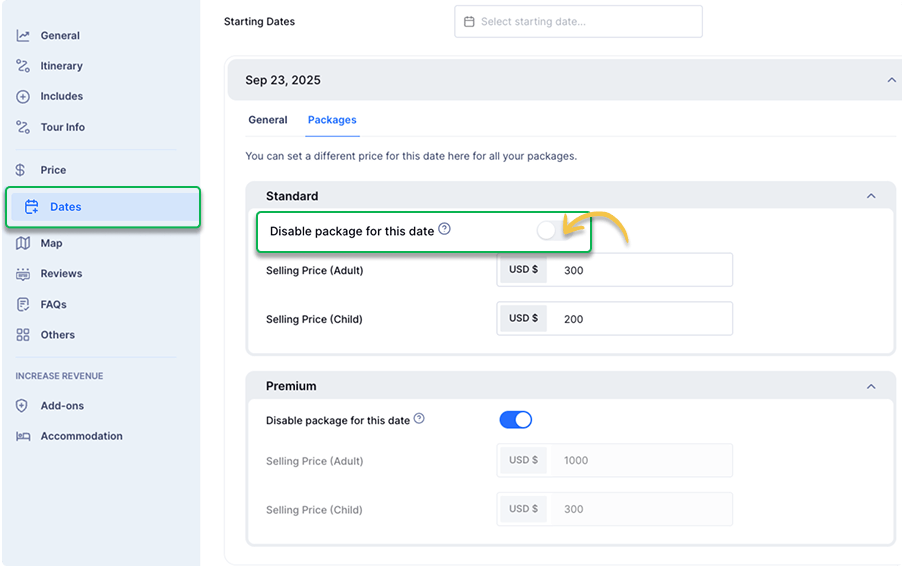
This ensures travelers see the right options at the right time, helping you fine-tune your offers.
How to use it: Go to one of your individual tours → open the Dates tab → pick any date → click the Packages section. Here, you’ll see the option to disable any package you don’t want available for that date.
Enhancements: Repeat Tour Dates for Up to 3 Years
Planning ahead just got easier. You can now repeat any start date for up to 36 months.
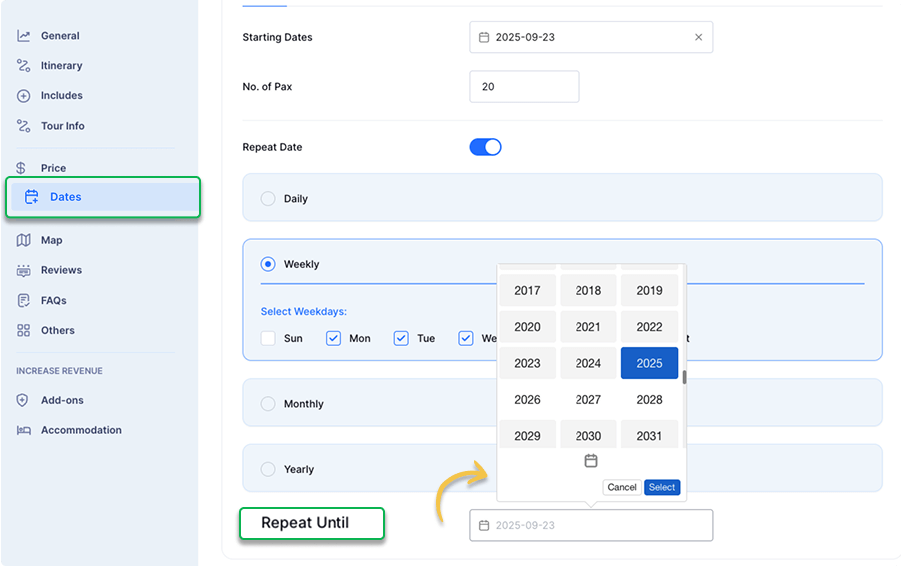
For example, a tour starting on September 23 can repeat monthly for 36 months. Another date, like October 12, can also repeat for 36 months from that day.
This flexible scheduling boosts long-term bookings and keeps your calendar filled.
Enhancements: Minimum Travelers Set Separately for Each Pricing Category
The minimum travelers (min pax) setting now applies separately to each price category. If a booking includes multiple categories, each one must meet its own minimum. Travelers can also book with just one category, as long as they meet the minimum set for that category.
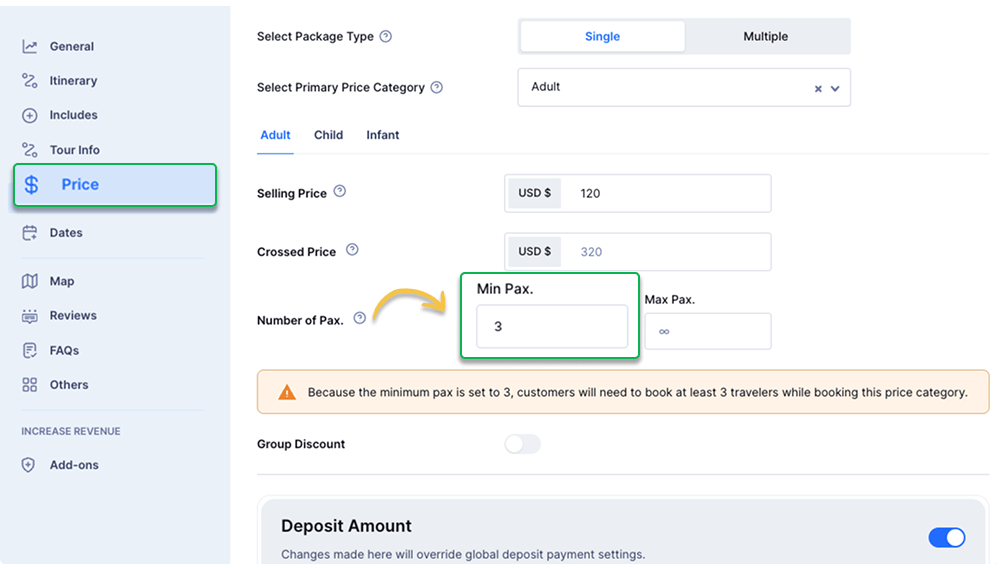
For example, if you set Adult minimum = 3, Child minimum = 2, and Infant minimum = 1:
- A booking with adults and children must include at least 3 adults and 2 children.
- A booking with only adults must include at least 3 adults (children and infants can be zero).
- A booking with only children must include at least 2 children (adults and infants can be zero).
This gives travelers more flexibility while ensuring your rules are always respected.
Product Update Date – September 3rd, 2025
New Ways to Connect Tripcart to Other Tools
Need to connect Tripcart with automation tools like n8n, Zapier, or Make.com?
Now you can, with two new options that make it easy to link Tripcart with any external tools.
1. API Keys: Secure, On-demand Data Access
An API Key is like a password that lets Tripcart share your website’s data with other tools you use. For example, Mailchimp can use it to pull customer details from Tripcart and send follow-up emails after a tour.
You can use Tripcart API keys with tools like QuickBooks, Google Data Studio, or automation platforms such as Zapier. This lets you pull your booking data and use it whenever you need it.
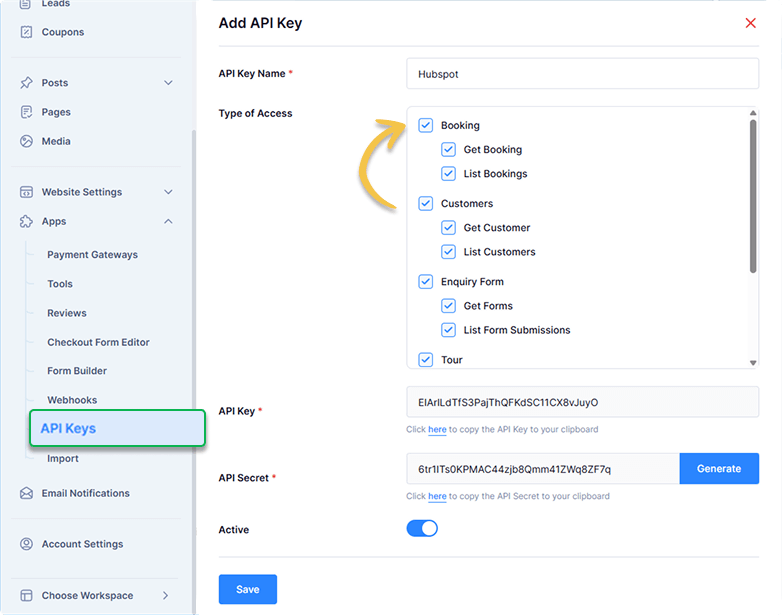
With Tripcart, you can choose to share data like:
- Bookings
- Payments
- Tours
- Customers
- Form submissions
You can create, change, or remove API keys at any time, giving you full control over what information is shared and with whom.
Learn more in the API keys documentation.
2. Webhooks: Real-time Event Notifications
A webhook is a way for Tripcart to instantly send information to another external tool the moment something happens on your website. You do not need to log in, copy data, or send an email.
Imagine you want to add every new booking to a Google Sheet so your team can keep track of upcoming tours. With a webhook, Tripcart can send the booking details to that sheet automatically, saving you time and manual work.
You can connect Tripcart webhooks to tools like Google Sheets, Mailchimp, or even automation platforms like n8n to keep your operations running smoothly.
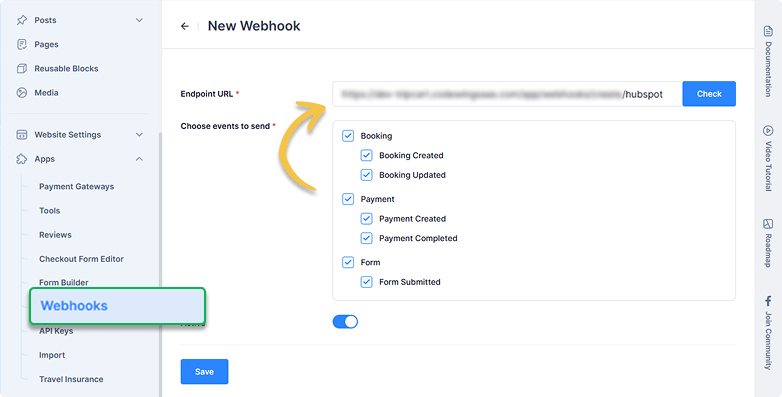
With Tripcart, you can choose which events send updates, such as:
- New or updated bookings
- New, updated, or completed payments
- Form submissions
Once set up, Tripcart will send the right information to the right place in real time. If a connected tool needs extra information, that is where API keys can help.
Check the webhooks documentation to see how they work.
Both Webhooks & API Keys are only available with the Scale plan.
New Feature: Sell Travel Insurance With Each Trip
You can now offer travel insurance with all your tours. You can set the price and coverage, and make the insurance mandatory for all customers if required. Use your own plans or link to an external provider at checkout.
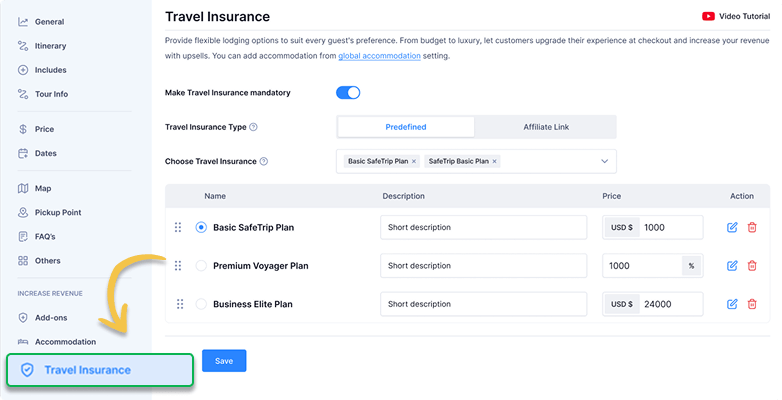
This helps your tours follow laws or policies, increase booking value, and give travelers peace of mind.
To learn more about Travel Insurance, check out its documentation.
New Payment Gateway: Red Dot Payment
We’ve added yet another payment gateway to Tripcart. Red Dot Payment is popular in Singapore, Thailand, and Indonesia. It supports Visa, Mastercard, JCB, and UnionPay cards, giving your customers more options to pay at checkout.
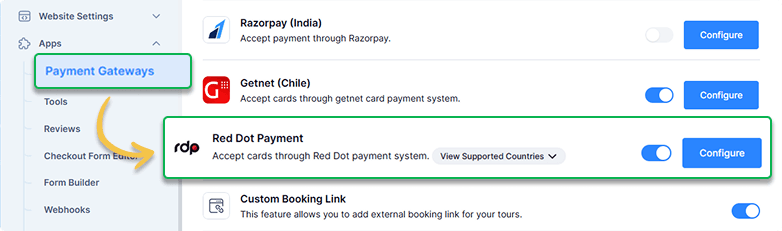
Enhancement: Organize Your Pages with Parent Pages
You can now group related pages under one main page (called a parent page). This keeps your URLs and breadcrumbs neat, so visitors can see exactly where they are on your site.
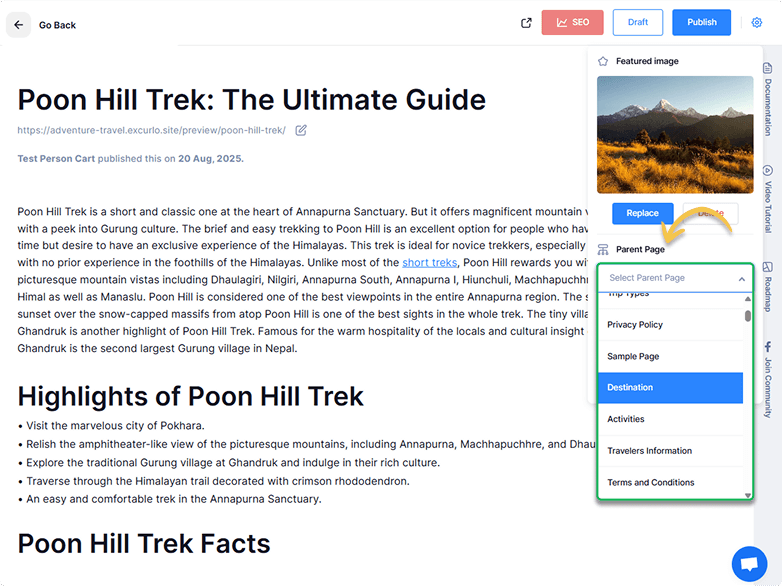
For example, you can create a parent page called Travel Info. Under it, add child pages like Visa Requirements, Packing Tips, Travel Insurance, etc. (e.g., yourwebsite.com/travel-info/packing-tips)
Enhancement: Send Notifications to Multiple Recipients
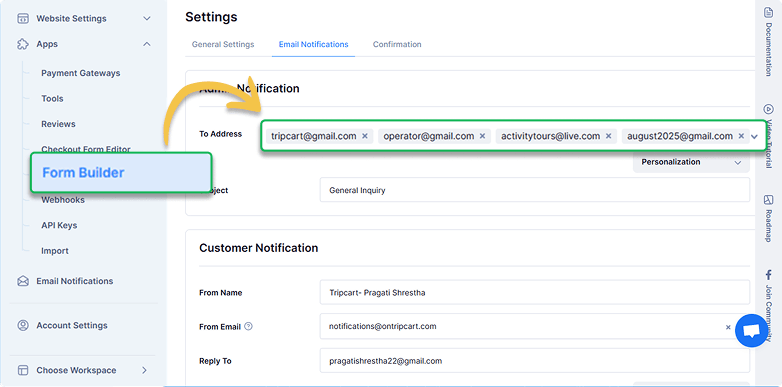
You can now send form results to multiple email addresses at once. Keep your sales team, support team or anyone else in the loop right away without any forwarding.
Enhancement: Tour Excerpts for Cleaner Previews
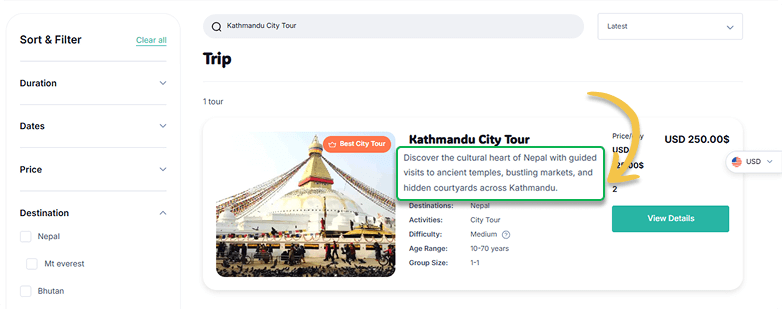
Now you can add a short summary (excerpt) to any tours. This summary will show up on the tour card in your listings, so visitors see exactly the text you want them to.
If you don’t add one, Tripcart will automatically use the first two lines of the tour description.
Enhancement: Country Code Field in Checkout Form
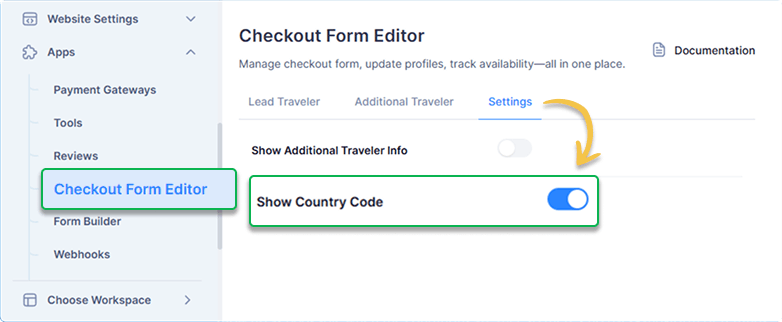
By default, the checkout form includes a country code field. You now have the option to disable it if you prefer, making checkout simpler.
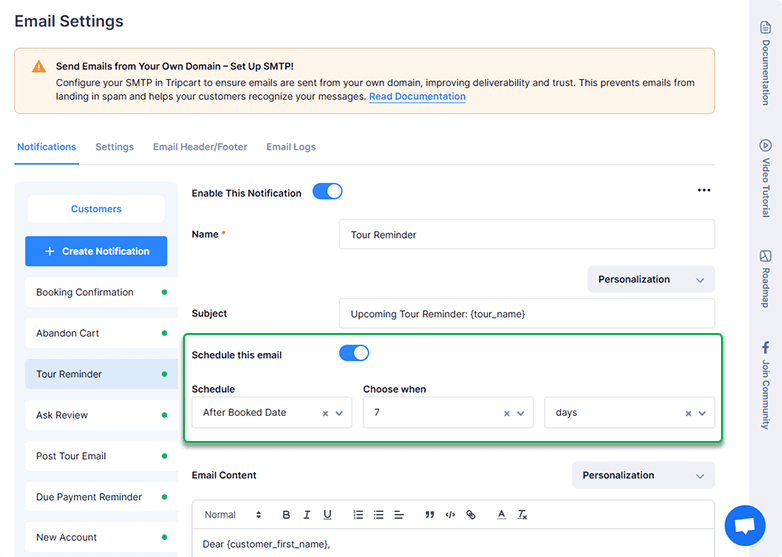
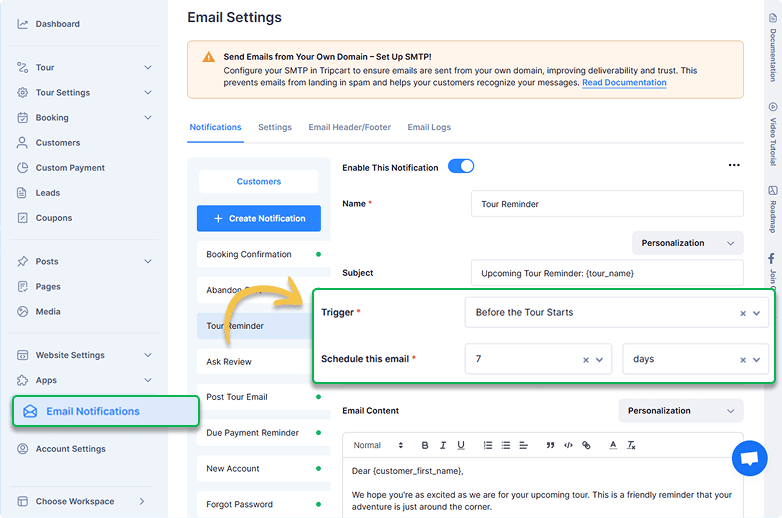
Revamped Automated Email Scheduling
Automated email notifications has a new design with a cleaner layout. In the past, the trigger and schedule settings were placed together, which made the page look cluttered.
Now, they have their own sections, making it look cleaner and easier to work with when setting up your emails.
Conclusion
Each month, we work to make Tripcart smarter, faster, and more useful for your business. Your feedback helps guide these improvements. Please reach out to our support team if you have any questions, suggestions, or comments. Or, just start a chat in your Tripcart dashboard.
Thank you for being part of the Tripcart community. We look forward to bringing you more updates in the future.
Until next month!
