

This month’s update brings one of the most requested features to Tripcart – built-in tax at checkout.
You’ll also find helpful checkout form improvements and bug fixes. Together, they make your booking experience smoother and more reliable.
New Feature: Collect Taxes Easily with Built-in Tax at Checkout
Until now, there was no built-in way to apply tax at checkout. That changes with this update.
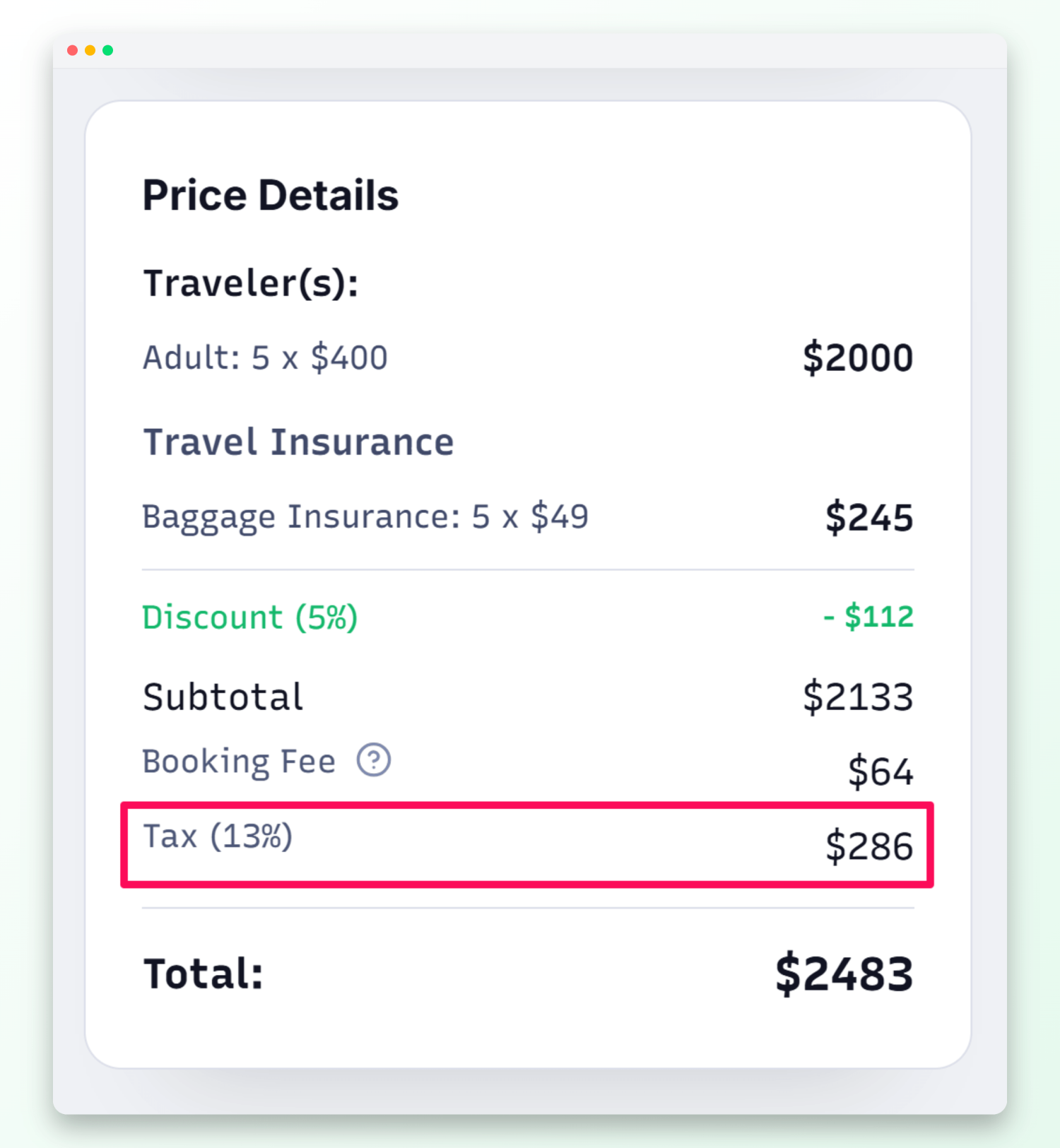
You can now enable tax directly in Tripcart. Add a label, choose how it should be calculated, and set your rate.
Once active, travelers will see a clear tax breakdown in the checkout price summary. Tax also applies to manual bookings, so everything stays consistent.
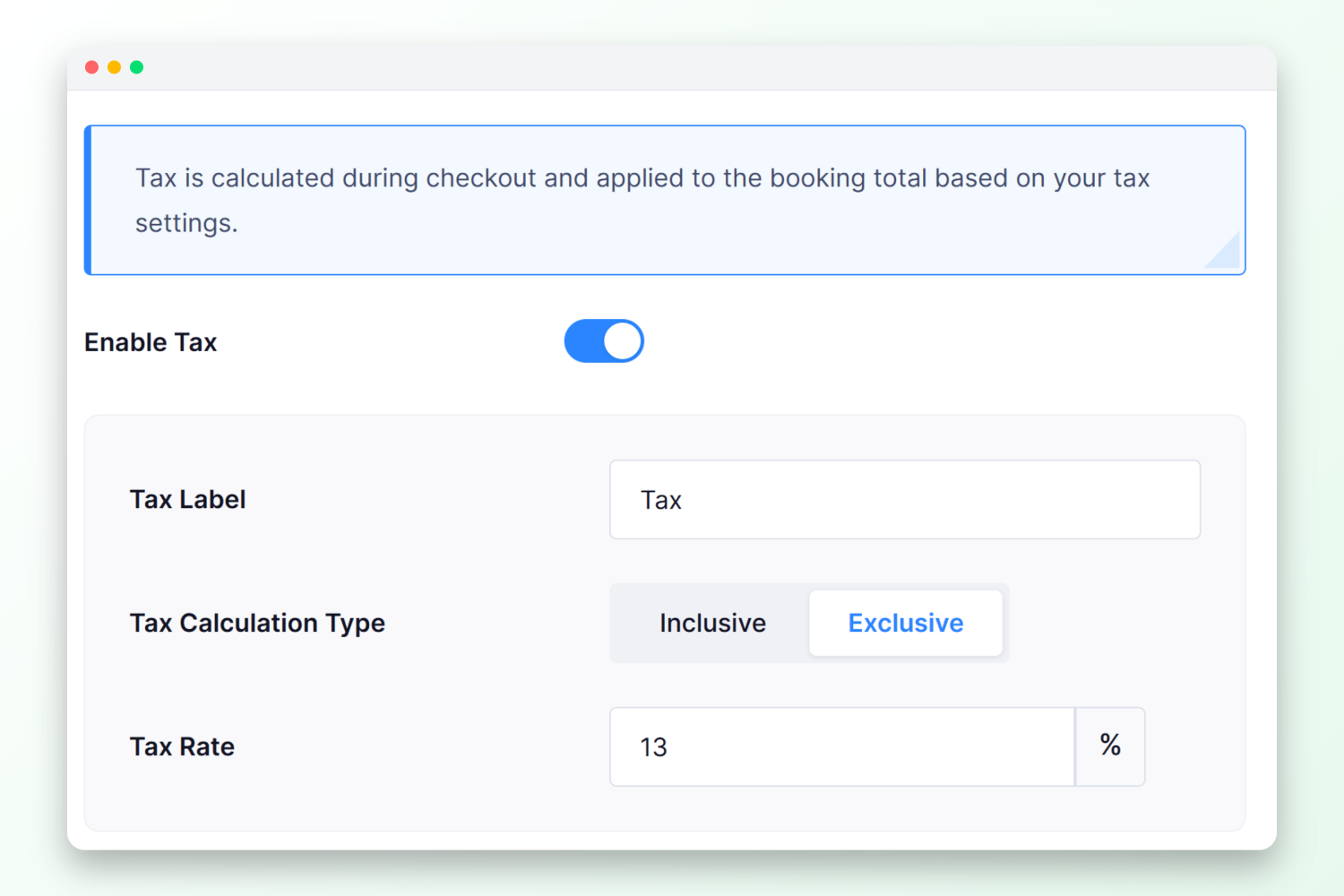
How to enable it: Apps > Payment Gateway > Tax > toggle Enable Tax and save.
Improvement: Restrict Future Dates in Checkout Fields
Date fields like Date of Birth could previously accept any date – even future ones.
Now, you can prevent that.
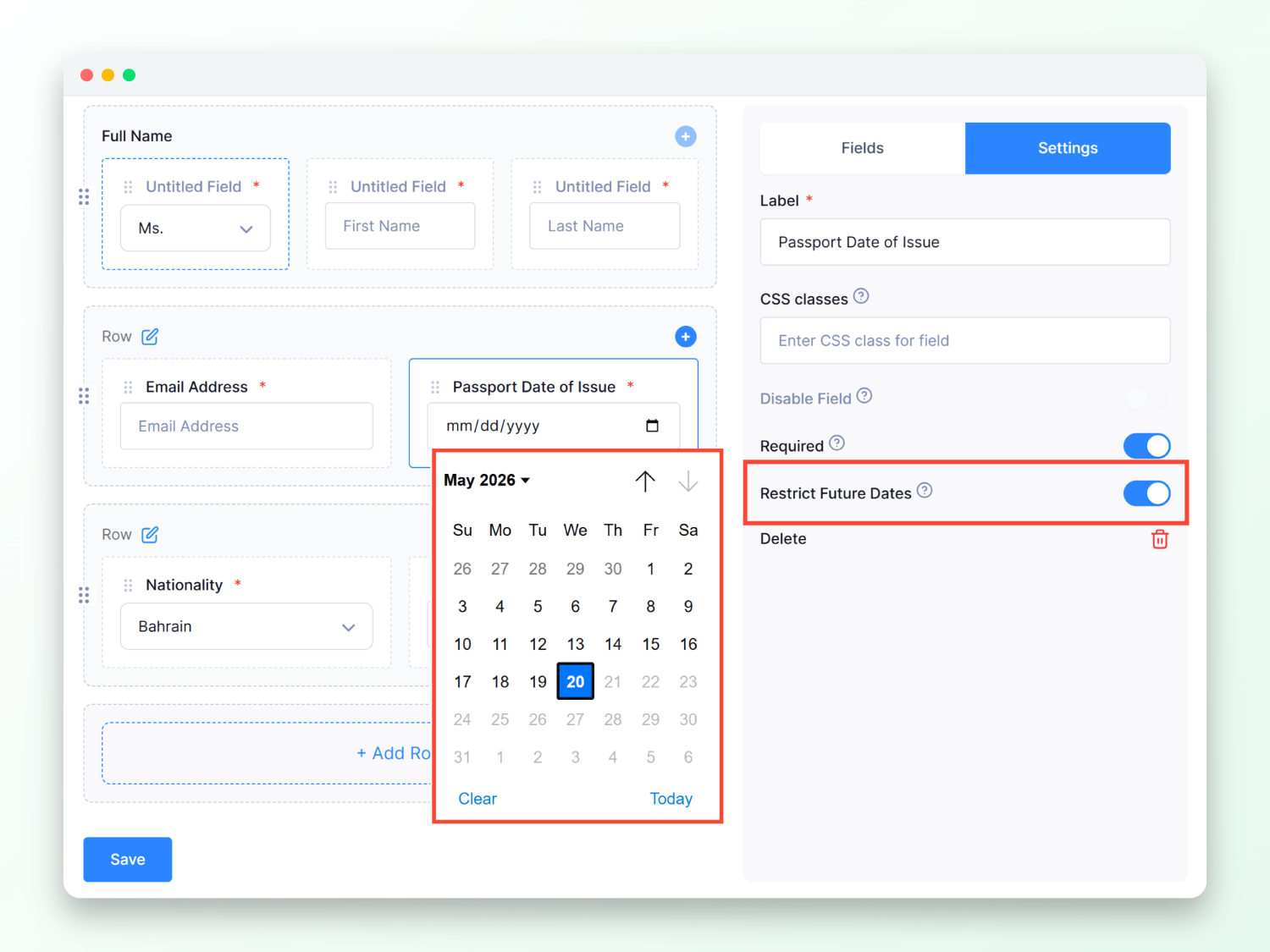
Turn on Restrict Future Dates for any date field. Travelers will only be able to select a date in the past.
How to enable it: Apps > Checkout Form > edit a Date field > enable Restrict Future Dates and save.
Improvement: Guide Travelers Better with Custom Country Code Placeholders
If your checkout form includes a phone number field, travelers sometimes aren’t sure what to enter in the country code field.
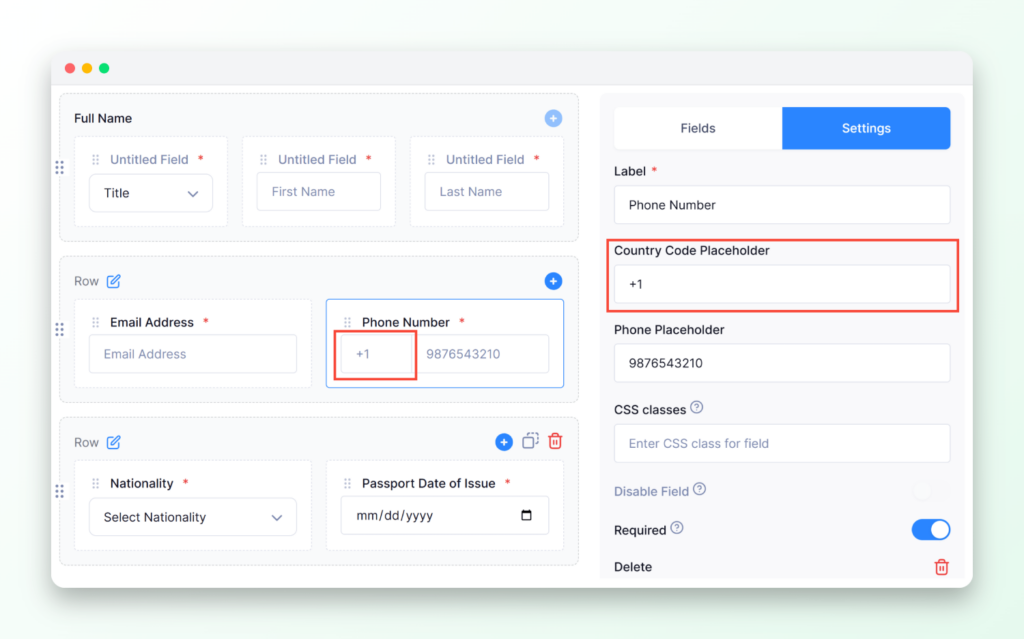
You can now add custom placeholder text to guide them.
For example, show +1 or +44.
How to enable it: Apps > Checkout Form > Edit a Phone field, then enter your text in Country Code Placeholder and save.
Bug Fixes
We’ve also fixed several issues across bookings, payments, emails, and site display.
These improvements help Tripcart work more reliably every day.
- Pre-trip emails are now sent at the correct time based on the tour start date.
- Header images in form submission emails no longer appear compressed in email clients.
- Editing a departure date to an already-existing date no longer creates a duplicate.
- Updating an invoice after editing a custom payment no longer causes the page to go blank. The form now submits correctly every time.
- Fixed deposit payments no longer fail at verification.
- Group size pricing is now calculated correctly.
- Payment vendor selection in manual bookings no longer shows a validation error.
- Availability now updates correctly when a “Book Now, Pay Later” booking is marked complete.
- Tours with both price date and repeat date enabled now show availability correctly across all pages.
- The “Tour Details” heading on the checkout page can now be translated like other text on the site.
- FAQ sections no longer appear when a question or answer is blank.
- Brand image placeholders in footer sections no longer show when no image has been uploaded.
- Prices no longer shift or flicker when visitors use Google Translate on your site.
- Empty headings affecting your site’s SEO have been removed from tour pages.
- Save buttons in Payment Gateway Settings and Tax Settings now show loading indicators while saving.
- The SMTP warning on your dashboard now links directly to Email Notification Settings.
- The max traveler validation message now has a solid background so pricing details below it stay hidden.
- Custom payment and invoice form bugs fixed
- Discount badge fixed on tour detail page
- Fixed display of wrong Group Discount table when switching tour type from Multi-Day to Single-Day
- Empty FAQ blocks no longer saved or shown in any content section
We are always working to make Tripcart better for you and your travelers, and this month’s updates are a step in that direction.
As always, if you have any questions or feedback, reach out to our support team. We’d love to hear from you.
Stay tuned for more updates next month!
