

We’re wrapping up May with a fresh batch of updates and improvements!
This month, we’re rolling out updates that improve booking management, add new content blocks to your website, and optimize site engagement for your travelers.
Let’s learn more to find out what’s new!
What’s New in Tripcart?
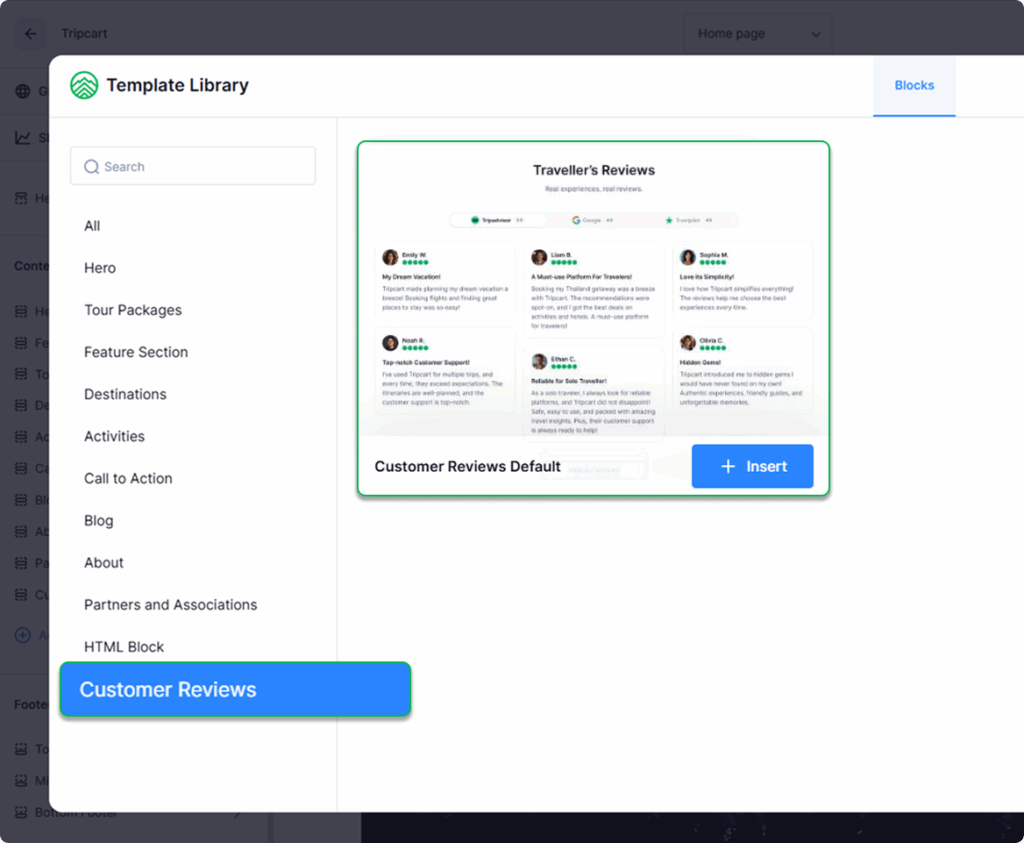
New Feature: Add Reviews on Your Homepage
You can now display your Google, Trustpilot, and TripAdvisor reviews right on your homepage. Build instant trust with social proof and help visitors feel more confident about booking your tours.
How to enable: Website Settings > Website Builder > Add Pre-designed Block > Customer Reviews
New Reusable Blocks – Create Once, Use Everywhere
No more manually copy-pasting content. You can now create your own blocks and reuse them across multiple pages and posts.
Just update a block once, and it reflects everywhere. It’s a smarter, faster way to manage repeat content.
How to enable: Apps > Tools > Reusable Blocks
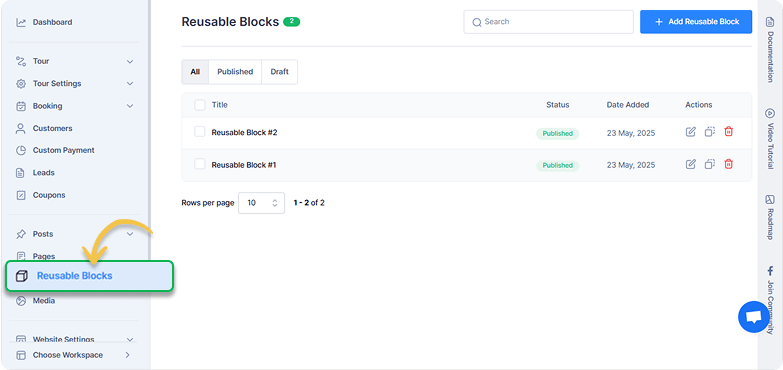
Check out the documentation for Reusable Blocks to learn more about how to use it on your website.
New Feature: Add Bookings Yourself
Are most of your bookings done offline, over the phone, or in person?
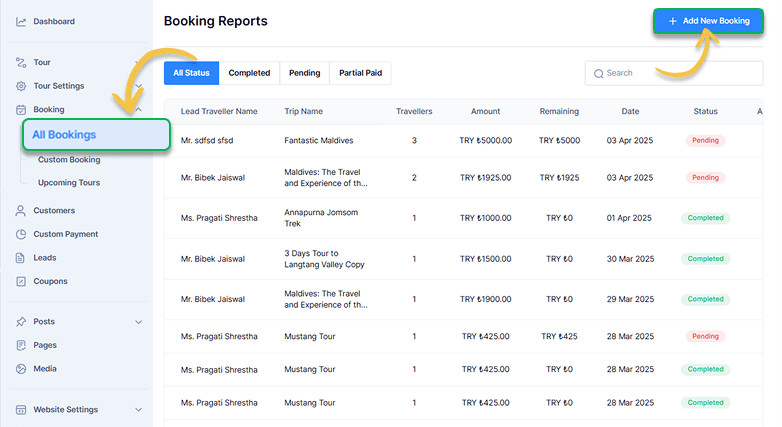
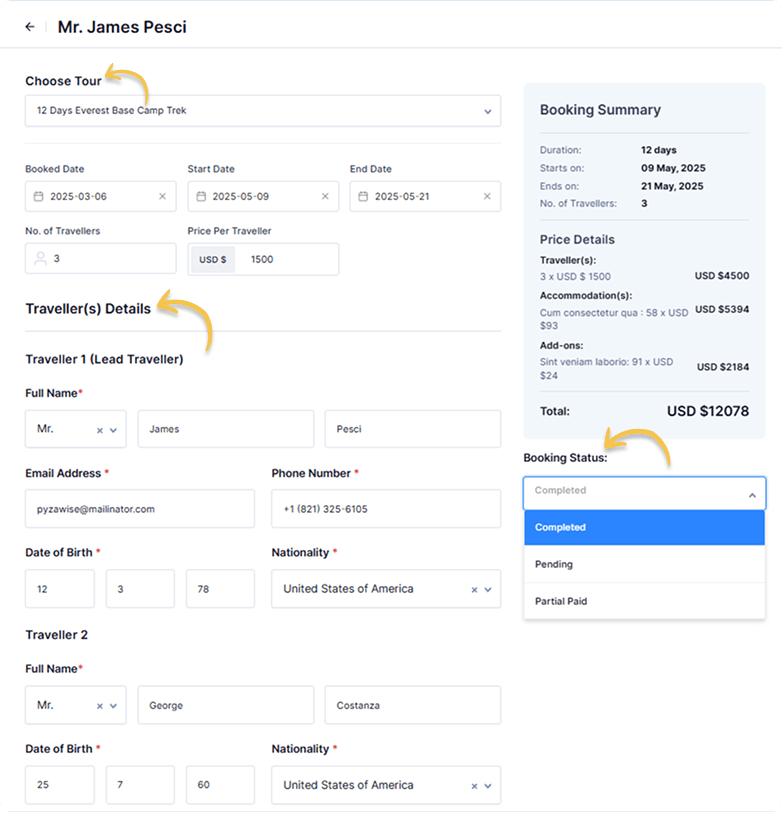
Now, you can add bookings manually to your website, helping you keep track of offline bookings. Add trip details like traveler info, payment method, booking status etc., on one screen. Perfect for handling walk-in customers or bookings done through phone.
How to enable: Booking > All Bookings > Add New Booking/Edit Existing Booking
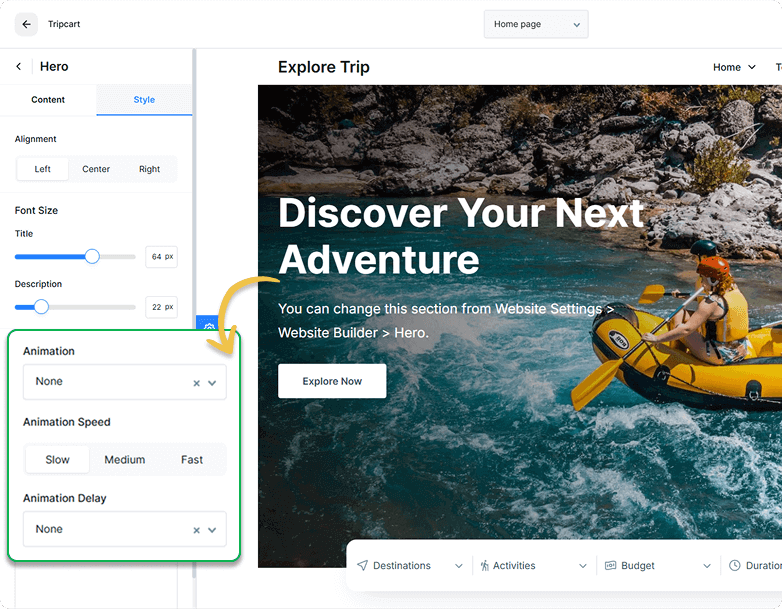
New Feature: Add Animation To Your Homepage
Bring your homepage to life with motion!
You can now add animation to all sections of your homepage, from the Hero Banner to the About Us section. Your website now feels more lively and engaging from the very first glance.
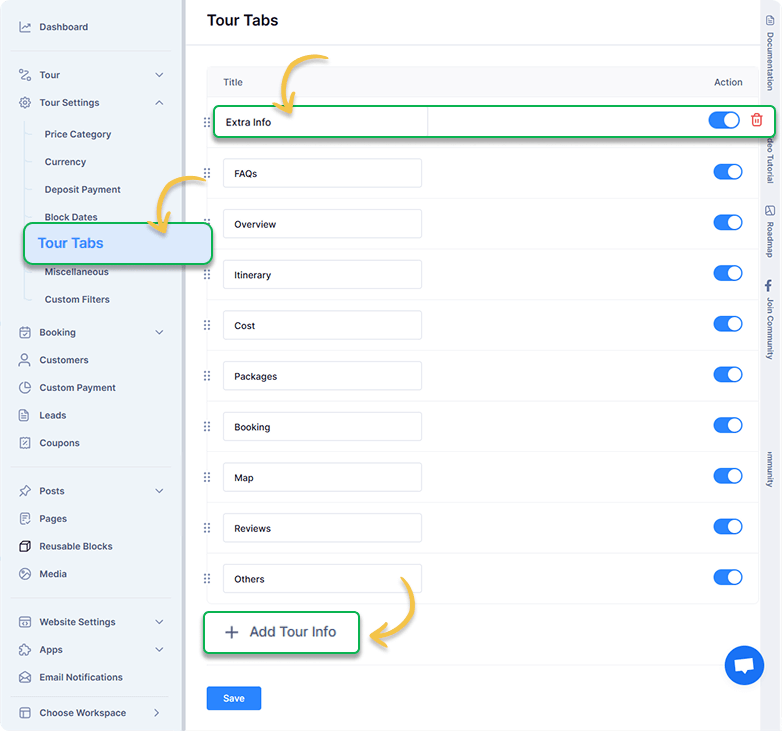
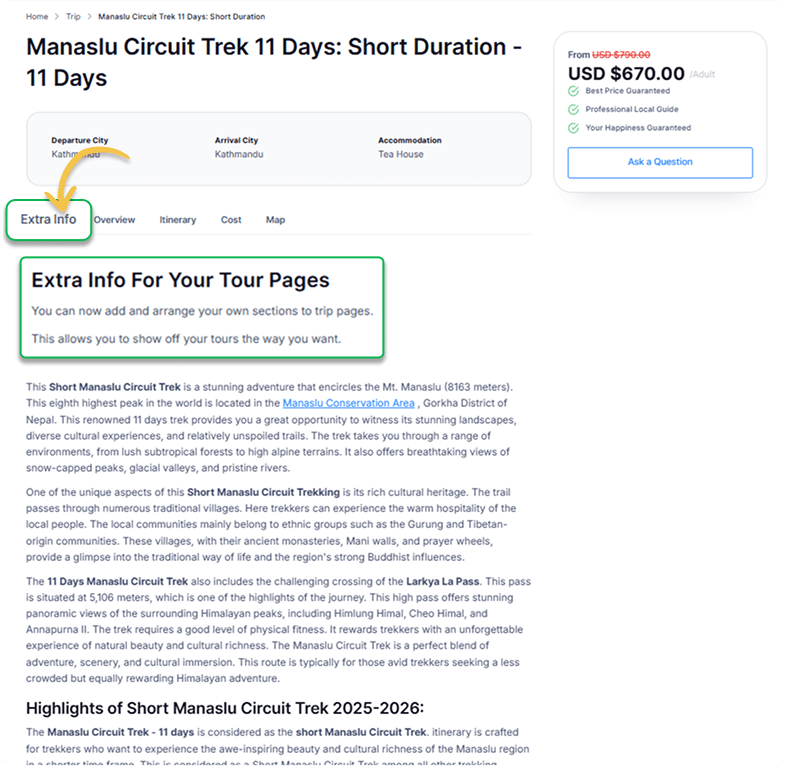
Improvement: Add New Tour Tabs
Previously, you could only add pre-defined section tabs to individual tour pages. Now, you can create new tabs to add your own content sections for each tour.
How to enable: Tour Settings > Tour Tabs > Add tour info
Improvement: Solo Price in Group Discount
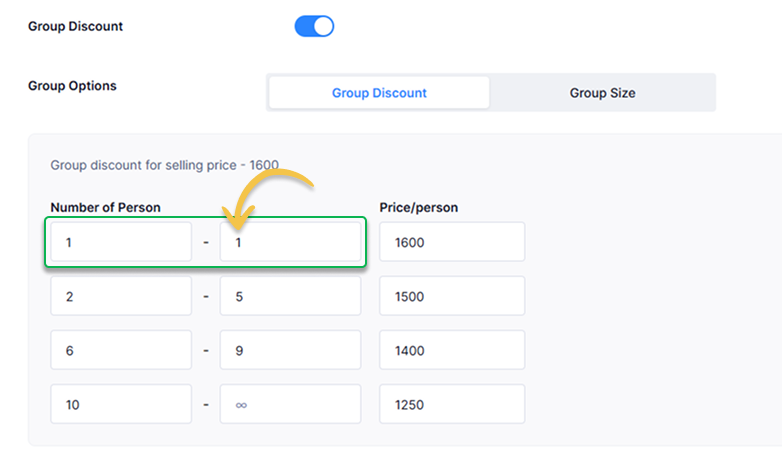
Want to include solo travelers in your group discount settings?
You can now do that. Previously, you could only set up discounts for groups of two or more, but not anymore. This helps increase the chances of converting every booking, no matter the group size.
How to enable: Tour > All Tours > Edit (Any tour) > Price > Group Discount
Conclusion
At Tripcart, we are committed to delivering the best possible experience for both you and your customers.
Your feedback helps us grow and improve. Please let us know your thoughts in the comments below. If you have any questions or need assistance, our support team is just a click away.
We will be back with more exciting news next month!
