
Product updates are back! From here on, we’re shipping them every month. From a refreshed look for your tour cards to a faster, more reliable platform under the hood – here’s everything that’s new in March.
New Feature: Import a Tour Directly from a URL
Building a tour from scratch takes time. If your tours are already listed somewhere else, you can now bring them into Tripcart by pasting a URL.
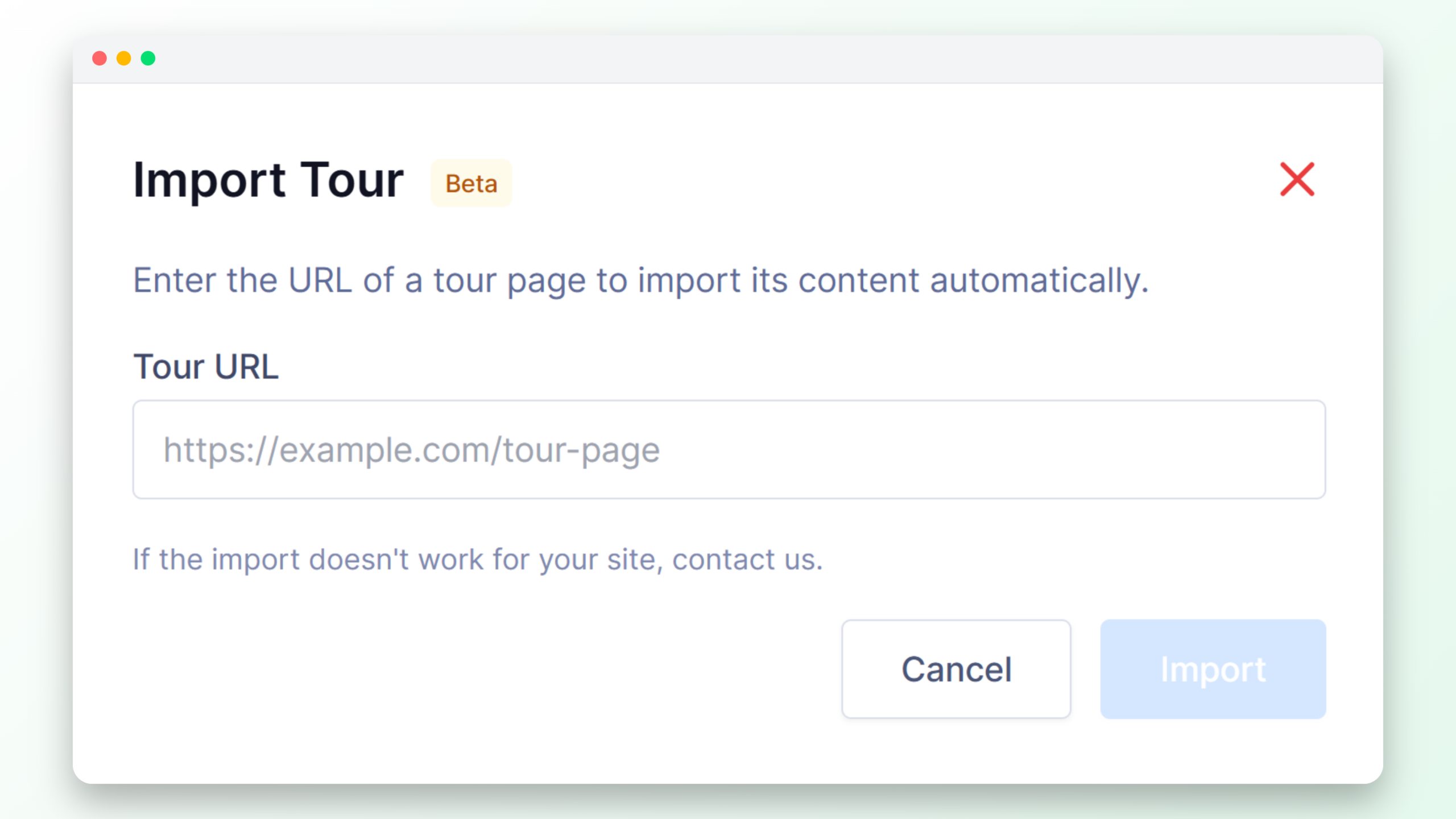
Tripcart pulls in the details automatically- title, description, pricing, itinerary and more, mapped to the right fields in your tour settings.
New Feature: Add a Price Suffix to Individual Tours
“$950” means nothing without context. Is that per person? Per group? For the whole trip?
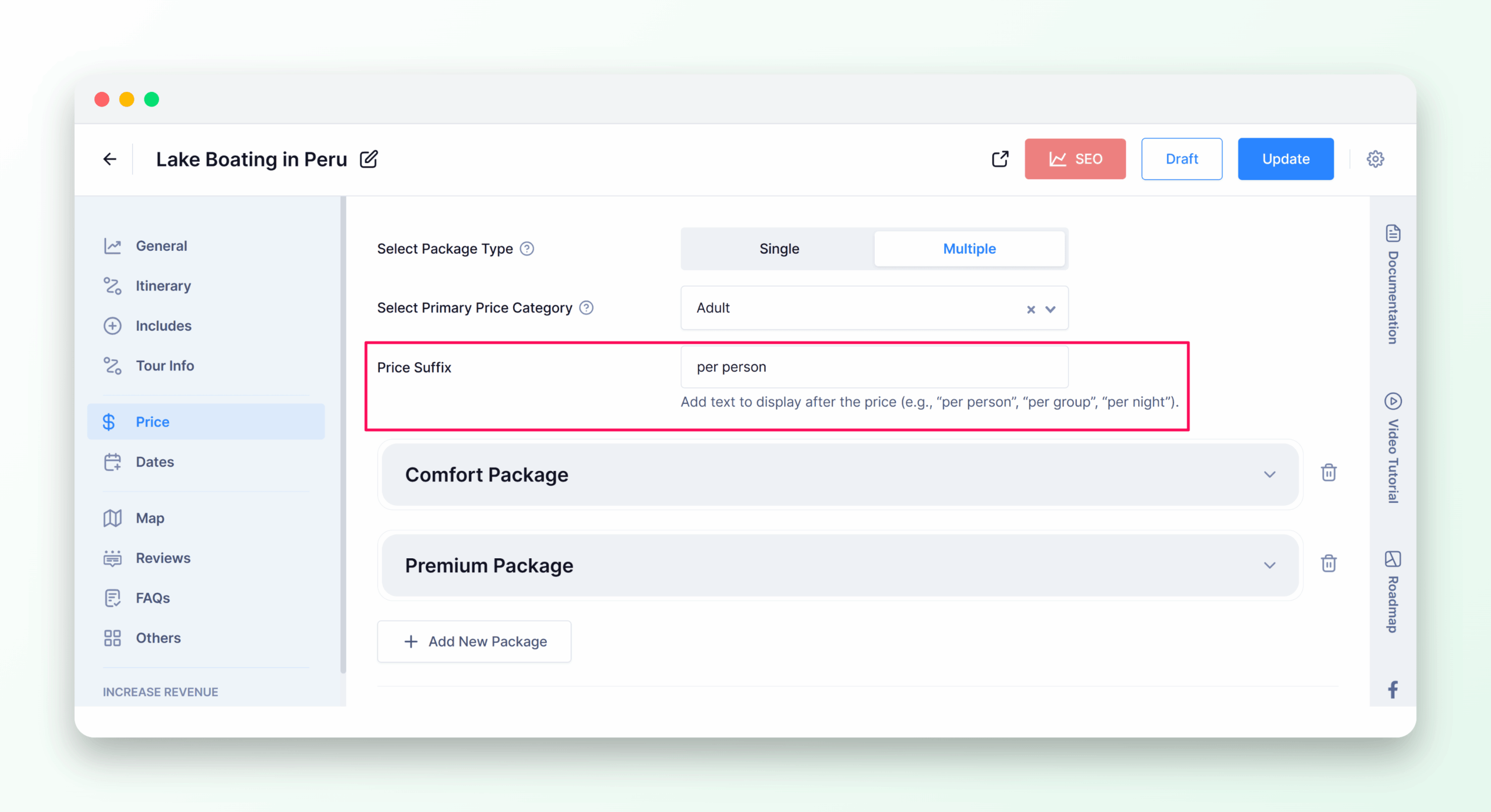
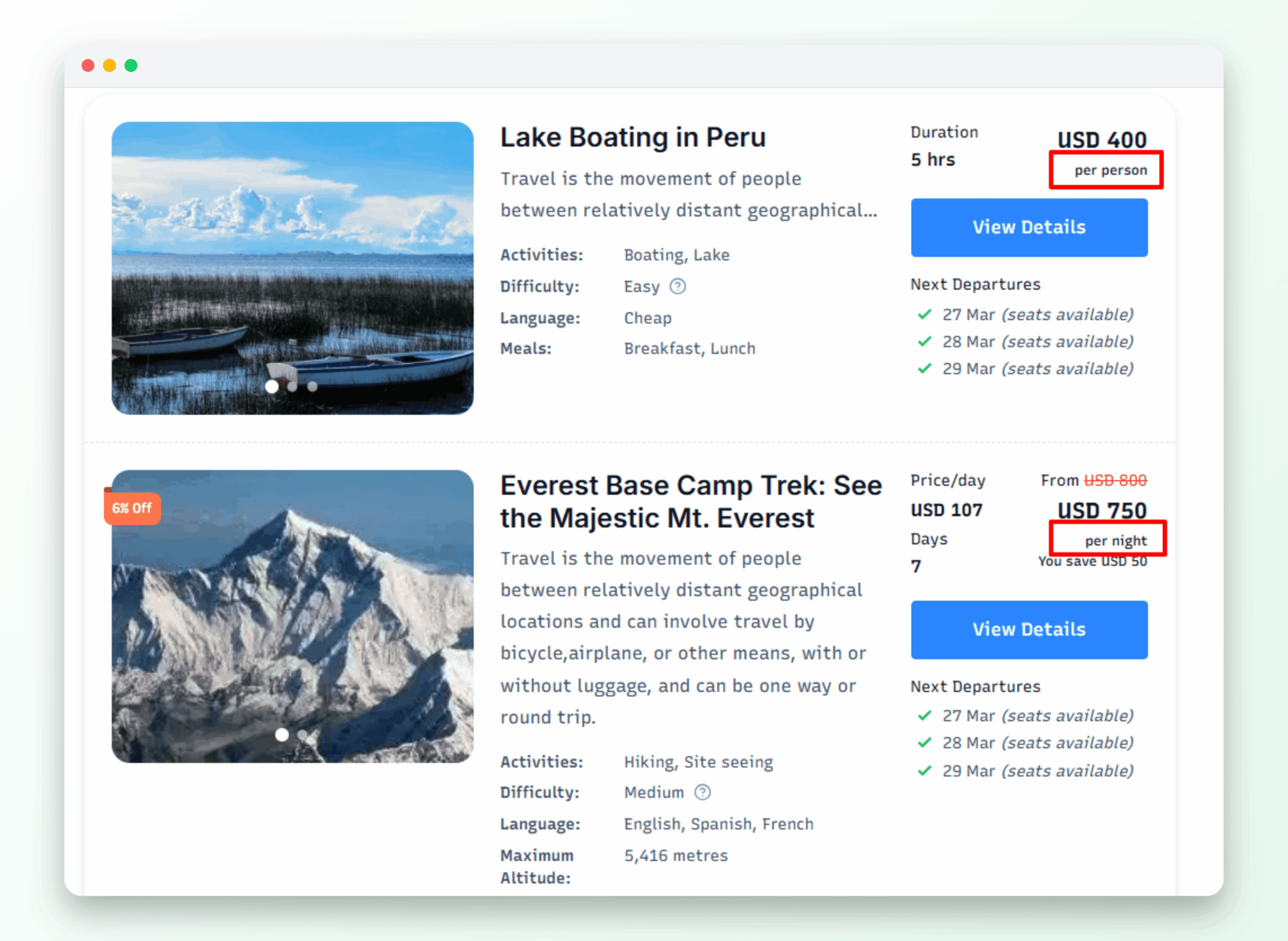
You can now add a custom price suffix to any tour. This short label appears alongside the price on tour cards, search results, and the related tours section.
Use it to display labels like “per person”, “per group”, or “incl. taxes” – so travelers know exactly what to expect before they even click through to the tour page.
How to enable it: Tour Settings > Price > Enter your label in Price Suffix and save.
Improvement: Fresh New Look for Your Tour Cards
Your tour cards are often the first thing a traveler sees when they land on your website.
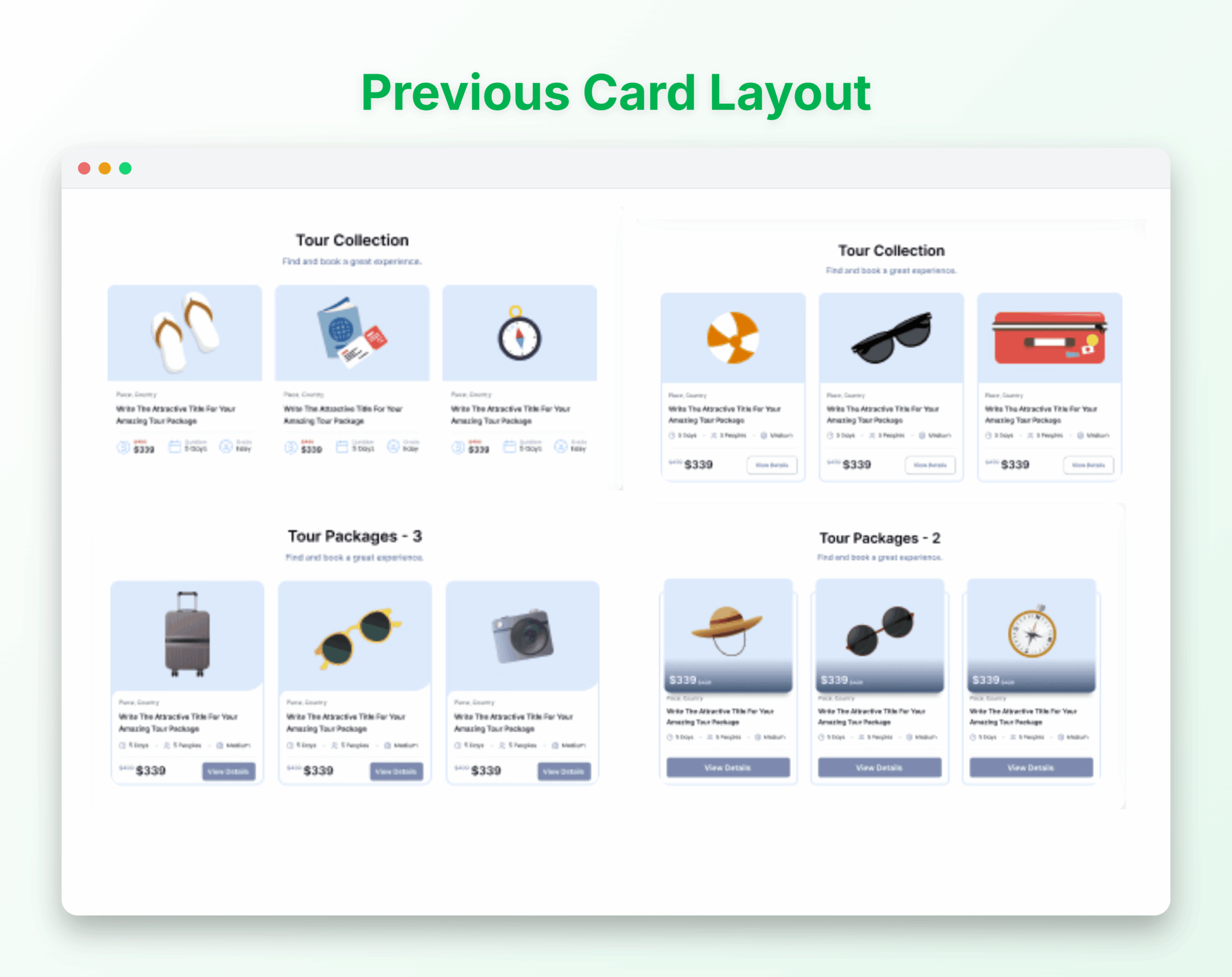
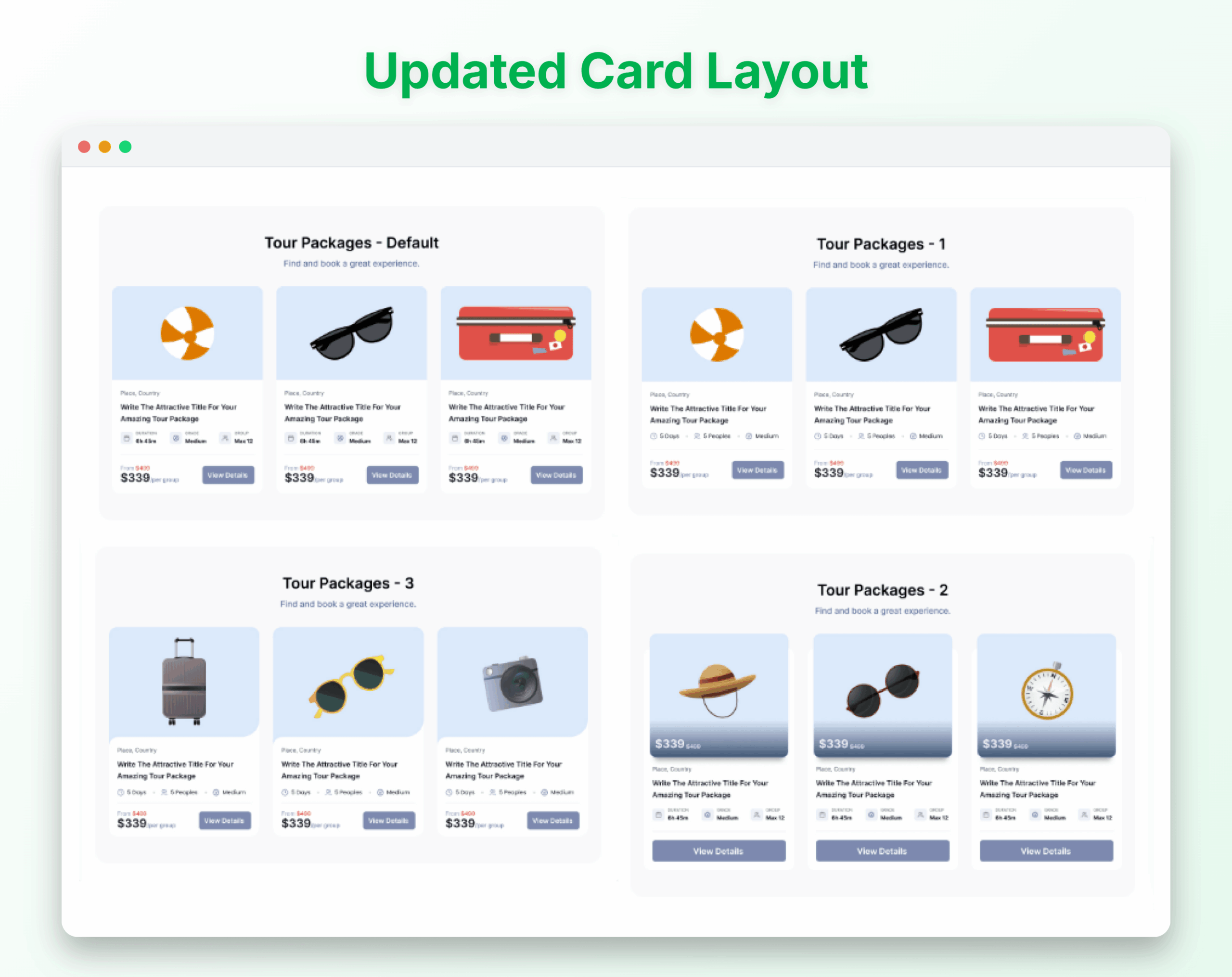
We’ve redesigned them to make your tours easier to scan and more visually appealing across all devices.
Here’s what’s improved:
- Cleaner layout – A more structured design that makes your tour info easier to scan at a glance.
- Better typography and spacing – Text and details are better balanced, so nothing feels cluttered.
- Tour label moved to the top – Highlights like “Best Seller” or custom labels are now the first thing travelers notice.
- Fully responsive – Cards look great on mobile, tablet, and desktop without any extra setup.
How to set it: Website Settings > Website Builder > Tour Packages >Click on the arrow icon to change the layout and save.
Improvement: Smoother Multi-Agency Experience
If you manage more than one agency on Tripcart, you might have both open at the same time, each in its own browser tab.
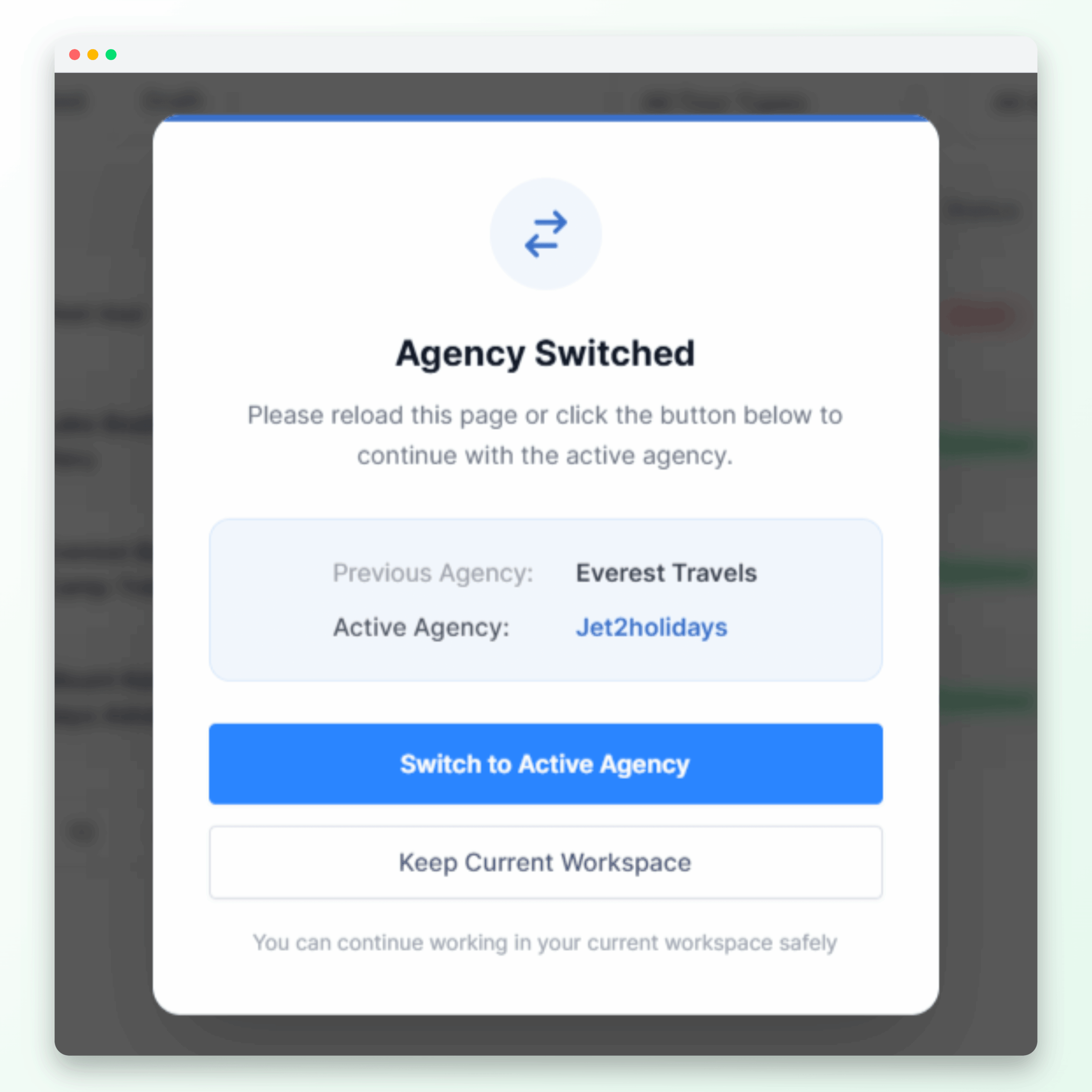
Previously, this could cause the two tabs to fall out of sync, meaning one tab might quietly switch to showing data from the wrong agency without any warning. That’s a real problem
If you do want to switch agencies, you’ll be in control of when and how that happens, rather than it happening silently in the background.
Improvement: Editing FAQs on Your Home Page Just Got Easier
If you added FAQs using the FAQ block in the Website Builder, you may have noticed they didn’t save correctly.
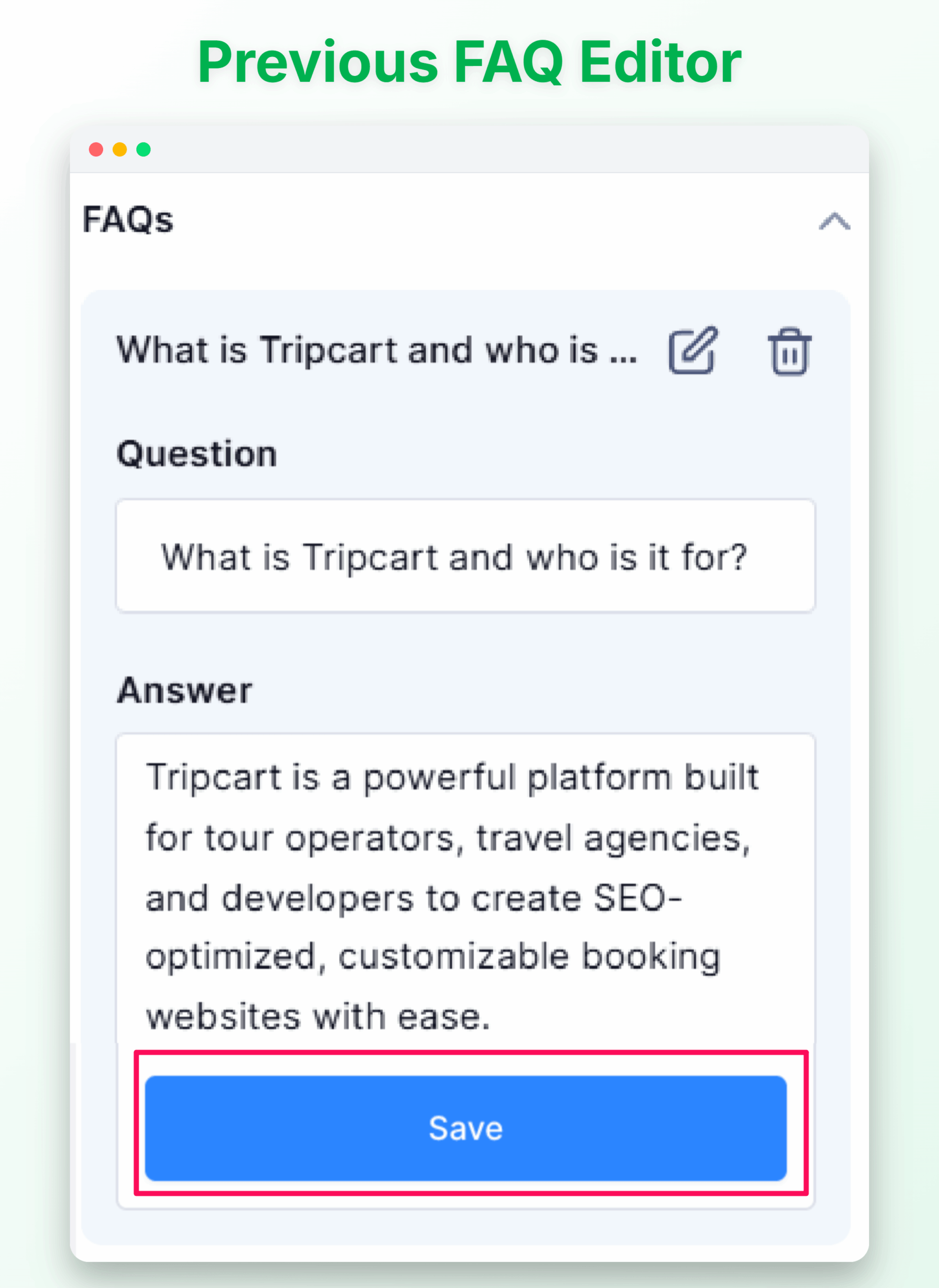
Previously, each FAQ had its own save button. This caused confusion, as clicking the main page save button would not save the FAQ content.
Now, we’ve removed the separate save buttons. All FAQ changes are saved automatically when you save the page.
Improvement: Platform Performance Improvements
This month, we completed the second phase of our platform-wide performance optimisation, bringing meaningful improvements across the board:
- Lazy-loading – Content loads as it’s needed, reducing initial page weight.
- Optimized trip queries – Data is fetched more efficiently in the background.
- Full page caching – Frequently visited pages load faster for your visitors.
A faster website means lower bounce rates, a smoother booking experience, and more conversions for your business.
We are always working to make Tripcart better for you and your travelers, and this month’s updates are a step in that direction.
As always, if you have any questions or feedback, reach out to our support team– we’d love to hear from you.
Stay tuned for more updates next month!
