
June brings two updates aimed at giving you more insight into your business and more control over how Tripcart works for you. There are also a handful of improvements and bug fixes along the way.
Let’s take a look at everything that’s new.
New Feature: Display Time the Way Your Agency Works
Does your agency use a 12-hour or 24-hour time format?
Until now, Tripcart has made that choice for you.
You can now set your preferred time format (12-hour or 24-hour) in agency settings. It applies across all bookings and date displays.
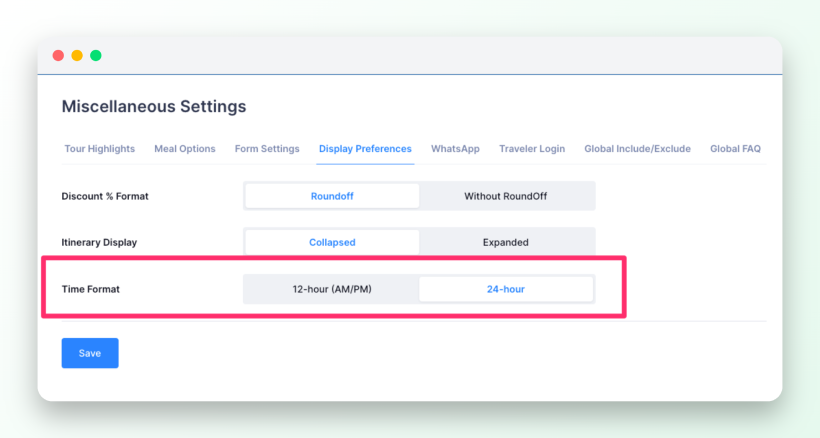
To enable it: Go to Tour Settings > Miscellaneous Settings > Display Preferences, then select your preferred time format.
New Feature: Connect Google Analytics and See Which Campaigns Drive Bookings
You’re running ads, sending emails, and posting on social media. But when a booking comes in, do you actually know which effort brought that traveler in?
With Tripcart’s new Google Analytics 4 feature, you can now do two things:
Connect your Google Analytics or Google Tag Manager account.
Automatically track the most important steps in your customer’s booking journey.
Once enabled, Tripcart tracks:
- view_item: when a visitor views a tour
- begin_checkout: when a traveler starts the booking process
- purchase: when a booking is successfully completed
This helps you understand which marketing campaigns are bringing visitors, starting bookings, and ultimately generating sales.
The best part? You don’t need to create these tracking events yourself. Just connect either:
- Google Analytics 4 (Measurement ID), or
- Google Tag Manager (GTM)
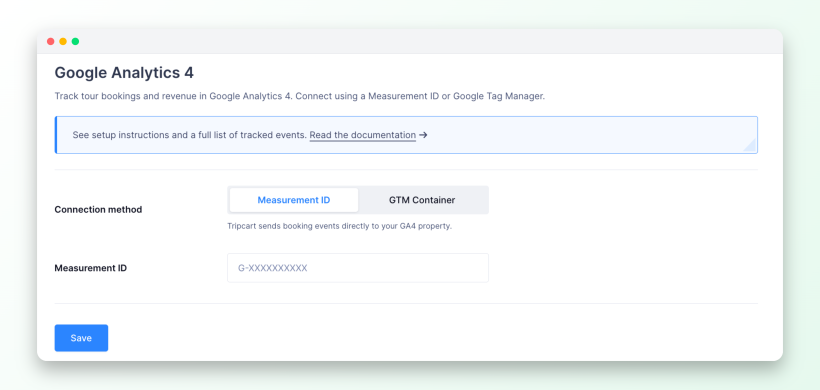
Tripcart automatically configures the required booking events in the background, so you can start tracking immediately.
If you prefer to manage your own event tracking, you can disable the Google Analytics 4 integration anytime from the Tripcart settings.
There are two ways to connect Google Analytics with Tripcart. To choose the method that’s right for you and follow the complete setup instructions, check out our documentation. Learn how to configure GA4
New Feature: Customers Can Now Save and Share Website Searches
When a customer finds the right combination of filters on your website, there hasn’t been an easy way to save it or share it. Close the tab or hit the back button and it’s gone.
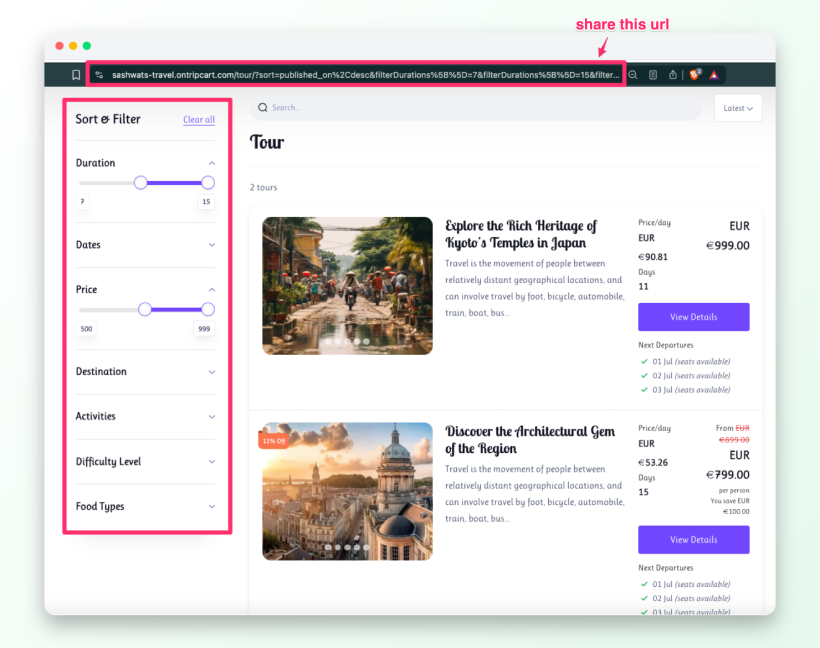
Now every search lives in the URL. Customers can share the link, bookmark it, and use the browser back button without losing their filters.
How to share the URL: Apply the filters on your website, then copy the URL from your browser’s address bar and share it.
Improvement: Managing Group Discounts Now Requires Less Manual Work
When setting up group discounts, each discount tier has its own minimum group size. If you changed one minimum, the others stayed the same, so you had to update each tier manually to avoid gaps or overlaps.
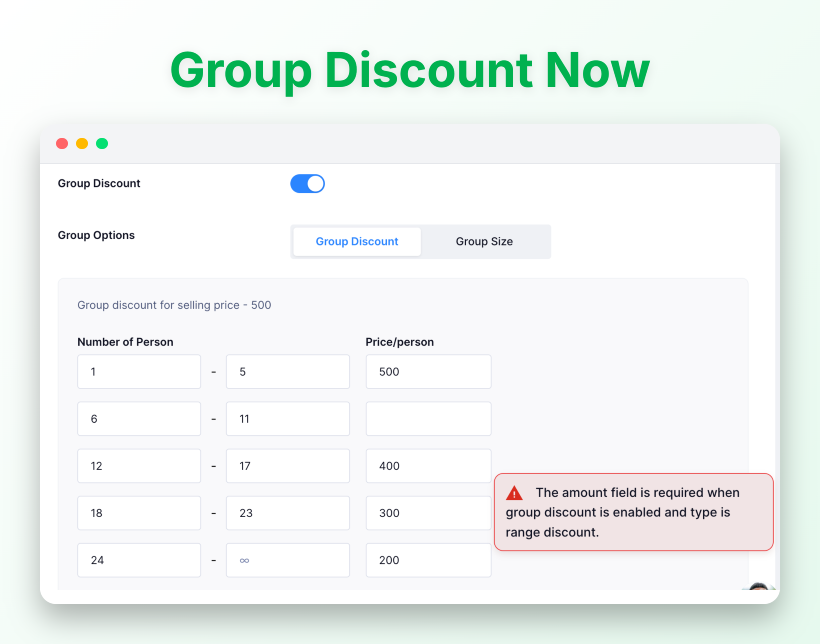
Now, the remaining discount ranges update automatically when you make changes, so there’s less manual work.
If only one group discount remains, the option turns off automatically, and clearer error messages help you quickly fix any issues.
Bug Fixes
- Invoices created through Custom Payments now appear in the Payment List immediately after creation.
- Partial Payment Due Dates now display correctly and match the actual due date on the booking.
- Navigation and currency changes now go live right away after saving.
- Checkout no longer fails when a percentage coupon results in a fractional-cent total.
- The custom invoice list no longer includes partially-paid records.
- Your Trustpilot TrustScore now matches the value shown on Trustpilot’s own page.
- Entering departure times is now faster – the hour and minute fields move to the next field automatically as you type.
- The switch agency popup no longer stays open after the tab it was opened from is closed.
- Deleting an agency no longer removes your account or the other agencies you manage.
- The deposit amount can no longer be set higher than the total booking amount.
- Review images on your storefront now refresh in place when URLs change, so photos no longer break.
- The switch agency popup no longer stays open after the tab it was opened from is closed.
- Invoice emails now show the correct invoice title in the subject line.
We are always working to make Tripcart better for you and your travelers, and this month’s updates are a step in that direction.
As always, if you have any questions or feedback, reach out to our support team – we’d love to hear from you. Stay tuned for more updates next month!
