
Tripcart’s July update is here! It is packed with upgrades to help you build better pages, offer smarter pricing, and make the booking process smoother.
Whether you’re customizing your homepage or setting up payment options, these improvements are designed to give you more control and clarity.
Here’s everything that’s new (and worth checking out).
What’s New in Tripcart?
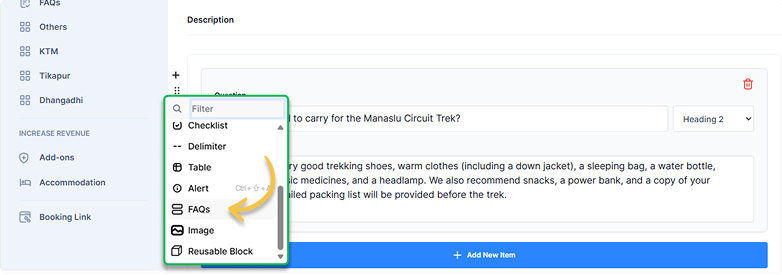
New Feature: Add FAQs in your posts and pages
Do you get questions like “When’s the best time to visit?” on a destination page?
You can now add FAQs to destination and activity pages, tour descriptions, blog posts, or any other page that you create. Easily add them where they make the most sense.
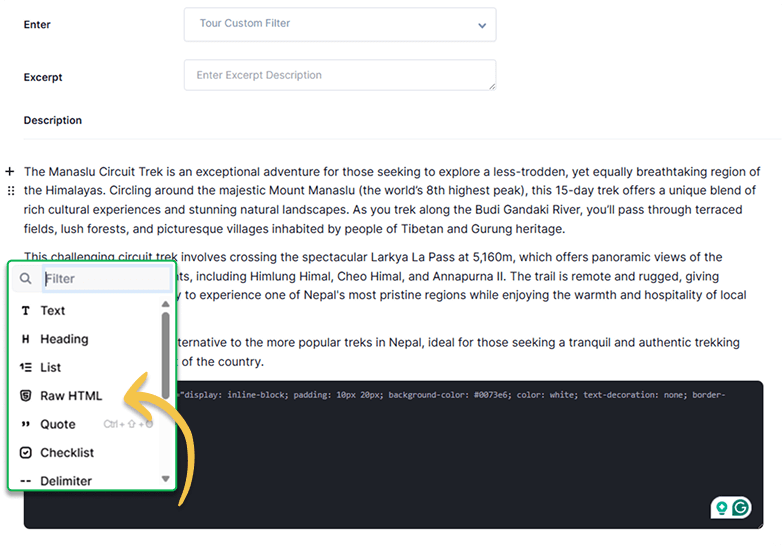
Fix: Raw HTML Now Works as Expected
You can now confidently use the Raw HTML block to add Google Maps, YouTube videos, buttons, icons, and more to your pages. Everything you embed will display and work smoothly. No more broken layouts or mission content.
New FAQs Blocks on Homepage
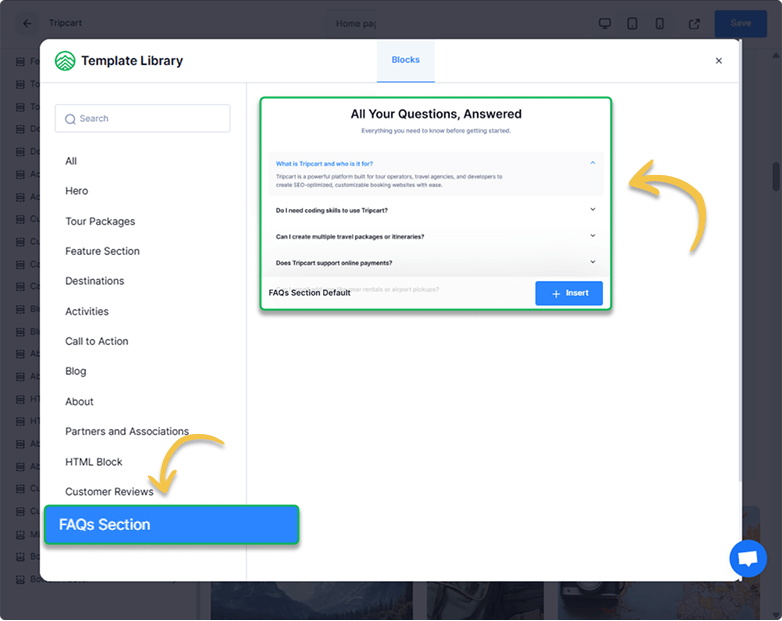
You can now add FAQs directly to your homepage, so users don’t have to click around to find basic info like refund policies or trip inclusions.
You can also easily stylize these FAQ blocks using typography, font, color, and animation settings.
How to add: Go to the Website Builder, then click on “Add Pre-designed Block” and insert FAQ Section.
Customize Tour Info that Appears on Trip Cards
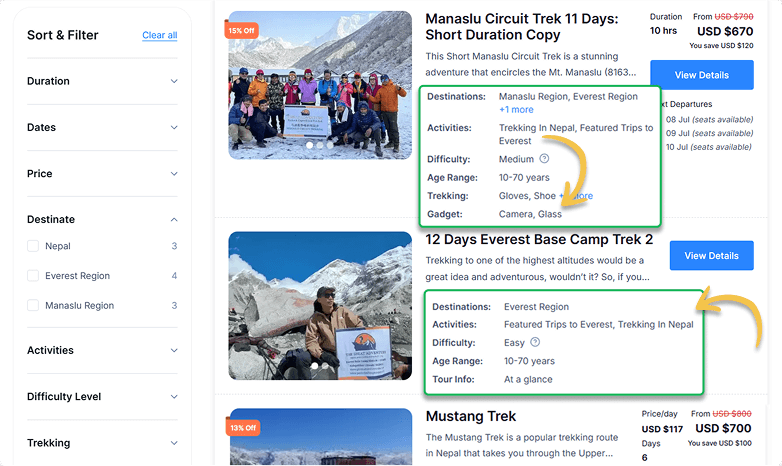
Want more control over how your tours appear in search results? Now you can choose exactly which details show on each trip card, like Activities, Difficulty, or custom info.
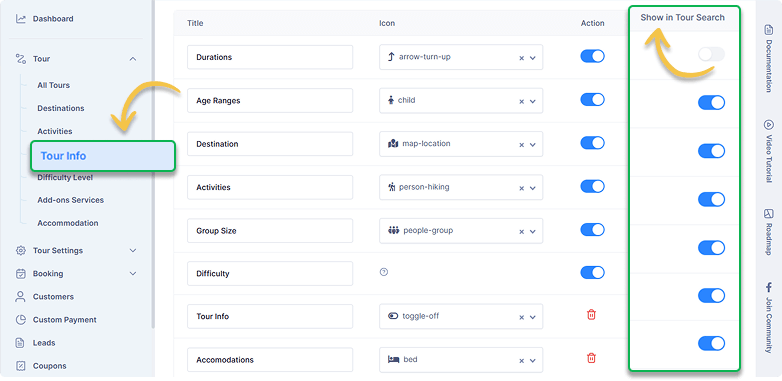
Only the tour info you enable will appear in the trip search, giving users a clearer view faster.
Set Zero Pricing for Any Traveler Type
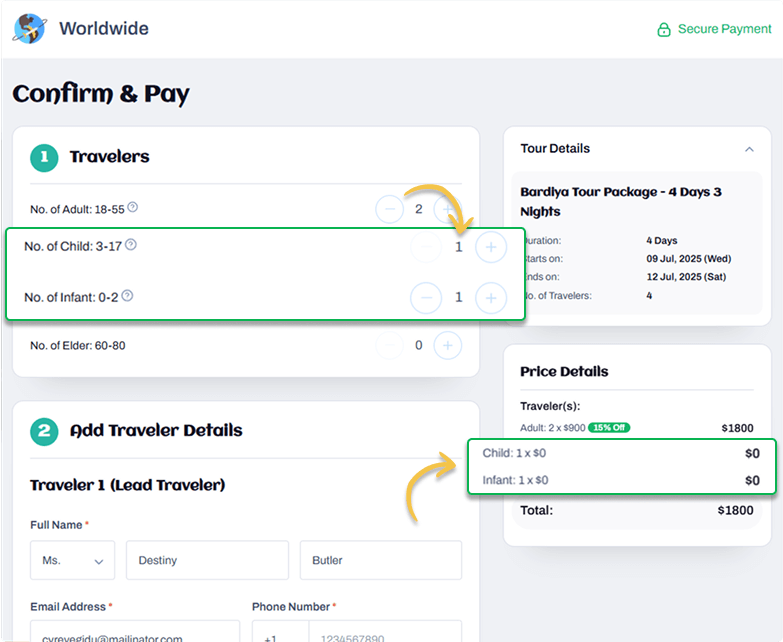
You can now set the price to zero for any traveler type, such as infants. This helps avoid repeated customer messages asking about pricing for children.
Customers will see the zero pricing during booking and can complete the process without needing to contact you.
Improved Stripe Payment Setup
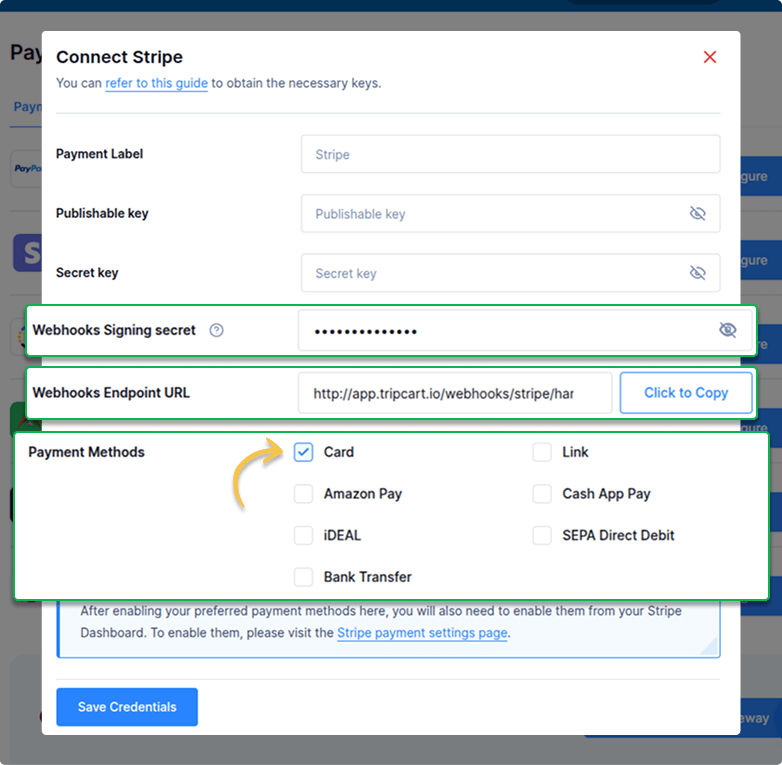
You can now select which Stripe payment methods appear at checkout. This helps you create a clean and simple payment experience for your customers.
We’ve also added support for Stripe’s Webhook Signing Secret so every payment notification you receive is authentic and secure.
Improvement: Give Your Archive Pages a Fresh New Look
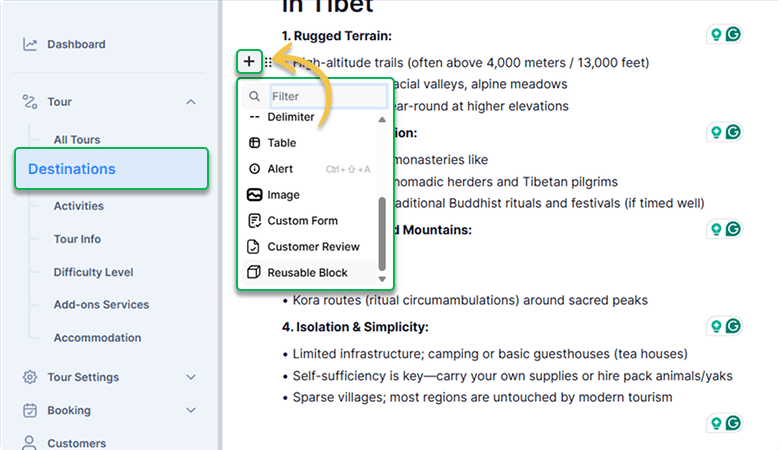
You can now make your archive pages, like Destinations and Activities, more helpful and inviting using a full-text editor. Previously, you could only use the basic text editor for these pages.
Use this space to highlight bestsellers, add trust signals, or guide users to the right tour category.
Improvement: “Choose Date” Button Now Guides Users More Smoothly
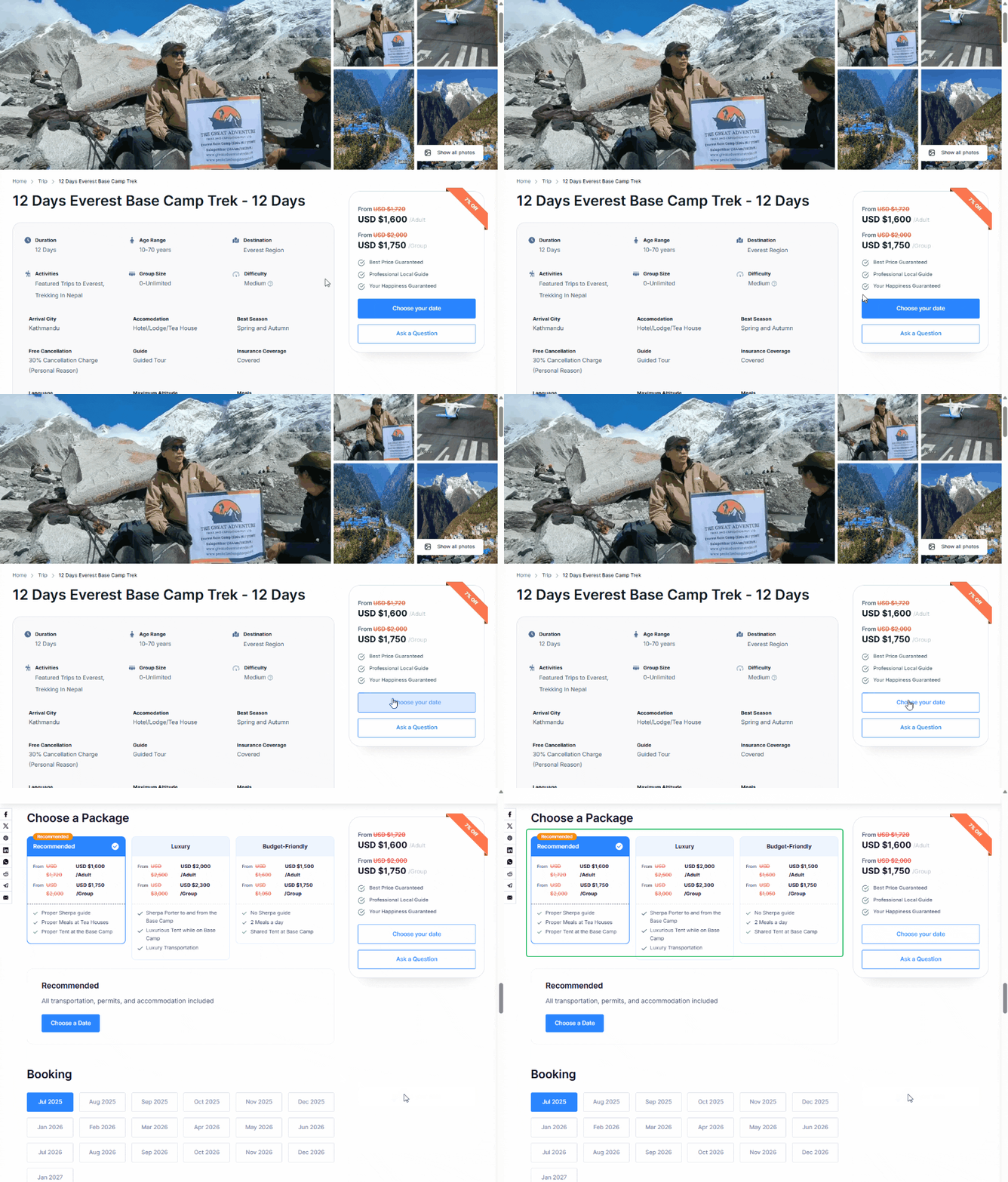
We’ve made a small tweak that improves the booking flow.
Now, when a trip has multiple packages, clicking the “Choose Date” button will automatically scroll to the package section. This lets users view and select options without any confusion. If there’s only one package, it works as before and takes users to the date section.
It’s a small change, but it makes booking feel quicker and more seamless.
Conclusion
We’re always working to make Tripcart better, one update at a time. Your experience matters, and we’re committed to delivering features that help you grow and manage your travel business with ease.
Got feedback or ideas? Reach out to our support team via the Tripcart dashboard. We’re here to help. You can also create a support ticket if you have any questions that need to be answered.
See you next month!
