

We’re wrapping up April with improvements to how you create tours, accept payments, and publish content. There are also strengthened email delivery changes and a range of fixes that make the platform more reliable.
Let’s take a look at everything that’s new.
Improvement: Record Cash and Offline Payments on Manual Bookings
Not every traveler pays by card, and not every booking happens through your website.
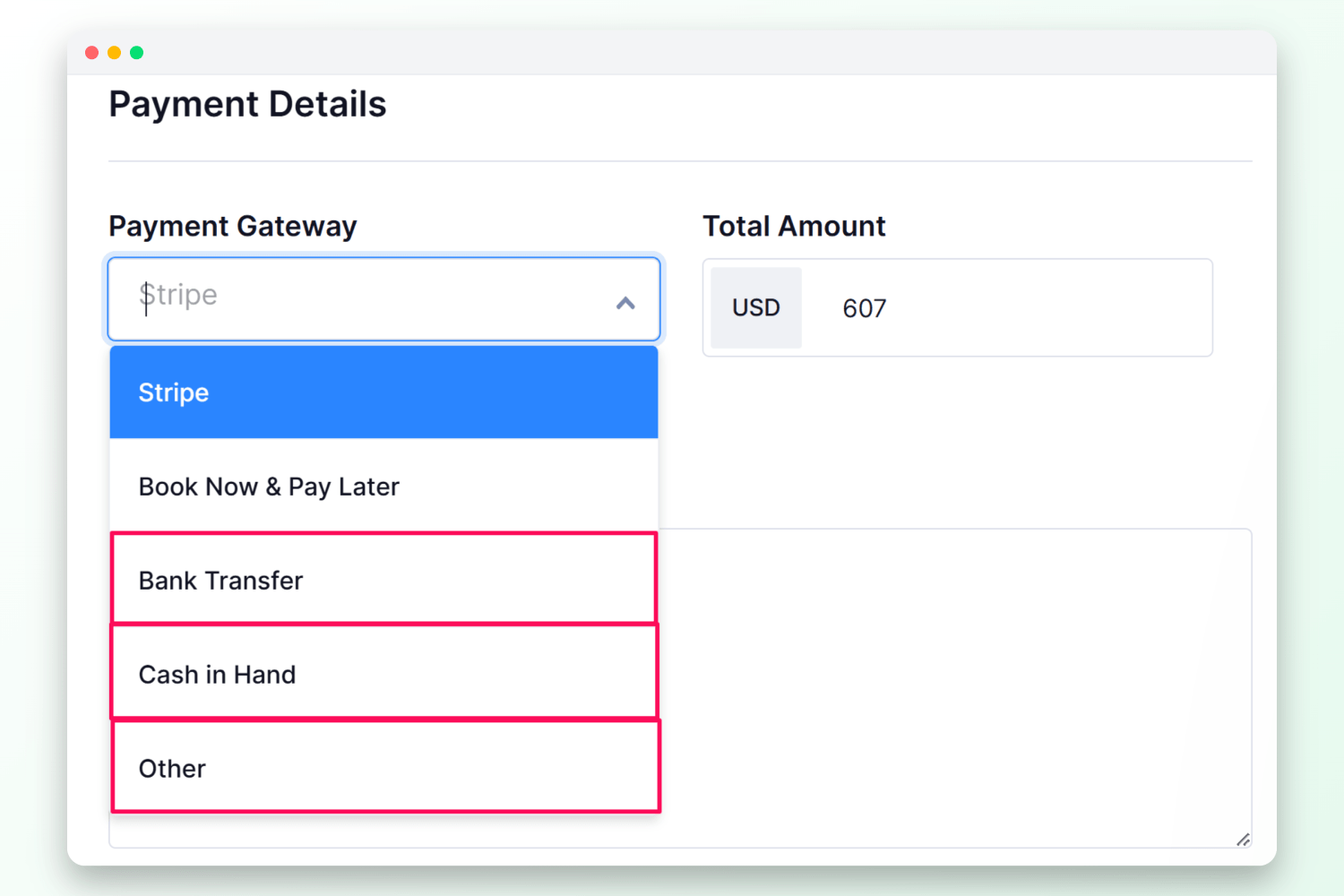
When creating or editing a manual booking, you can now select Bank Transfer, Cash in Hand, or Other as the payment method.
No more gaps in your records – every booking, regardless of how it was paid, is tracked in one place.
Improvement: Reorganized Tour Settings Navigation
Finding the right settings should be simple, and now it is.
We’ve revamped tour settings to follow a clear, logical order that matches how you actually build a tour.
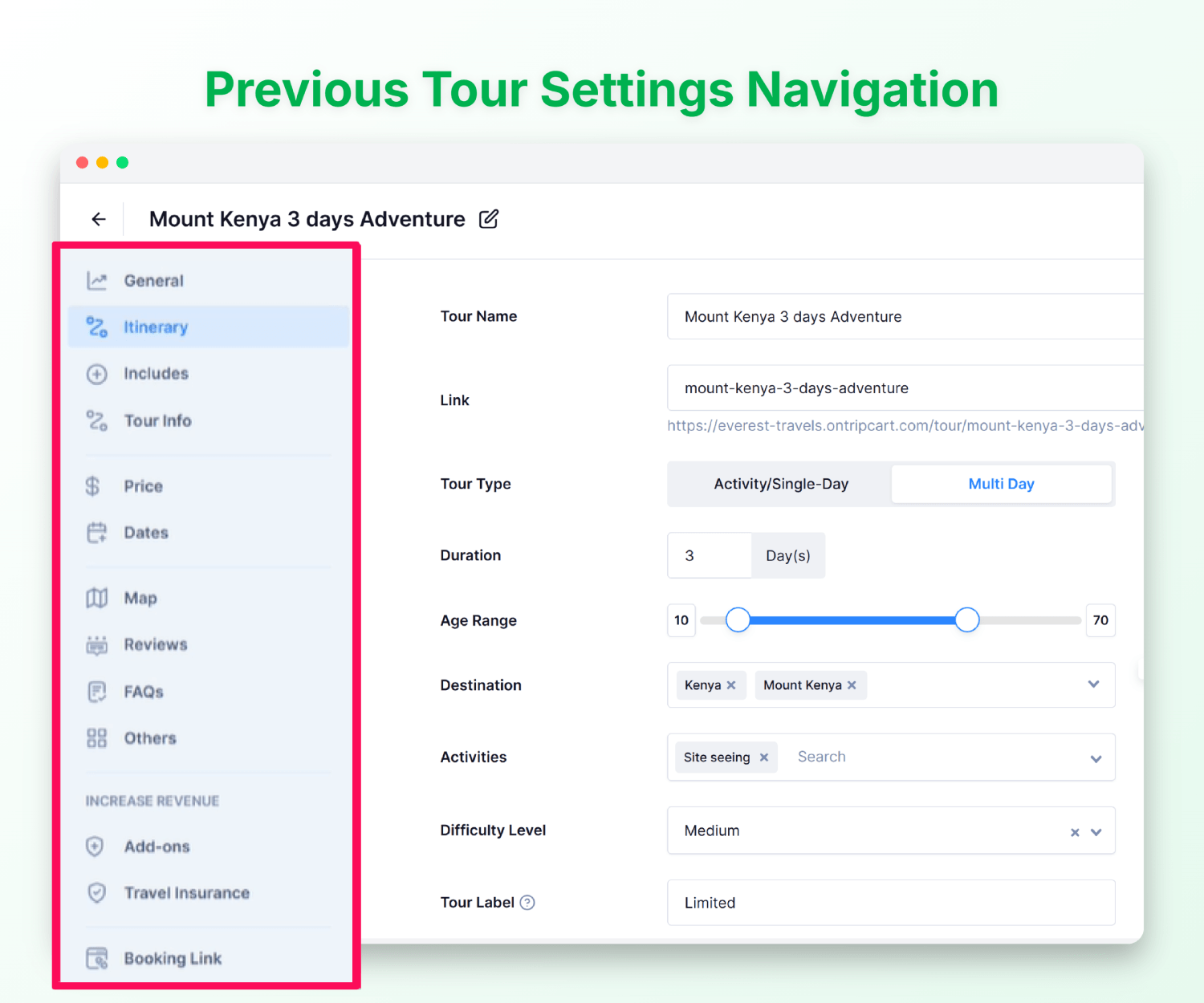
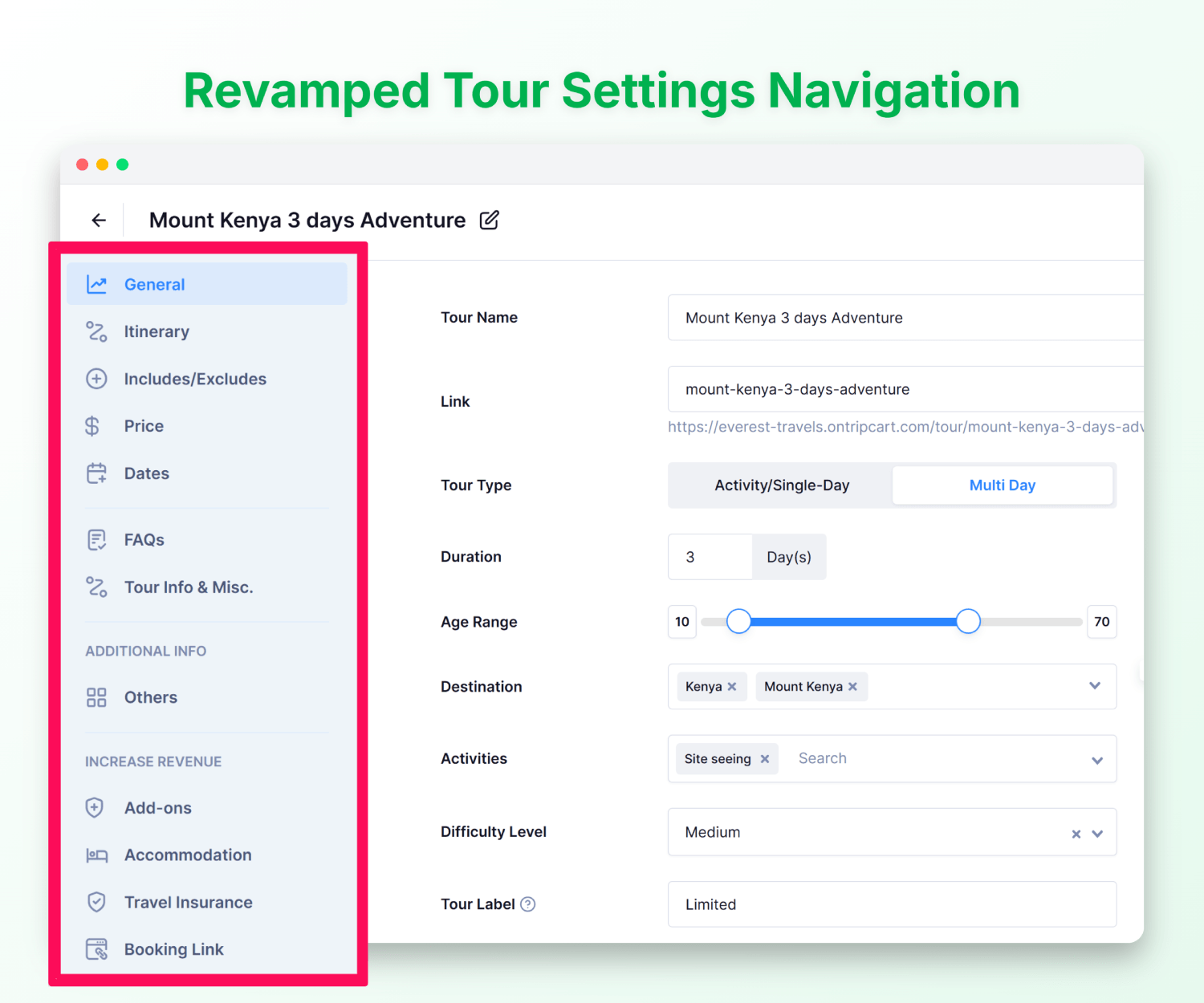
Start with the essentials, move through content and custom tabs and finish with revenue options – Add-ons, Accommodation, Booking Link and more.
Everything is easier to find, so you can set up tours faster.
Improvement: No More Accidental Saves When Switching Tabs
Previously, switching tabs in tour creation would auto-save your changes every single time – even when you weren’t ready.
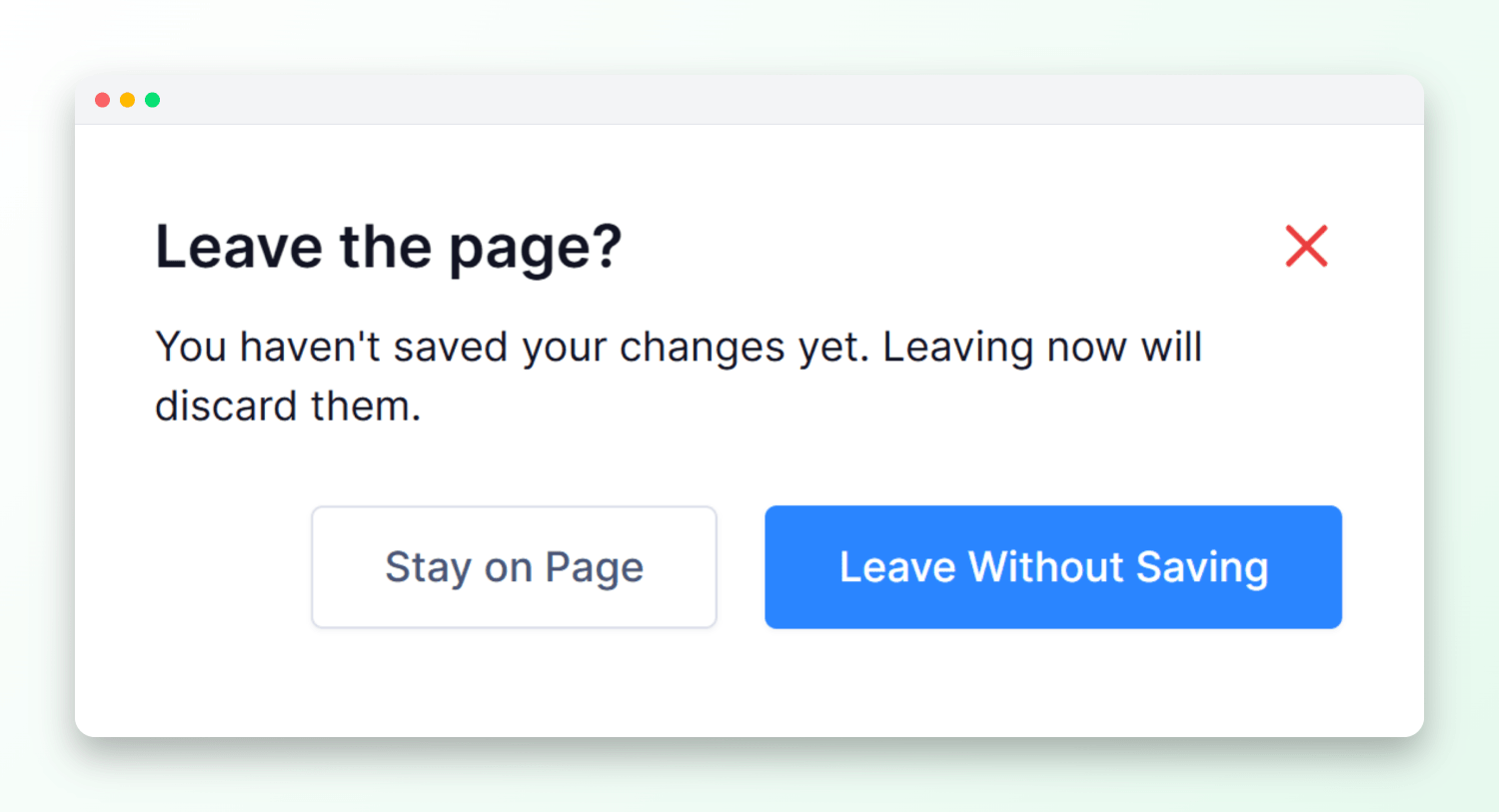
Your changes are now saved only when you click Save. If you try to leave without saving, a dialog box will appear, giving you the option to stay and save or leave without saving.
This way, nothing gets lost by accident.
Improvement: Send Emails From Your Own Domain
We’ve made an important update to how emails are sent from Tripcart.
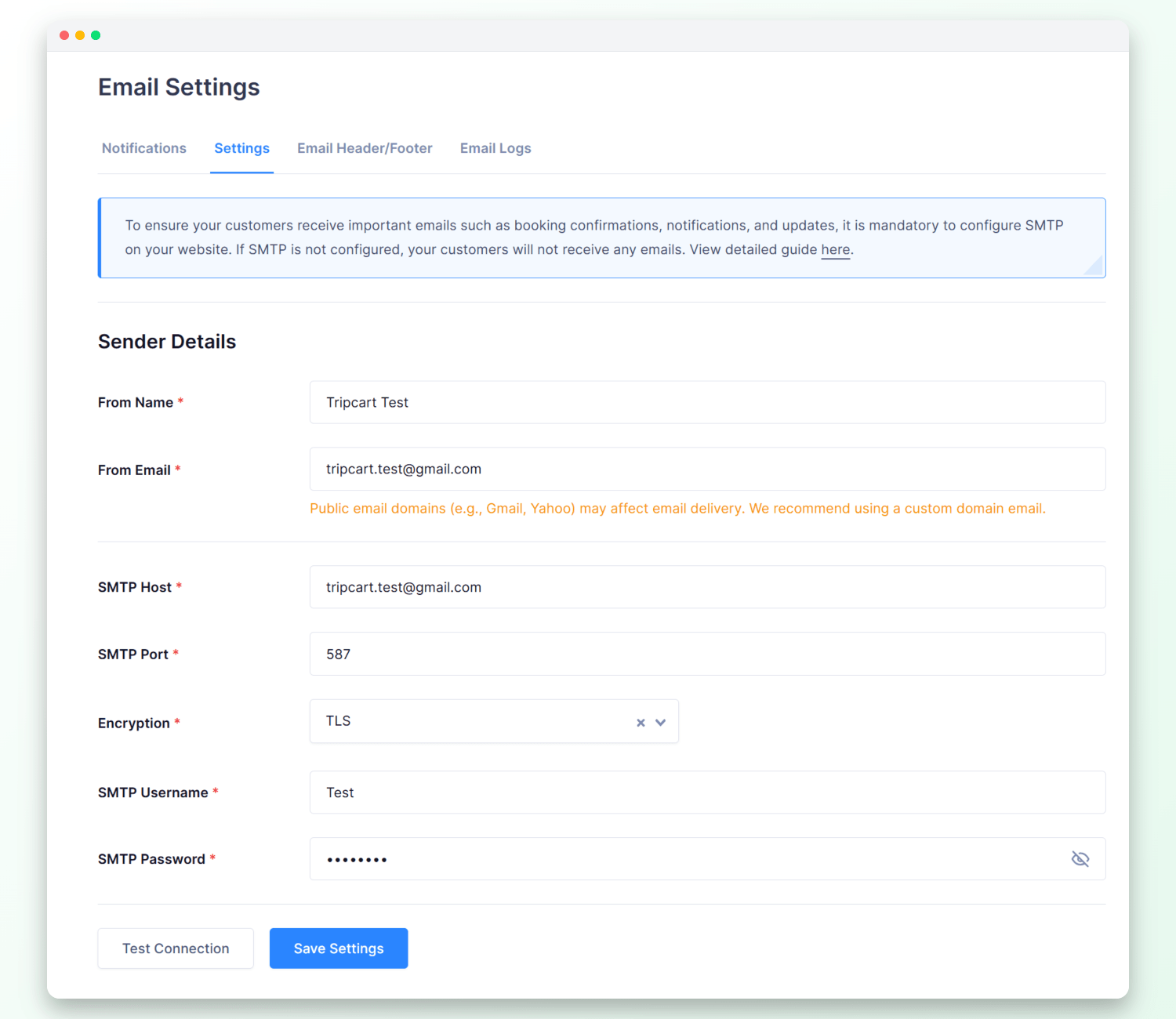
Previously, you had two options: use Tripcart’s shared email system or connect to your own SMTP server.
Moving forward, the shared email option has been removed. Now, all emails – such as booking confirmations, notifications, and updates – must be sent through your own SMTP setup.
This means better deliverability, less chance of landing in spam, and emails that come directly from your agency’s address.
Bug Fixes
- Cutoff time reverting after save – Changes to cutoff time now save correctly and stay in place.
- 500 error on checkout – Checkout no longer breaks when a pricing category has been removed from a tour.
- Book Now Pay Later redirect – Travelers using Book Now Pay Later are no longer sent to the payment failed screen.
- Default payment gateway reverting – Your selected default payment gateway now stays set and no longer switches back unexpectedly.
- Traveler not redirected to dashboard on first login – Travelers are now taken directly to their dashboard after logging in for the first time.
- Dashboard notifications overlapping with chat – Notifications no longer appear on top of the support chat widget.
- Review count not reflecting actual data – Star ratings and review counts now accurately reflect your platform’s real data.
- Unable to upload image in add-ons initially – Images can now be added to add-ons straight away, without needing to save and re-edit first.
We are always working to make Tripcart better for you and your travelers, and this month’s updates are a step in that direction.
As always, if you have any questions or feedback, reach out to our support team – we’d love to hear from you. Stay tuned for more updates next month!
