
We’re back with another round of exciting updates for the month of April!
This month, we’ve added 11 new features to help you better manage and promote your tours.
Let’s dive into what’s new and how these updates can elevate your Tripcart experience!
What’s New in Tripcart?
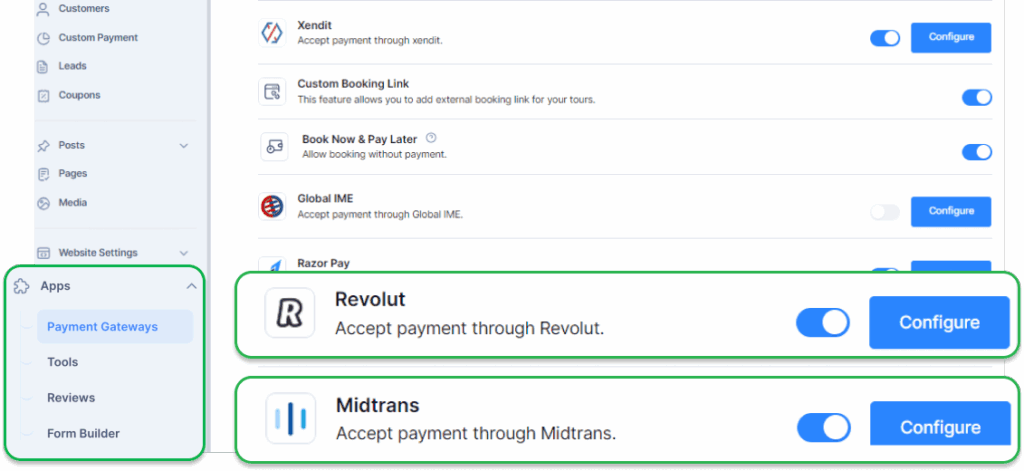
1. Addition: 2 New Payment Gateways
We’ve expanded our payment options to help you reach more customers globally!
You can now collect payments from your international customer base through these popular regional payment options:
- Revolut Payment Gateway: Offer seamless payments for your customers in the UK and the European Economic Area (EEA).
- Midtrans Payment Gateway: Provide reliable payment solutions for your customers in Indonesia and the wider Southeast Asian (SEA) region.
How to enable: Apps > Payment Gateways > Toggle on your preferred gateway.
2. New Feature: Custom Category for Tours
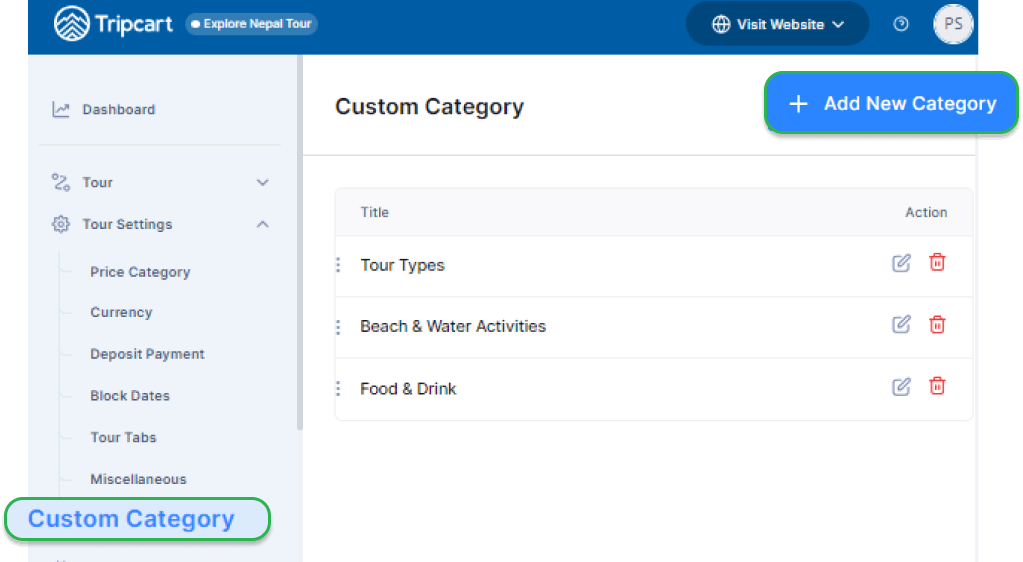
Want to help food lovers find your wine tastings without scrolling through all your hiking tours?
Now you can create custom categories to organize your tours! Group them by type, theme, or any way you want.
This clear grouping helps your customers find tours they’ll love, which means more bookings for you.
How to configure: Tour Settings > Custom Category > Add New Category.
3. New Feature: Global Include/Exclude for Tours
Tired of copying the same ‘hotel pickup included, meals excluded’ details across all your city tours? Allow us to take the hassle away!
With the new global include/exclude feature, you can set the same inclusions and exclusions that apply to all your tours in one go.
This feature will help you save time and ensure consistency throughout your tour listing.
How to use: Tour Settings > Miscellaneous > Set up Global Cost Include and Global Cost Exclude.

4. New Feature – Currency Switcher
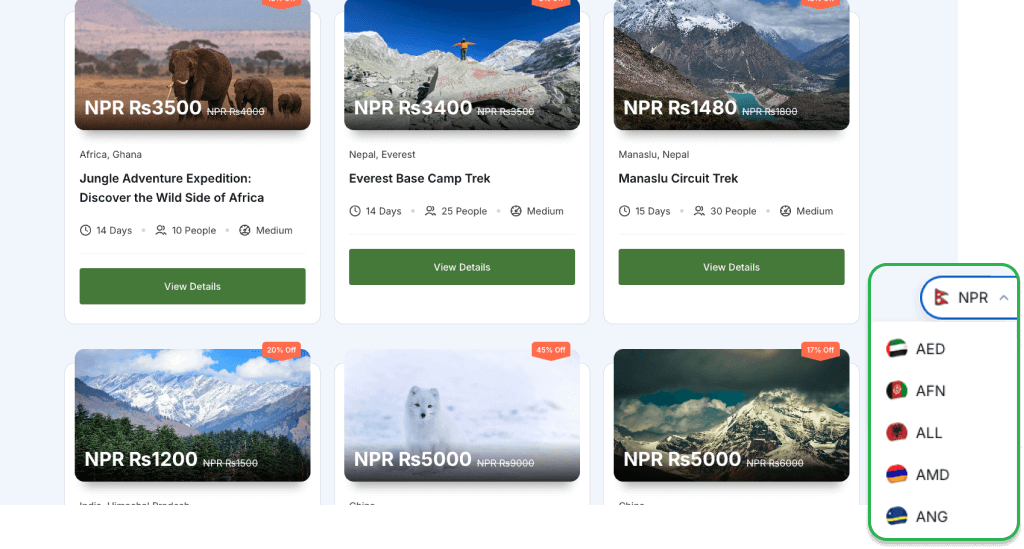
We’re introducing a new feature, “Currency Switcher” that allows your customers to see tour prices in their preferred currency.
This means they can book with confidence, knowing exactly what they’ll pay – no matter where they’re from.
Note: This feature is only available for users subscribed to the Accelerate and Scale plans.
With this feature, you get:
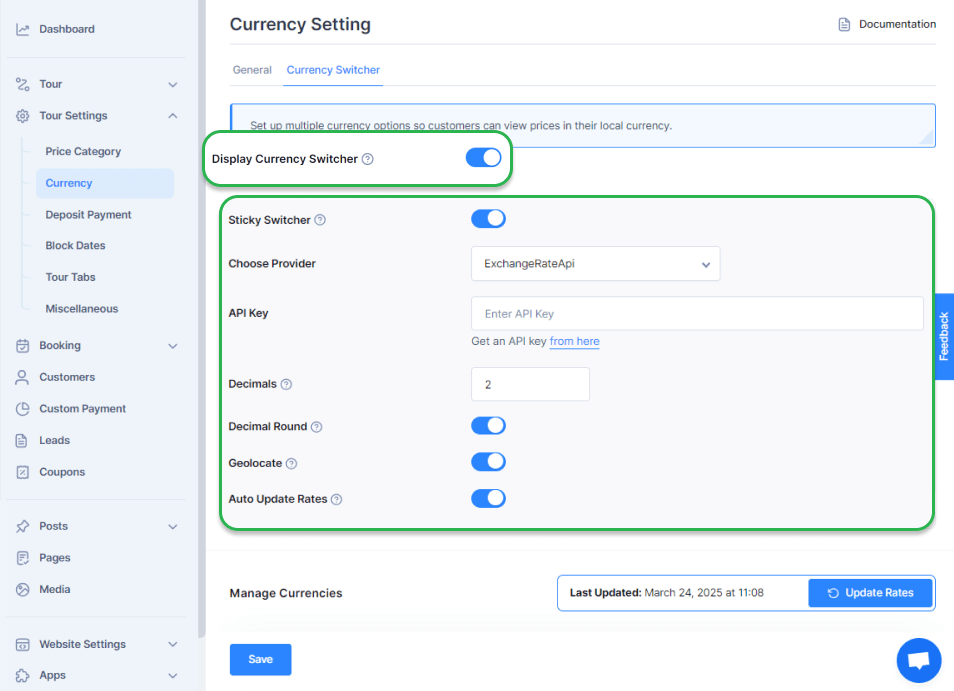
- Sticky Switcher – Enable a floating currency switcher that stays visible as users scroll.
- Automatic Exchange Rates – Connect with the ExchangeRate API or the CurrencyFreaks API to update currency values in real time.
- Geolocation-Based Pricing – Automatically display prices in a visitor’s local currency based on their location.
Additionally, you can add, edit, delete, or reset specific currencies as needed.
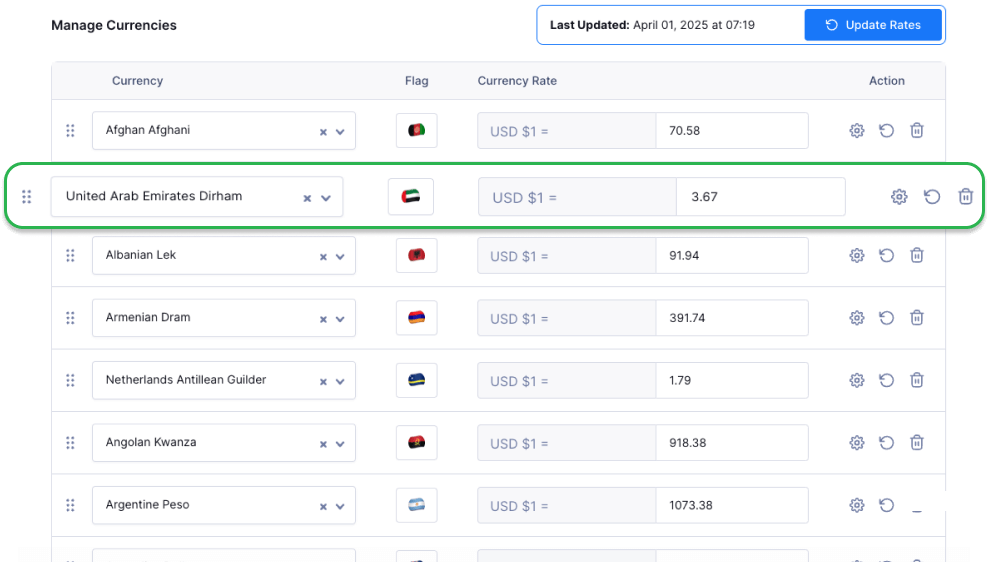
How to enable it: Go to Tour Settings > Currency > Currency Switcher.
To learn more about configuring and managing currencies, Read Documentation.
5. New Feature – Tour Labels
Make your tours pop with customizable labels! Highlight special offers, categorize options, or improve searchability with this simple yet impactful feature.

How to configure it: Go to Tour > All Tours, then click Add New Tour or Edit an existing tour. In the General section, find the Tour Label and create your custom label.

6. New Feature – Add HTML Block on Home Page
You can now add custom content to your homepage using HTML blocks.
This creative freedom helps you craft a more functional and relevant homepage by integrating maps, calendars, and more.
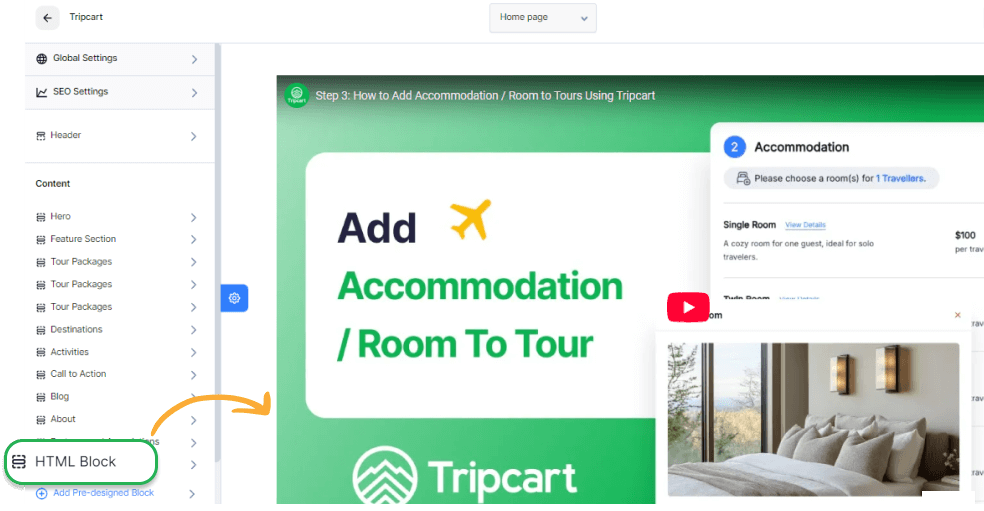
How to add: Go to Website Settings > Website Builder, then click Add Pre-designed Block. Select HTML Block and click Insert.
7. New Feature – White Label
You can now remove the “Powered by Tripcart” text from your footer.
This feature keeps the focus on your brand, reinforcing consistency across your site.
How to enable it: Visit Apps > Tools and toggle on the White Label option.
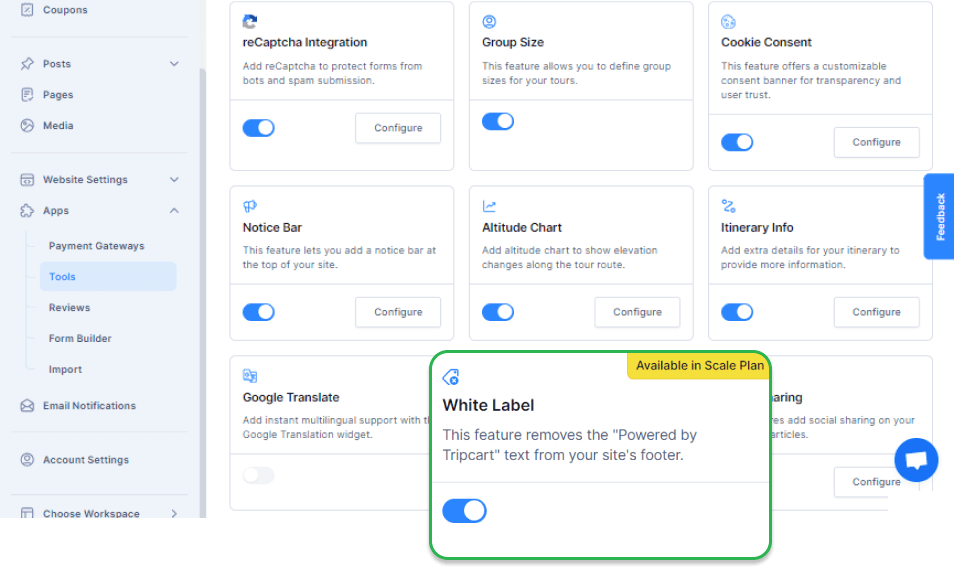
Note: This feature is only available for users subscribed to the Scale Plan.
8. New Feature – Sticky Post and Tour
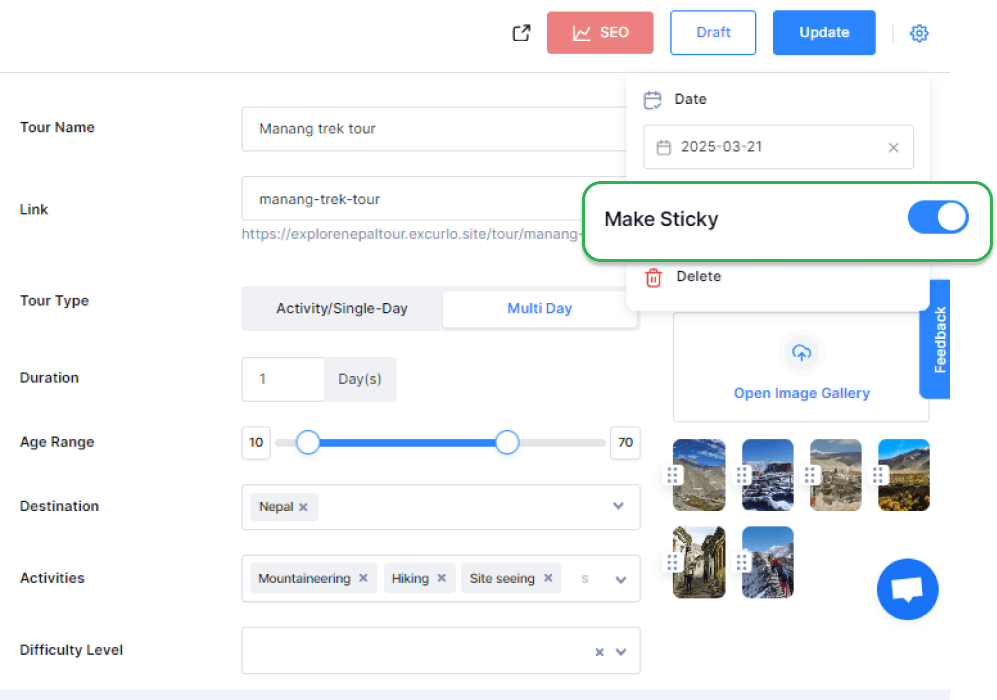
Keep your best content in the spotlight! The new Sticky Post and Tour feature lets you pin key tours or posts to ensure they remain visible no matter how much new content you add.
This boosts visibility for your top offerings and drives more bookings and attention.
How to configure it: Go to Tour > All Tours, then click Add Tour or Edit Tour. Next, click the Settings Icon and toggle on Make Sticky.
9. Improvement – Tour Tabs
Rearrange your tour tabs however you like! With our new update, you can reorder your tabs in trip pages, including overview, itinerary FAQs, and more.
This flexibility lets you highlight what matters most, making it easier for travelers to find key information and increasing engagement.
How to configure it: Navigate to Tour Settings > Tour Tabs and drag them into your preferred order.

10. Improvement – SMTP Encryption Configuration
This month, we’ve worked on making SMTP more secure for you. If you’re using external SMTP to send emails, you can now choose between TLS or SSL encryption for email notifications.
This upgrade ensures safer, more reliable communication with your customers to enhance trust and protect sensitive data.
How to configure it: Go to Email Notifications > Settings > Other SMTP and select your preferred encryption method.

11. Improvement – Custom Currency Display Format
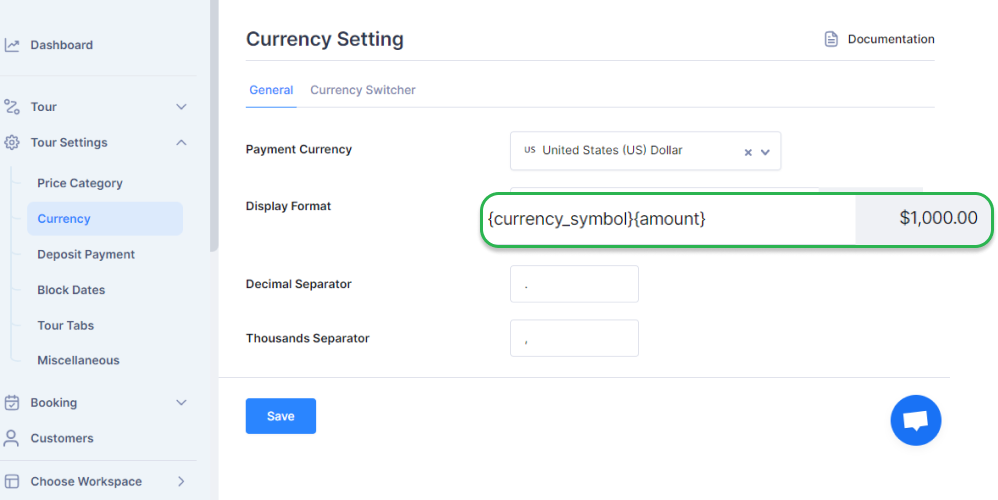
Now, you also have control over how your currency appears, including the placement of the currency symbol, amount, and code.
You can also tweak thousands and decimal separators to suit your audience.
How to configure it: Visit Tour Settings > Currency and set your desired display format.
Conclusion
We’re committed to enhancing Tripcart to deliver the best possible experience for you and your customers.
Your feedback fuels our progress, so please let us know what you think! If you have questions or need help, our support team is just a message away.
Stay tuned for more exciting updates next month!
